
 It's All ConnectedTexturenpakete · 1.20 – 26.x
Connects every vanilla texture using CTM
Kostenlos303,199 Downloads
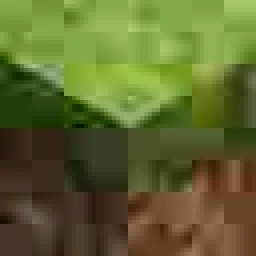
Adds heavy JPEG compression to every vanilla texture
Direkter Download von Modrinth · 58 Downloads

JPEG-ified (Texturenpaket) stammt von JohnSeagull. Adds heavy JPEG compression to every vanilla texture.
Unterstützt wird Minecraft 26.x. Auf Modrinth gibt es 58 Downloads. Das letzte Update erschien am 09.11.2026.
JPEG-ified hat seit 04.11.2026 3 Versionen auf Modrinth veröffentlicht. 3 davon erschienen im letzten Jahr. Die neueste ist 26.2, erschienen am 08.11.2026. Sie ist für Minecraft 26.2 gemacht. Sie läuft auf Minecraft. Der Download ist 6.5 MB groß.
| Version | Veröffentlicht | Minecraft | Typ |
|---|---|---|---|
26.2 | 08.11.2026 | 26.2 | Release |
26.1 | 08.11.2026 | 26.1, 26.1.1, 26.1.2 | Release |
26.3 | 04.11.2026 | 26.3 | Release |
JPEG-ified is a resource pack that changes all vanilla textures to overly jpeg-compressed versions. The best part is that since minecraft can only use PNG's for resourcepacks, using this does not save any space at all!
I just made a small batch script that recursively goes through all the Minecraft assets and uses ImageMagick to compress each to a 10%-quality jpeg image, and then back to a usable png.
It preserves the transperency which normal JPEG does not, but I feel like it was necessary to make the game look better.
`\(°-°)/’
Don't these villagers just look so whimsical?
Super nerd details
Its a batch script that runs recursively thriugh all the subfolders of assets\minecraft\textures\
It uses ImageMagick to compress each to a temporary jpeg image as well as a black and white alpha map
The joeg is reconverted to png and the alpha map is applied
Both files are removed and the script is ready to start the next one.
Geschrieben von JohnSeagull. Mit Bildern auf Modrinth lesen.
Lade die .zip-Datei von Modrinth herunter. Entpacke sie nicht.
Öffne in Minecraft Optionen, dann Ressourcenpakete, dann Paketordner öffnen.
Lege die .zip-Datei in diesen Ordner und gehe zurück ins Spiel.
Schiebe JPEG-ified in die rechte Liste und klicke auf Fertig.
Es ist für Minecraft 26.x gemacht. Auf anderen Versionen markiert Minecraft es als inkompatibel, oft funktioniert es aber trotzdem.
| Ressource | Downloads | Versionen | Letztes Update | Preis |
|---|---|---|---|---|
| JPEG-ifieddie du angesehen hast | 58 | 26.x | vor 2 Tagen | Kostenlos |
| It's All ConnectedBoombabob | 303K | 1.20 – 26.x | 13. Juni 2026 | Kostenlos |
 PvP UtilsSoGuy | 225K | 1.21 – 26.x | 22. Juni 2025 | Kostenlos |
 Mel's 3D Itemsmeletion | 437 | 1.21 – 26.x | vor 21 Tagen | Kostenlos |
Ja. JPEG-ified unterstützt Minecraft 26.x. Alle unterstützten Versionen: 26.x.
Ja. JPEG-ified kannst du kostenlos bei Modrinth herunterladen.
Ja. Das letzte Update kam innerhalb des letzten Tages.
Am ähnlichsten sind It's All Connected, PvP Utils und Mel's 3D Items. Alle Alternativen vergleichen
It's All ConnectedTexturenpakete · 1.20 – 26.xConnects every vanilla texture using CTM
PvP UtilsTexturenpakete · 1.21 – 26.xA texture pack, which adds Quality of Life Improvements for PvP, while keeping it in a vanilla style.
Mel's 3D ItemsTexturenpakete · 1.21 – 26.xThis texture pack adds 3D items with the goal of making every item (not block) 3d, with their own textures, and animations!
 Theone's Eating Animation PackTexturenpakete · 1.21 – 26.x
A texture pack that adds sprite animations for edible and drinkable items.
 Asa's Sulfur Cube BucketsTexturenpakete · 26.x
Aiming to give every sulfur cube bucket a unique texture while attempting to emulate the vanilla style.
 xali's Enhanced VanillaTexturenpakete · 1.13 – 1.21
The texture pack for people who hate texture pack.
Logg dich ein, um eine Bewertung zu schreiben.