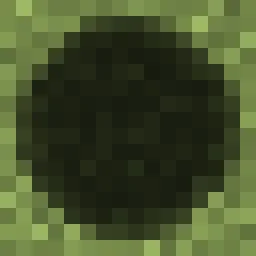
The shadow we deserve!
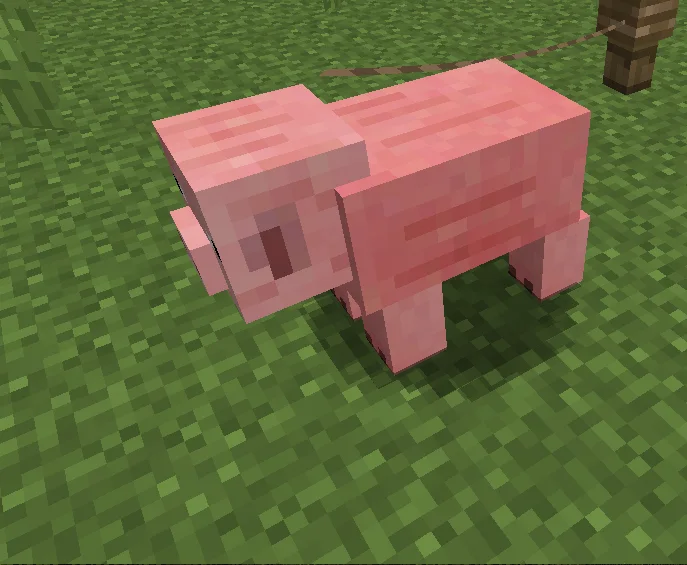
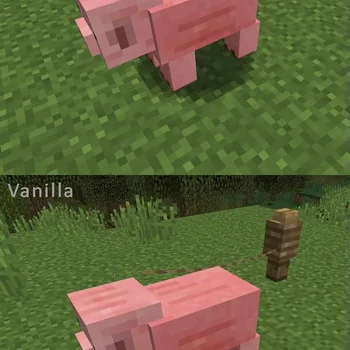
The shadow we deserve!
Authentic Shadows (Texturenpaket) stammt von Liahim85. Unterstützt wird Minecraft 1.8 – 1.21. Auf Modrinth gibt es 353,320 Downloads. Das letzte Update erschien am 04.01.2025.
Authentic Shadows hat seit 25.05.2023 12 Versionen auf Modrinth veröffentlicht. Keine davon erschien im letzten Jahr. Die neueste ist 1.21+, erschienen am 04.01.2025. Sie ist für Minecraft 1.21.1 – 1.21.4 gemacht. Sie läuft auf Minecraft. Der Download ist 8 KB groß.
| Version | Veröffentlicht | Minecraft | Typ |
|---|---|---|---|
1.21+ | 04.01.2025 | 1.21.1 – 1.21.4 | Release |
1.21 | 18.07.2024 | 1.21 | Release |
1.20 | 25.05.2023 | 1.20, 1.20.1 | Release |
1.19 | 25.05.2023 | 1.19, 1.19.1, 1.19.2 | Release |
1.18 | 25.05.2023 | 1.18, 1.18.1, 1.18.2 | Release |
This super-lightweight texture pack is specially designed for aesthetes who value style and extend the pinky finger while drinking coffee.
The texture pack contains only one texture, but you can’t even imagine how much it changes the game world!
If these creepy round shadows cut your eyes like mine, this pack is for you!
Also try my new game: 26-PUZZLE !!!
Geschrieben von Liahim85. Mit Bildern auf Modrinth lesen.
Lade die .zip-Datei von Modrinth herunter. Entpacke sie nicht.
Öffne in Minecraft Optionen, dann Ressourcenpakete, dann Paketordner öffnen.
Lege die .zip-Datei in diesen Ordner und gehe zurück ins Spiel.
Schiebe Authentic Shadows in die rechte Liste und klicke auf Fertig.
Es ist für Minecraft 1.8 – 1.21 gemacht. Auf anderen Versionen markiert Minecraft es als inkompatibel, oft funktioniert es aber trotzdem.
Noch nicht. Die neueste unterstützte Version ist Minecraft 1.21.
Ja. Authentic Shadows kannst du kostenlos bei Modrinth herunterladen.
Ja. Das letzte Update kam innerhalb des letzten Tages.
Logg dich ein, um eine Bewertung zu schreiben.
