
 BetterNetherMods · 1.19 – 26.x
More Biomes, More Mobs, More Tools for the fiery Dimension
Kostenlos13,756,361 Downloads
Adds new spooky biomes to the Nether
Direkter Download von Modrinth · 3,616,763 Downloads
Gardens of the Dead (Mod) stammt von ochotonida. Adds new spooky biomes to the Nether.
Unterstützt wird Minecraft 1.19 – 1.21. Auf Modrinth gibt es 3,616,763 Downloads. Das letzte Update erschien am 09.12.2025.
Gardens of the Dead hat seit 18.10.2022 27 Versionen auf Modrinth veröffentlicht. 7 davon erschienen im letzten Jahr. Die neueste ist 4.0.4, erschienen am 08.12.2025. Sie ist für Minecraft 1.20.1 gemacht. Sie läuft auf Forge. Der Download ist 11.3 MB groß.
| Version | Veröffentlicht | Minecraft | Typ |
|---|---|---|---|
4.0.4 | 08.12.2025 | 1.20.1 | Release |
4.0.3 | 08.12.2025 | 1.20.1 | Release |
4.0.3 | 08.12.2025 | 1.20.1 | Release |
4.0.2 | 08.12.2025 | 1.20.1 | Release |
4.0.2 | 08.12.2025 | 1.20.1 | Release |
Gardens of the dead is a mod that adds new spooky biomes to the Nether, created for Spooky Jam 2022.
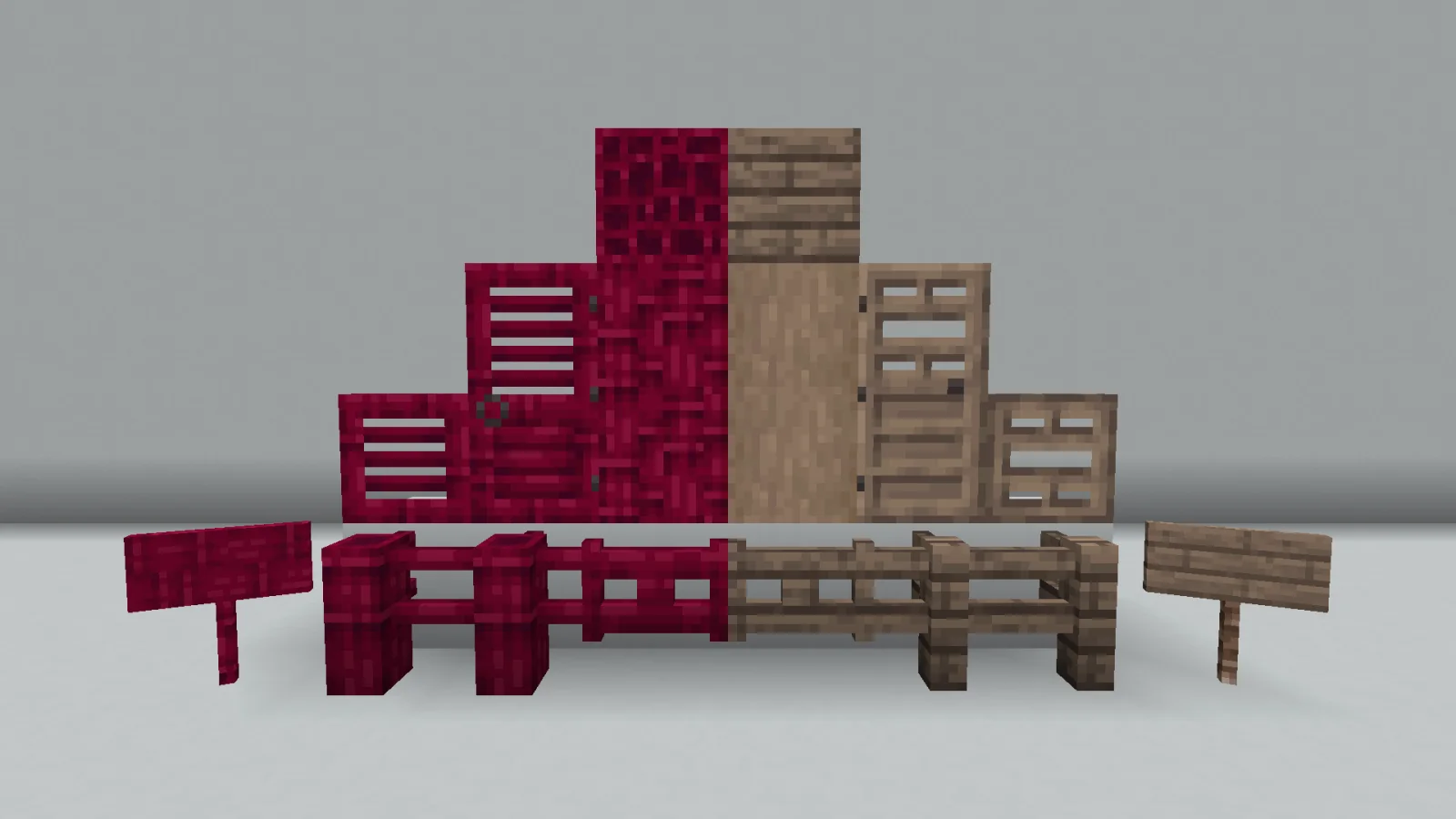
Along with the new biomes, Gardens of the Dead also adds new plants and decorative blocks.
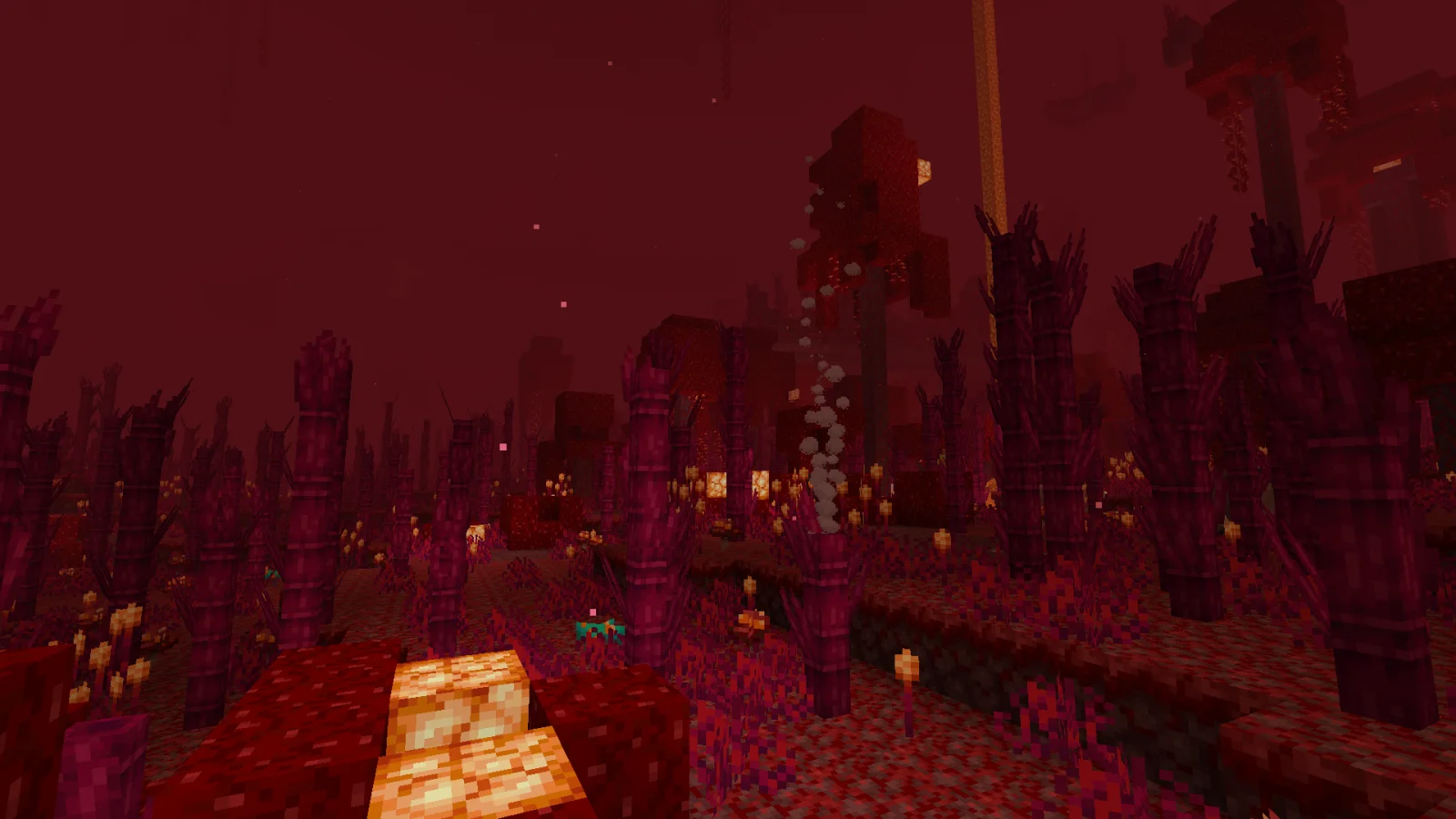
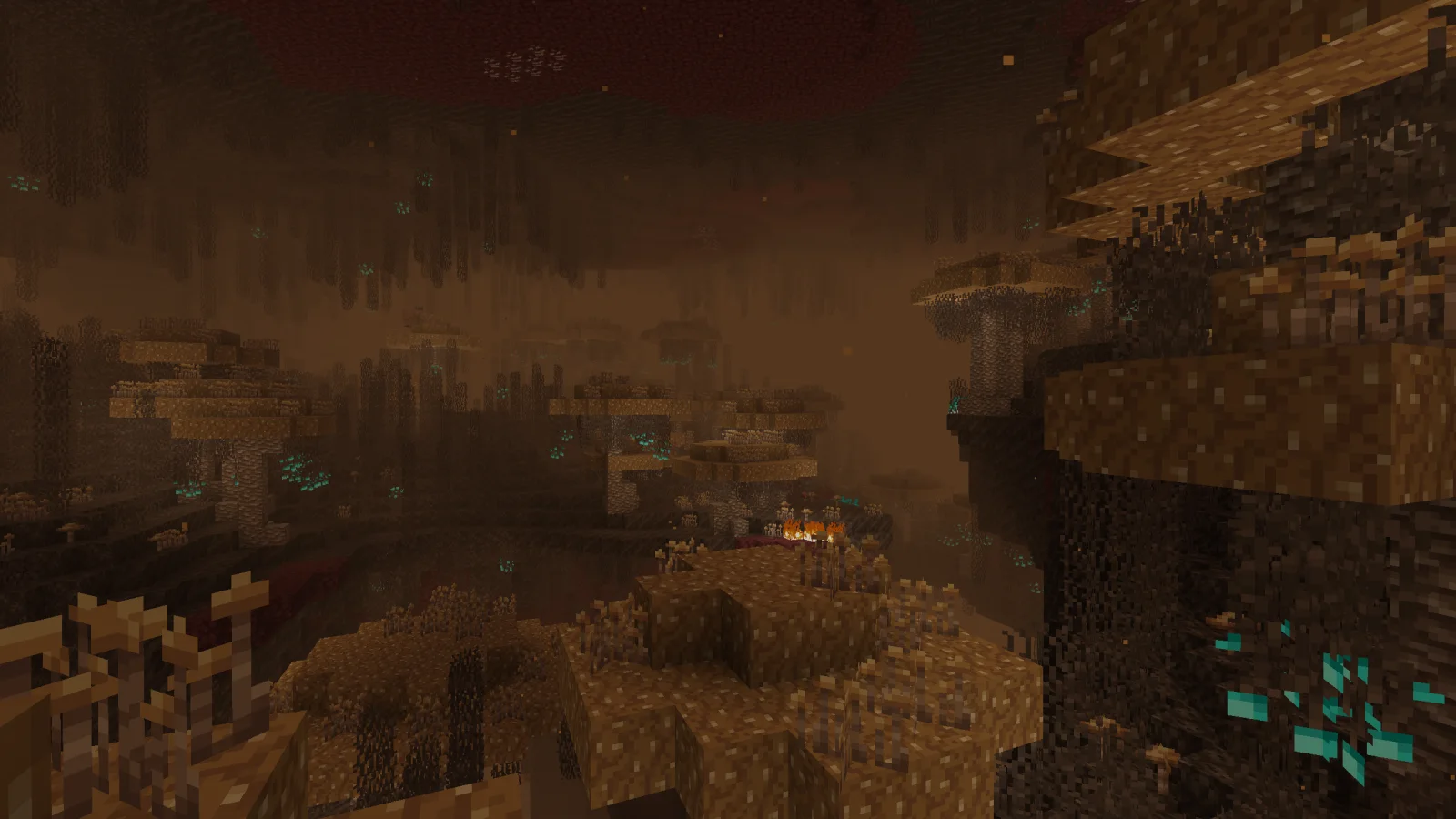
Currently, 2 biomes are added, the Soulblight Forest and the Whistling Woods, pictured below. More biomes will (eventually) be added in the future, possibly with new mobs as well.
Geschrieben von ochotonida. Mit Bildern auf Modrinth lesen.
Diese Mod wird auf dem Server und bei jedem Spieler gebraucht.
Installiere Fabric, Forge und NeoForge für Minecraft 1.19 – 1.21.
Füge die benötigten Mods hinzu: Architectury API.
Lade die .jar-Datei von Modrinth herunter und lege sie in den mods-Ordner deines .minecraft-Verzeichnisses.
Starte Minecraft mit dem Fabric-Profil.
Einfacher: Suche in Prism Launcher oder der Modrinth App in den Mods deiner Instanz nach Gardens of the Dead und klicke auf Install. Loader und benötigte Mods werden für dich hinzugefügt.
| Ressource | Downloads | Versionen | Letztes Update | Preis |
|---|---|---|---|---|
| Gardens of the Deaddie du angesehen hast | 3.6M | 1.19 – 1.21 | 9. Dez. 2025 | Kostenlos |
| BetterNetherquiqueck | 13.8M | 1.19 – 26.x | vor 3 Tagen | Kostenlos |
 Bygone Netherizofar | 7.2M | 1.16 – 1.20 | 17. Juli 2024 | Kostenlos |
 Animal GardenAquarius.playz | 454 | 1.20 – 26.x | vor 7 Tagen | Kostenlos |
Noch nicht. Die neueste unterstützte Version ist Minecraft 1.21.
Ja. Gardens of the Dead kannst du kostenlos bei Modrinth herunterladen.
Beides. Der Server und jeder Spieler brauchen Gardens of the Dead.
Ja: Architectury API. Installiere es vor Gardens of the Dead.
Ja. Das letzte Update kam innerhalb des letzten Tages.
Am ähnlichsten sind BetterNether, Bygone Nether und Animal Garden. Alle Alternativen vergleichen
BetterNetherMods · 1.19 – 26.xMore Biomes, More Mobs, More Tools for the fiery Dimension
Bygone NetherMods · 1.16 – 1.20Explore new structures unique to each Nether biome, as well as the new mobs that inhabit them.
Animal GardenMods · 1.20 – 26.xAdds 27 different type of butterflies to your forest and grassland biomes.
 Regions UnexploredMods · 1.18 – 26.x
A stack of new biomes spread across the Overworld and Nether!
 Biomes O' PlentyMods · 1.8 – 26.x
Adds 50+ unique biomes to enhance your world, with new trees, flowers, and more!
 Oh The Biomes We've GoneMods · 1.20 – 1.21
An astounding sequel to the original BYG mod for 1.20.1+ with over 50+ biomes ranging from the magical to the realistic and all breathtaking!
Logg dich ein, um eine Bewertung zu schreiben.