
 Glowing Emissive OresTexturenpakete · 1.16 – 26.x
Adds emissive ore textures to 314 mods and vanilla, no other resource pack supports as many! Updates add additional mod support, requests are welcome :)
Kostenlos538,588 Downloads
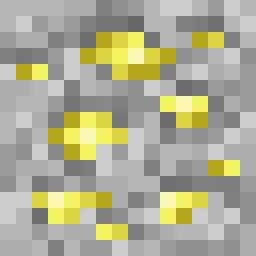
Adds emissive glowing textures to base Aether ores: Ambrosium, Zanite, and Gravitite
Direkter Download von Modrinth · 1 Downloads
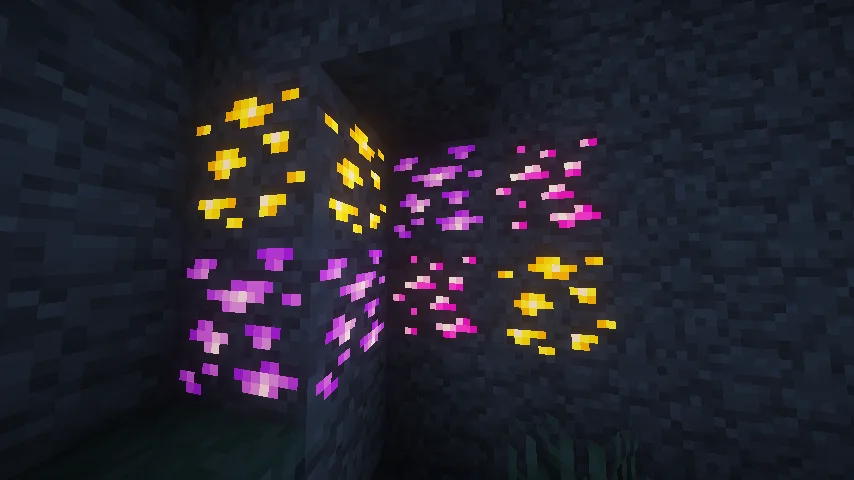
Aether (Texturenpaket) stammt von fehykitop. Adds emissive glowing textures to base Aether ores: Ambrosium, Zanite, and Gravitite.
Unterstützt wird Minecraft 1.19 – 1.21. Auf Modrinth gibt es 1 Downloads. Das letzte Update erschien am 11.11.2026.
Die neueste ist 1.0.0, erschienen am 11.11.2026. Sie ist für Minecraft 1.19.2 – 1.21.1 gemacht. Sie läuft auf Minecraft. Der Download ist 14 KB groß.
| Version | Veröffentlicht | Minecraft | Typ |
|---|---|---|---|
1.0.0 | 11.11.2026 | 1.19.2 – 1.21.1 | Release |
Aether Glow Ores
Make your mining experience in the Aether dimension much more vibrant! This resource pack adds electric neon emissive (glowing in the dark) textures to all natural ores from The Aether mod
Supported Ores:
How to make ores glow (Requirements):
Minecraft requires a client mod to render emissive textures. Install the one matching your mod loader:
NeoForge / Fabric:
Forge:
Compatibility:
Supported Versions: 1.19.2 – 1.21.1
Mod Required: The Aether and Fusion(or Optifine)
Geschrieben von fehykitop. Mit Bildern auf Modrinth lesen.
Lade die .zip-Datei von Modrinth herunter. Entpacke sie nicht.
Öffne in Minecraft Optionen, dann Ressourcenpakete, dann Paketordner öffnen.
Lege die .zip-Datei in diesen Ordner und gehe zurück ins Spiel.
Schiebe Aether in die rechte Liste und klicke auf Fertig.
Es ist für Minecraft 1.19 – 1.21 gemacht. Auf anderen Versionen markiert Minecraft es als inkompatibel, oft funktioniert es aber trotzdem.
| Ressource | Downloads | Versionen | Letztes Update | Preis |
|---|---|---|---|---|
| Aetherdie du angesehen hast | 1 | 1.19 – 1.21 | vor 12 Stunden | Kostenlos |
| Glowing Emissive OresDeftestHawk | 539K | 1.16 – 26.x | vor 11 Tagen | Kostenlos |
 Subtly Glowing Oresrobotkoer | 1.1M | 1.17 – 26.x | 19. Apr. 2026 | Kostenlos |
 Cobblemon Emissive Texturesblaize36 | 146K | 1.20 – 1.21 | 14. März 2025 | Kostenlos |
Noch nicht. Die neueste unterstützte Version ist Minecraft 1.21.
Ja. Aether kannst du kostenlos bei Modrinth herunterladen.
Ja: The Aether, Fusion (Connected Textures). Installiere es vor Aether.
Ja. Das letzte Update kam innerhalb des letzten Tages.
Am ähnlichsten sind Glowing Emissive Ores, Subtly Glowing Ores und Cobblemon Emissive Textures. Alle Alternativen vergleichen
Glowing Emissive OresTexturenpakete · 1.16 – 26.xAdds emissive ore textures to 314 mods and vanilla, no other resource pack supports as many! Updates add additional mod support, requests are welcome :)
Subtly Glowing OresTexturenpakete · 1.17 – 26.xAdds an emissive colored outline to the ores! Works with most resource packs!
Cobblemon Emissive TexturesTexturenpakete · 1.20 – 1.21This pack adds emmisive textures to ores and items from Cobblemon, Ascension Megamons and Hulis Z-Crystals
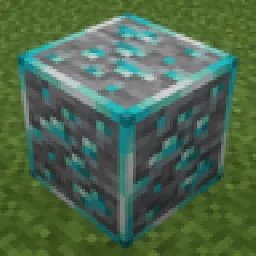 Glowing OresTexturenpakete · 1.18 – 1.20
Vanilla-style 16x glowing ores with emissive highlights textures for easier mining in dark caves.
 New Glowing OresTexturenpakete · 1.17 – 26.x
Makes ores glow to make them more visible, and also adds connected outlines to them so you don't miss a single block. Mod support available
 Small Shield & TotemTexturenpakete · 1.12 – 26.x
Compatible with custom totem textures. Auch adds small totem pop
Logg dich ein, um eine Bewertung zu schreiben.