NeuCraftRank SitesKostenlose Website mit ShopMach deine ›
AshlarKostenlose Serversoftware auf Paper-Basis mit DDoS- und Backdoor-Schutz Ashlar ansehen ›Security RadarA free check of your server's login, anti-bot and proxy settings, only with your OK So funktioniert es ›CommunityStell Fragen, teile Bauten und finde Leute zum Spielen Zum Forum ›
Ressourcen / Ressourcenpakete / Cobblemon: AllTheMegas

Cobblemon: AllTheMegas

A Soul Megas & AllTheMons Compatibility Pack

RessourcenpaketeKostenlos1.21
von Lvnatic · übernommen von Modrinth
Herunterladen ›

Direkter Download von Modrinth · 123,743 Downloads
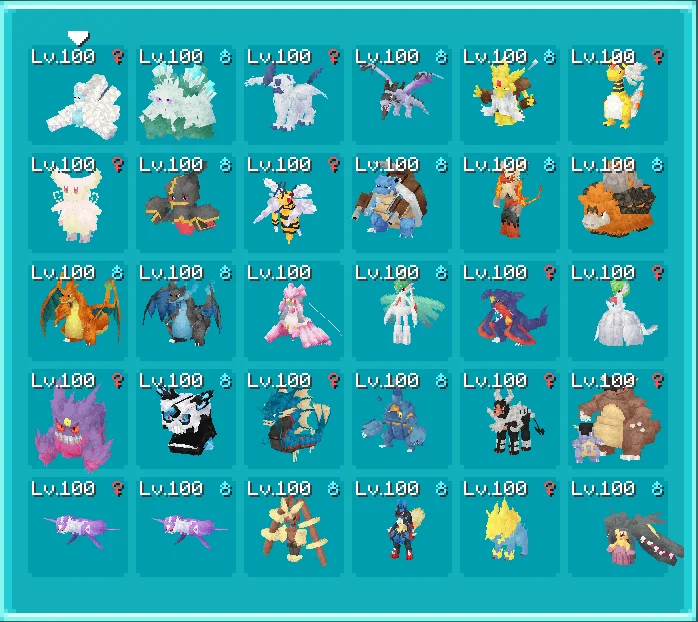
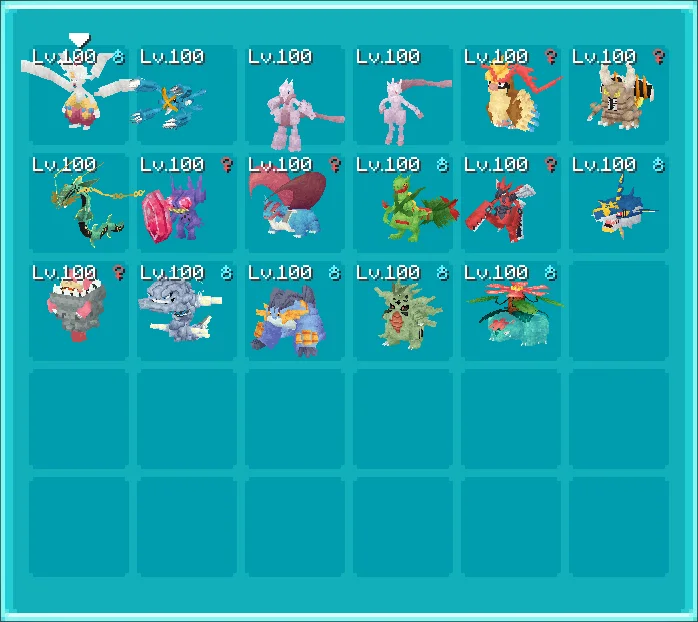
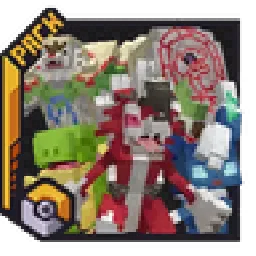
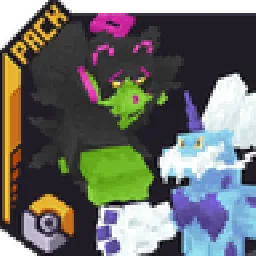
Cobblemon: AllTheMegas – Screenshot 1Cobblemon: AllTheMegas – Screenshot 2Cobblemon: AllTheMegas – Screenshot 3

Was er macht

Cobblemon: AllTheMegas (Ressourcenpaket) stammt von Lvnatic. A Soul Megas & AllTheMons Compatibility Pack.

Unterstützt wird Minecraft 1.21. Auf Modrinth gibt es 123,743 Downloads. Das letzte Update erschien am 14.04.2025.

Unterstützte Versionen

1.21

Versionsverlauf

Cobblemon: AllTheMegas hat seit 31.01.2025 7 Versionen auf Modrinth veröffentlicht. Keine davon erschien im letzten Jahr. Die neueste ist v1.6.1a, erschienen am 14.04.2025. Sie ist für Minecraft 1.21.1 gemacht. Sie läuft auf Data pack und Minecraft. Der Download ist 1.2 MB groß.

VersionVeröffentlichtMinecraftTyp
v1.6.1a14.04.20251.21.1Release
v1.6.0c14.02.20251.21.1Release
v1.6.0b04.02.20251.21.1Release
Beschreibung des Autors auf Modrinth

AllTheMegas - Soul Megas & ATM Compatibility Pack

This is Soul Megas but compatible with AllTheMons, don't use this with Soul Megas or Mega Showdown! It features permanent megas, with models from Soul Megas!

For 1.6 there were also two versions with game accurate in-battle megas (can still be found in the Legacy section below) but these have been depreciated. If you're looking for a better and more uptodate alternative, join the MegaShowdown discord!

Dependencies (You need these):

How to install:

  1. Make sure you correctly installed all dependencies
  2. Make sure you've downloaded the correct/latest version of this pack
  3. Add this pack to your resourcepacks (\resourcepacks)
  4. Add this pack to your worlds datapack (\saves\[YOURWORLDNAME]\datapacks)
  5. Enable the resourcepack ingame (ESC - Options - Resource Packs)

How Mega Evolutions work:

  • You can Mega evolve anytime (outside of battle)
  • Pokémon has to hold the Generic Megastone to mega evolve/deevolve (so switch it for an actual item while not using it)
  • Pokémon has to be level 50+ (70+ for Pseudo & Legendaries)
  • Pokémon has to have 180+ friendship with you
  • NOTE that that item won't show up in JEI/REI!

Where do added Pokémon spawn?:

AllTheMons Pokémon

  • Join their discord and type /where in any channel

AllTheMegas Pokémon

  • Elektrike: Commonly in plains
  • Manectric: Uncommonly in plains
  • Snover: Commonly in snowy taigas
  • Abomasnow: Unommonly in snowy taigas
  • Audino: Unommonly everywhere (especially during the day!)

Something ain't working? - Some helpful sources:

Click me

  • AllTheMegas issues? - Join the Cobblemon discord and click here
  • AllTheMons issues? - Join their discord
  • Wanna configure Flourish? - Check their documentation here
  • Wanna configure CobblemonMegas? Check their documentation
  • Cobblemon issues? - Again, join their discord and ask around!

FAQ:

Click me

FAQ and some important information:

Will this work with Cobblemon 1.6.1?

  • Currently only the main version supports 1.6.1
  • Legacy versions only support cobblemon 1.6.0

Does this work on Aternos?

  • Only the Standalone Version is supported
  • Legacy versions never will be, due to the newest versions of Flourish and CobblemonMegas not being on Modrinth.
  • Also the Aternos people won't allow you to download fabric permissions API 0.3.1 for MC 1.21.1. So don't hate me, blame them.

What's the difference between Flourish and CobblemonMegas?

  • Technically they do the same, though they have some little differences.
  • Flourish has better animations, more dependencies and mega rayquaza is a lil' buggy
  • CobblemonMegas has less animations, less dependencies and less issues with rayquaza

Why doesn't mega rayquaza work?

  • The way its implemented into AllTheMons(ATM) conflicts with the way flourish works.

Why don't you fix that?

  • This is basically an edited version of Soul Megas, which is meant to work with ATM. To fix mega rayquaza I'd have to edit the ATM files & thus create a whole new fork of it just for this, which I won't due to the licensing of ATM.

Can I fix this myself?

  • Yes its fairly easy if you know how to edit a datapack. You'd have to delete all rayquaza & mega rayquaza related files from ATM (assets-animations, models, posers, resolvers, textures;data-spawns, species/species_additions) and replace them with the rayquaza files from Soul Megas pack.

Legacy Versions:

Click me

Standalone Version (Permanent Megas)

  • Cobblemon 1.6 (Since I dropped support for newer versions)
  • AllTheMons **2.1**
  • RoughlyEnoughItems/REI

Flourish Version (In-Battle Megas, better animations)

  • Everything from the Standalone Version
  • Fabric
  • Polymer 0.9.18
  • Fabric Permissions API 0.3.1 (Not 0.3.3 and yes it's for 1.21.1)
  • Flourish 1.4.4 (Not 1.4.2 from Modrinth)
  • Join the cobblemon discord, click here, then add to \mods

CobblemonMegas Version (In-Battle Megas, less dependencies, more commands)

  • Everything from the Standalone Version
  • Fabric
  • Architectury API 13.0.8
  • CobblemonMegas release 1.3.5-1.6.0-1.21.1
  • Get it here, then add to \mods

How to install:

  1. Make sure you correctly installed all dependencies
  2. Make sure you've downloaded the correct version of this pack
  3. Add this pack to your resourcepacks (\resourcepacks)
  4. Add this pack to your worlds datapack (\saves\[YOURWORLDNAME]\datapacks)
  5. Enable the resourcepack ingame (ESC - Options - Resource Packs)

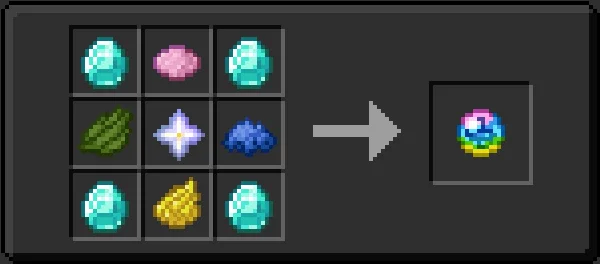
How find all the Mega recipes:

Flourish

  • Mega Bracelet:
  • In REI search for Nether Star and right click or press u
  • It'll show the recipe for the Mega Bracelet
  • Mega Stones:
  • Press r on the Mega Bracelet
  • It'll show the recipe for all the Mega Stones

CobblemonMegas

  • Mega Bracelet:
  • In REI search for Nether Star and right click or press u
  • It'll show the recipe for the Mega Bracelet
  • Mega Stones:
  • In REI search for Emerald and right click or press u
  • It'll show you recipes for all the Mega Stones

How to mega evolve:

  • They function just like in the original pokemon games,
  • Only in battles
  • Only one mon per battle
  • Mon has to be holding their respective Mega Stone
  • You have to have the Mega Bracelet
  • For Flourish it has to be in your off hand (can be changed inits config, info here)
  • While choosing an attack in battle, you have a new button that (once clicked) will mega evolve your pokemon starting on the next turn

Known bugs:

  • Flourish:
  • Rayquaza not mega evolving (Flourish & ATM's implementation make this impossible, so if this ever integrates into ATM, easy needs to remove his rayquaza and megarayquaza, working on a easy to implement version/branch)

Credits!

Thanks to the amazing work of Soul and his mates, who made all the good looking mega models, which you can find here, he allowed me to upload and share this so go show some love!

Geschrieben von Lvnatic. Mit Bildern auf Modrinth lesen.

So installierst du Cobblemon: AllTheMegas

  1. Lade die .zip-Datei von Modrinth herunter. Entpacke sie nicht.

  2. Öffne in Minecraft Optionen, dann Ressourcenpakete, dann Paketordner öffnen.

  3. Lege die .zip-Datei in diesen Ordner und gehe zurück ins Spiel.

  4. Schiebe Cobblemon: AllTheMegas in die rechte Liste und klicke auf Fertig.

  5. Es ist für Minecraft 1.21 gemacht. Auf anderen Versionen markiert Minecraft es als inkompatibel, oft funktioniert es aber trotzdem.

Kompatibilität

Minecraft-Versionen
1.21
Edition
Java
Benötigt
Nichts weiter
Lizenz
CC BY
Preis
Kostenlos
Pflege
Wird aktiv aktualisiert (14.11.2026)

Cobblemon: AllTheMegas im Vergleich mit ähnlichen Alle Alternativen vergleichen

RessourceDownloadsVersionenLetztes UpdatePreis
Cobblemon: AllTheMegasdie du angesehen hast124K1.2114. Apr. 2025Kostenlos
Cobblemon: AllTheMonsLvnatic1.2M1.20 – 1.21vor 28 TagenKostenlos
BCG x AllTheMonsjflec153K1.2025. Okt. 2024Kostenlos
Cobblemon Text FixV0calgiant12139K1.20 – 1.2123. März 2025Kostenlos

Fragen

Funktioniert Cobblemon: AllTheMegas mit Minecraft 26.x?

Noch nicht. Die neueste unterstützte Version ist Minecraft 1.21.

Ist Cobblemon: AllTheMegas kostenlos?

Ja. Cobblemon: AllTheMegas kannst du kostenlos bei Modrinth herunterladen.

Wird Cobblemon: AllTheMegas noch aktualisiert?

Ja. Das letzte Update kam innerhalb des letzten Tages.

Was sind die besten Alternativen zu Cobblemon: AllTheMegas?

Am ähnlichsten sind Cobblemon: AllTheMons, BCG x AllTheMons und Cobblemon Text Fix. Alle Alternativen vergleichen

Alternativen zu Cobblemon: AllTheMegas

Alle Alternativen vergleichen ›

Bewertungen

–★★★★★
0 Bewertungen
50
40
30
20
10

Logg dich ein, um eine Bewertung zu schreiben.