
 Just TPAPlugins · 1.19 – 26.x
JustTPA is a simple tpa plugin where players can ask other players if they can teleport to them.
Kostenlos246,639 Downloads
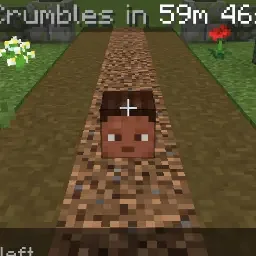
Items and XP wait in a grave where you died. One jar, one config, no other plugins.
Direkter Download von Hangar · 0 Downloads
MossGraves (Plugin) ist für Server mit Paper / Spigot gedacht und stammt von MossbackStudio. Items and XP wait in a grave where you died. One jar, one config, no other plugins.
Unterstützt wird Minecraft 1.21 – 26.x. Damit liegt es auf Platz 641 der 641 hier gelisteten Gameplay-Plugins. Das letzte Update erschien am 14.11.2026.
Die neueste ist 1.0.0, erschienen am 14.11.2026. Sie ist für Minecraft 1.21 – 26.3 gemacht. Sie läuft auf Paper. Der Download ist 21 KB groß.
| Version | Veröffentlicht | Minecraft | Typ |
|---|---|---|---|
1.0.0 | 14.11.2026 | 1.21 – 26.3 | Release |
Die Befehle, die auf der Hangar-Seite von MossGraves stehen:
/gravesDort genannte Berechtigungen, zu vergeben mit einem Plugin wie LuckPerms:
mossgraves.usemossgraves.bypassmossgraves.adminDying far from home should cost a walk back, not everything you were carrying. MossGraves puts a player's items and XP in a grave where they died and gives it all back with one click.
It is small on purpose: one jar, one config file, no other plugins needed.
MossGraves is free. My other plugins (crates, daily rewards): mossbackstudio.com
Geschrieben von MossbackStudio. Mit Bildern auf Hangar lesen.
Stelle sicher, dass dein Server Paper und Spigot auf Minecraft 1.21 – 26.x nutzt.
Lade die .jar-Datei von Hangar herunter und lege sie in den plugins-Ordner deines Servers.
Starte den Server neu. Vermeide /reload, viele Plugins kommen damit nicht gut klar.
Gib /plugins in der Konsole ein: MossGraves sollte grün aufgelistet sein. Die Konfigurationsdateien werden beim ersten Start im plugins-Ordner angelegt.
Ausführliche Anleitung: So installierst du Plugins auf einem Minecraft-Server
| Ressource | Downloads | Versionen | Letztes Update | Preis |
|---|---|---|---|---|
| MossGravesdie du angesehen hast | 0 | 1.21 – 26.x | vor 51 Min. | Kostenlos |
| Just TPAJustPlayerDE | 247K | 1.19 – 26.x | 25. Juni 2026 | Kostenlos |
 AuctionHousePlusnatzproz | 62K | 1.20 – 26.x | vor 18 Tagen | Kostenlos |
 Crazy-AuctionsBadBones69 | 482 | 1.8 – 1.19 | 25. Apr. 2023 | Kostenlos |
Ja. MossGraves unterstützt Minecraft 26.x. Alle unterstützten Versionen: 26.x, 1.21.
Ja. MossGraves kannst du kostenlos bei Hangar herunterladen.
MossGraves läuft auf Servern mit Paper und Spigot.
Ja. Das letzte Update kam innerhalb des letzten Tages.
Am ähnlichsten sind Just TPA, AuctionHousePlus und Crazy-Auctions. Alle Alternativen vergleichen
Just TPAPlugins · 1.19 – 26.xJustTPA is a simple tpa plugin where players can ask other players if they can teleport to them.
AuctionHousePlusPlugins · 1.20 – 26.xan /ah command where players can list their items.
Crazy-AuctionsPlugins · 1.8 – 1.19A simple auctions plugin where you can sell your items and bid on other items!
 ItemSwapperPlugins · 1.18 – 26.x
Inventory update concept for hotswapping items.
 Armor HiderPlugins · 1.20 – 26.x
Hide or adjust the transparency of armor, glint, and offhand items - with full multiplayer sync.
 Combat Weaponry PlusPlugins · 1.16 – 1.20
Adds new weapons and some other items
Logg dich ein, um eine Bewertung zu schreiben.