
 Click VillagersPlugins · 1.20 – 26.x
Click to pick up villagers, reset their trades, change their biomes, claim them and much more!
Kostenlos739,897 Downloads

Hoppers with traits: teleporters, item pipes, auto-sellers and mob grinders.
Direkter Download von Modrinth · 5 Downloads
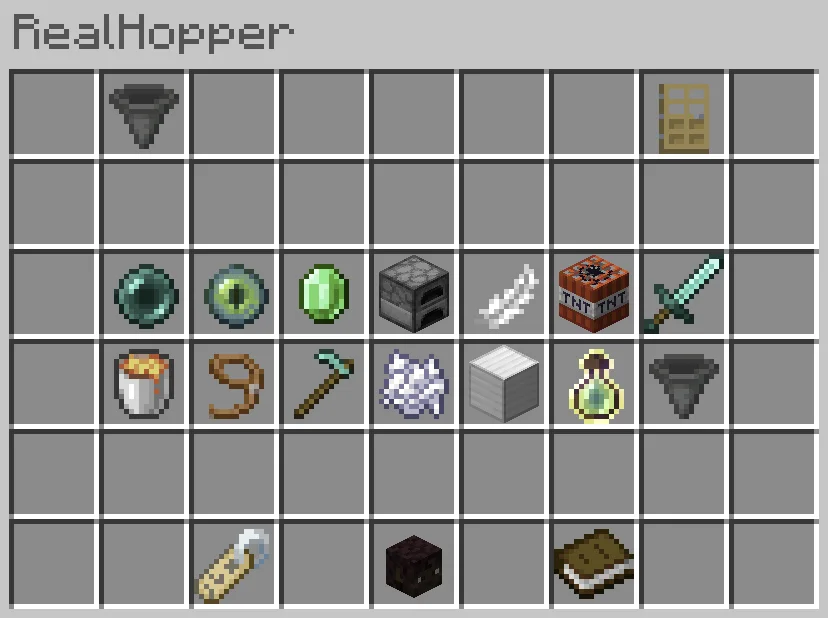
RealHoppers (Plugin) ist für Server mit Paper / Spigot gedacht und stammt von JoseGamer_PT. Hoppers with traits: teleporters, item pipes, auto-sellers and mob grinders.
Unterstützt wird Minecraft 1.13 – 26.x. Auf Modrinth gibt es 5 Downloads. Damit liegt es auf Platz 85 der 105 hier gelisteten Teleport- und Warp-Plugins. Das letzte Update erschien am 27.09.2026.
Die neueste ist 0.1, erschienen am 27.09.2026. Sie ist für Minecraft 1.13 – 26.3 gemacht. Sie läuft auf Bukkit, Paper und Spigot. Der Download ist 1.7 MB groß.
| Version | Veröffentlicht | Minecraft | Typ |
|---|---|---|---|
0.1 | 27.09.2026 | 1.13 – 26.3 | Release |
Die Befehle, die auf der Modrinth-Seite von RealHoppers stehen:
/rh/realhoppersDort genannte Berechtigungen, zu vergeben mit einem Plugin wie LuckPerms:
realhoppers.adminrealhoppers.trait.*realhoppers.traitrealhoppers.trait.suctionrealhoppers.limitrealhoppers.limit.nonerealhoppers.keepcontentsA GUI-based, simple and efficient hopper upgrade plugin.
Discord | Source Code | Report a Bug
RealHoppers gives an ordinary hopper a job. Place a hopper, right-click it, and give it one or more traits. A hopper can send items to another hopper across the map, teleport players who step on it, break the block above it, kill mobs standing on it, or sell everything it collects straight into its owner's balance.
Trait · What it does
TELEPORT · Sends a player who steps onto the hopper to the hopper it's linked to.
ITEM_TRANSF · Pushes its contents into the linked hopper. Works as a wireless item pipe.
SUCTION · Pulls in dropped items from the blocks around it.
BLOCK_BREAKING · Breaks the block above it and collects the drop.
KILL_MOB · Damages mobs standing on it and collects their drops.
MOB_PULL · Drags nearby mobs onto the hopper. Pair it with KILL_MOB for a one-block grinder.
AUTO_SELL · Sells whatever doesn't fit into a balance the owner collects later.
AUTO_SMELT · Smelts what it takes in, e.g. cobblestone into stone and ore into ingots.
AUTO_COMPACT · Turns nine ingots into a block, nine nuggets into an ingot, and so on.
HARVEST · Cuts fully grown crops around it and replants them.
GROW · Speeds up crops around it, like bonemeal.
XP_COLLECT · Collects nearby experience orbs and stores them until someone claims them.
VOID · Destroys whatever doesn't fit instead of dropping it.
FILTER · Decides what the hopper keeps. The rest goes on to AUTO_SELL or VOID.
How traits work together
Every item that enters a hopper goes through its traits, whether RealHoppers put it there (suction, block breaking, harvesting, mob drops) or vanilla did (a chest above, another hopper feeding in). The order is always the same:
smelt it → store it if it fits → sell it if it doesn't → void it if it still has nowhere to go → otherwise drop it (when Drop-Items-If-Full is on).
Some combinations:
Most traits have tiers. Each tier has a power, which multiplies what the trait does, and a price, which the player pays through Vault to upgrade. Tiers are set per trait in config.yml, so each trait can have as many tiers as you want, and the powers don't need to go up evenly.
Players upgrade a trait by right-clicking it in the hopper's panel. Admins can set any tier for free with /rh settrait .
What each tier multiplies
Trait · Power multiplies
SUCTION · Pickup radius
BLOCK_BREAKING · How many blocks up the column it breaks
KILL_MOB · Damage per cycle
ITEM_TRANSF · Items moved per cycle (the default top tier moves a full stack)
AUTO_SELL · Sell price multiplier
MOB_PULL · Pull radius
HARVEST / GROW · Crop radius
AUTO_COMPACT · Compacting passes per cycle
XP_COLLECT · Orb pickup radius
TELEPORT, AUTO_SMELT, VOID and FILTER have no tiers.
Base commands: /realhoppers, /rh
Command · Description · Who
/rh reload · Reloads the config and language files · Admin
/rh settrait [tier] · Gives the hopper you're looking at a trait · Admin
/rh info · Shows the name, owner, access and whitelist of the hopper you're looking at · Everyone
/rh name · Renames the hopper; & colour codes are allowed · Owner
/rh access · Sets who can open the hopper · Owner
/rh whitelist [player] · Manages a private hopper's whitelist · Owner
/rh list [player] · Lists the hoppers a player owns · Everyone
Permission · Description
realhoppers.admin · Full access, bypasses every ownership check
realhoppers.trait.* · Can add every trait
realhoppers.trait. · Can add one trait, e.g. realhoppers.trait.suction
realhoppers.limit. · Maximum number of hoppers the player can own
realhoppers.limit.none · No hopper limit
realhoppers.keepcontents · A broken private hopper keeps its owner and contents
Requires PlaceholderAPI.
Placeholder · Value
%realhoppers_hoppers% · Number of registered hoppers
%realhoppers_owned% · Number of loaded hoppers the player owns
%realhoppers_balance% · Total balance across all hoppers
%realhoppers_trait_% · Number of hoppers with a trait, e.g. %realhoppers_trait_SUCTION%
%realhoppers_version% · Plugin version
Please don't use the comments for bug reports. Get in touch through:
This plugin uses bStats to collect anonymous usage statistics. You can turn this off in plugins/bStats/config.yml.
Geschrieben von JoseGamer_PT. Mit Bildern auf Modrinth lesen.
Stelle sicher, dass dein Server Paper und Spigot auf Minecraft 1.13 – 26.x nutzt.
Lade die .jar-Datei von Modrinth herunter und lege sie in den plugins-Ordner deines Servers.
Starte den Server neu. Vermeide /reload, viele Plugins kommen damit nicht gut klar.
Gib /plugins in der Konsole ein: RealHoppers sollte grün aufgelistet sein. Die Konfigurationsdateien werden beim ersten Start im plugins-Ordner angelegt.
Ausführliche Anleitung: So installierst du Plugins auf einem Minecraft-Server
| Ressource | Downloads | Versionen | Letztes Update | Preis |
|---|---|---|---|---|
| RealHoppersdie du angesehen hast | 5 | 1.13 – 26.x | 27. Sept. 2026 | Kostenlos |
| Click VillagersClickism | 740K | 1.20 – 26.x | vor 12 Tagen | Kostenlos |
 Skippy PearlsHexasan | 461K | 1.13 – 26.x | vor 7 Tagen | Kostenlos |
 Click MobsClickism | 283K | 1.20 – 26.x | 20. Sept. 2026 | Kostenlos |
Ja. RealHoppers unterstützt Minecraft 26.x. Alle unterstützten Versionen: 26.x, 1.21, 1.20, 1.19, 1.18, 1.17, 1.16, 1.13.
Ja. RealHoppers kannst du kostenlos bei Modrinth herunterladen.
RealHoppers läuft auf Servern mit Paper und Spigot.
Ja. Das letzte Update kam innerhalb des letzten Tages.
Am ähnlichsten sind Click Villagers, Skippy Pearls und Click Mobs. Alle Alternativen vergleichen
Click VillagersPlugins · 1.20 – 26.xClick to pick up villagers, reset their trades, change their biomes, claim them and much more!
Skippy PearlsPlugins · 1.13 – 26.xMakes Ender Pearls bounce on water
Click MobsPlugins · 1.20 – 26.xClick to pick up any mob into your inventory and carry them around!
 Just TPAPlugins · 1.19 – 26.x
JustTPA is a simple tpa plugin where players can ask other players if they can teleport to them.
 Better Boat MovementPlugins · 1.19 – 26.x
Improves (ice) boating by allowing you to step up blocks
 Donut HomesPlugins · 1.21 – 26.x
Donut Homes recreates Donut SMP-style homes with a clean GUI, colored names, and fixed home slots. It includes /home /sethome /delhome warmup teleporting, and…
Logg dich ein, um eine Bewertung zu schreiben.