
 Distant Horizons & Iris ShadersModpacks · 1.20 – 26.x
A STABLE, 100 PERCENT WORKING modpack for Distant Horizons & Iris Shaders compatibility.
Kostenlos863,743 Downloads
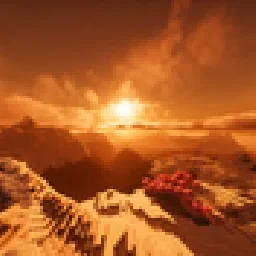
This project adds several mods like Distant Horizons many shaders and adds amazing world generation with no new blocks. Everything is simple and for QOL there…
Direkter Download von Modrinth · 14 Downloads
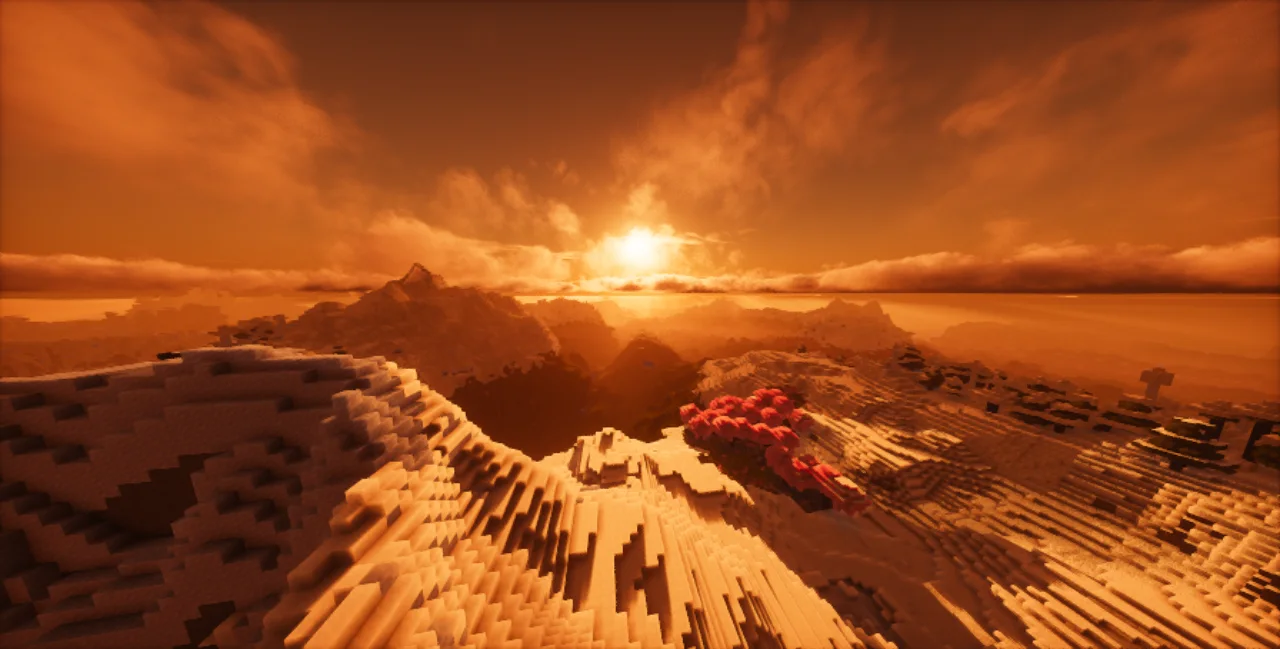
Simply Horizons (Modpack) stammt von GOD_MASH. This project adds several mods like Distant Horizons many shaders and adds amazing world generation with no new blocks. Everything is simple and for QOL there…
Unterstützt wird Minecraft 1.21. Auf Modrinth gibt es 14 Downloads. Das letzte Update erschien am 22.10.2026.
Simply Horizons hat seit 19.10.2026 4 Versionen auf Modrinth veröffentlicht. 4 davon erschienen im letzten Jahr. Die neueste ist 2.0.1, erschienen am 20.10.2026. Sie ist für Minecraft 1.21.11 gemacht. Sie läuft auf Fabric. Der Download ist 24.6 MB groß.
| Version | Veröffentlicht | Minecraft | Typ |
|---|---|---|---|
2.0.1 | 20.10.2026 | 1.21.11 | Release |
2.0.0 | 20.10.2026 | 1.21.11 | Release |
1.0.0 | 19.10.2026 | 1.21.11 | Alpha |
1.0.1 | 19.10.2026 | 1.21.11 | Release |
This modpack is for those who strive to have a beautiful experience with shaders, distant terrain and beautiful blissful golden horizons. With several performance mods and animation mods like Punchy. It also has QOL mods, namely veinminer and tree harvester along with the Better Days mod allowing you to set a custom amount of time for each day. It is set to 20 minutes for one in-game day and 20 minutes for one in-game night as per the configurations set by me. I have some updates planned on the horizon so be ready.
For a lightweight option please try: modrinth.com/modpack/cinematically-optimized
Warning: Please read carefully. There are several world generation mods(Tectonic + Streams reflowing + Biomes o' Plenty/Terralith) here so DO NOT use this in a world that you have loaded previously. Please refer to changelog while downloading this modpack. Some mods like slabbed may not work on servers. Drigo 3D Lantern's x Punchy can result in weird effects with the lantern so don't use it. This modpack does not work with MacOS, although a slightly altered version curated for MacOS may be made some time later.
Notes
Installation
For non-Modrinth App users:
For Modrinth App Users:
Benchmarks
Target: Smooth gameplay on integrated graphics at 720p. (Assuming you are on a laptop and the screen is likely 15.6" or smaller, the pixel density is high enough that you don't need anything higher than 720p. ~94 PPI is the density which is more than enough. Moreover, a 24" 1080p screen which is typical for many people actually has a lower density at ~92 PPI, so this is a good sweet range, if you want, you can use 900p which has a PPI of -118 on said screen which is a better pixel density than a 27" 1440p monitor).
Note: With Low-End Shaders: Can easily run far beyond 30 FPS using the lightweight options included in the pack.
Target: High-refresh rate gameplay on budget end desktop systems with dGPUs.
Official Test Bench: Intel i5-13420H + NVIDIA RTX 3050. Succeded in reaching expected FPS with every shader. Note: Assuming that you are using a laptop and your screen is 15.6 in you should probably use 720p or 900p for a stable 100+ FPS and it is especially recommended by me for those who have a 1440p screen, for them the pixels will fill in perfectly. For those who have a 1080p screen, it will look fine, but you should check if it does look good at 720p or not. If not try to just use the Better resolution for the upscaling instead. Alternatively you can use renderscale, but do not use renderscale when not at native resolutions, it will look bad.
Target: High-refresh rate gameplay on mid-to-high end desktop systems.
Note: The Intel Core Ultra 7 270K Plus is slightly better than the AMD Ryzen 7 9700X.
Geschrieben von GOD_MASH. Mit Bildern auf Modrinth lesen.
Dieses Modpack läuft mit Fabric for Minecraft 1.21. Der Launcher, mit dem du es installierst, richtet das ein.
Lade die .mrpack-Datei von Modrinth herunter.
Öffne sie mit einem Launcher, der .mrpack liest, etwa der Modrinth App oder Prism Launcher: Er legt eine neue Instanz mit allen Mods und Einstellungen an.
Gib der Instanz genug Speicher: Die meisten Modpacks wollen 4 bis 8 GB.
Um mit Freunden auf einem Server zu spielen, nimm die Serverdateien des Modpacks, falls angeboten; sonst installiere dieselben Mods auf dem Server.
| Ressource | Downloads | Versionen | Letztes Update | Preis |
|---|---|---|---|---|
| Simply Horizonsdie du angesehen hast | 14 | 1.21 | vor 26 Tagen | Kostenlos |
| Distant Horizons & Iris ShadersPiotr_Barcz | 864K | 1.20 – 26.x | 26. Sept. 2026 | Kostenlos |
 VistaGGWoof | 23 | 26.x | 5. Okt. 2026 | Kostenlos |
 Distantly OptimizedimHeavi | 74K | 1.20 – 26.x | 13. Juni 2026 | Kostenlos |
Noch nicht. Die neueste unterstützte Version ist Minecraft 1.21.
Ja. Simply Horizons kannst du kostenlos bei Modrinth herunterladen.
Ja. Das letzte Update kam innerhalb des letzten Tages.
Am ähnlichsten sind Distant Horizons & Iris Shaders, Vista und Distantly Optimized. Alle Alternativen vergleichen
Distant Horizons & Iris ShadersModpacks · 1.20 – 26.xA STABLE, 100 PERCENT WORKING modpack for Distant Horizons & Iris Shaders compatibility.
VistaModpacks · 26.xThis modpack makes Distant Horizons run fast and smooth with full support for compatible shaders.
Distantly OptimizedModpacks · 1.20 – 26.x26.1.2 NeoForge + Fabric Distant Horizons, Optimized.
 HORIZONSModpacks · 1.20
The Horizons Project is a modpack created for rubius. Released so that others can enjoy the same experience as well.
 MineDaveModpacks · 26.x
PvZ Modpack - Survival & QoL! Plants vs Zombies gameplay with base defense, quests, claims, minimap, improved world generation, and more!
 The Wither Storm- New HorizonsModpacks · 1.19 – 1.20
a wither storm modpack with performence. adds fps shaders and works with potato pc's and i will keep adding versions. And this also just adds resource packs…
Logg dich ein, um eine Bewertung zu schreiben.