
 Epic FightMods · 1.18 – 1.21
You will enter the world of Chinese ancient martial arts novels, experiencing epic skills and heroic journeys.
Gratis4,718,934 descargas

Epic, RPG-like titles when entering biomes & dimensions!
Descarga directa desde Modrinth · 9,543,840 descargas
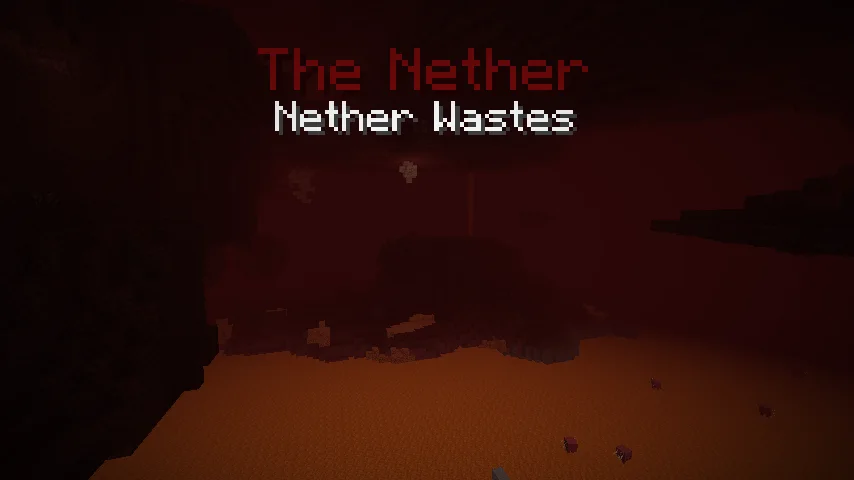
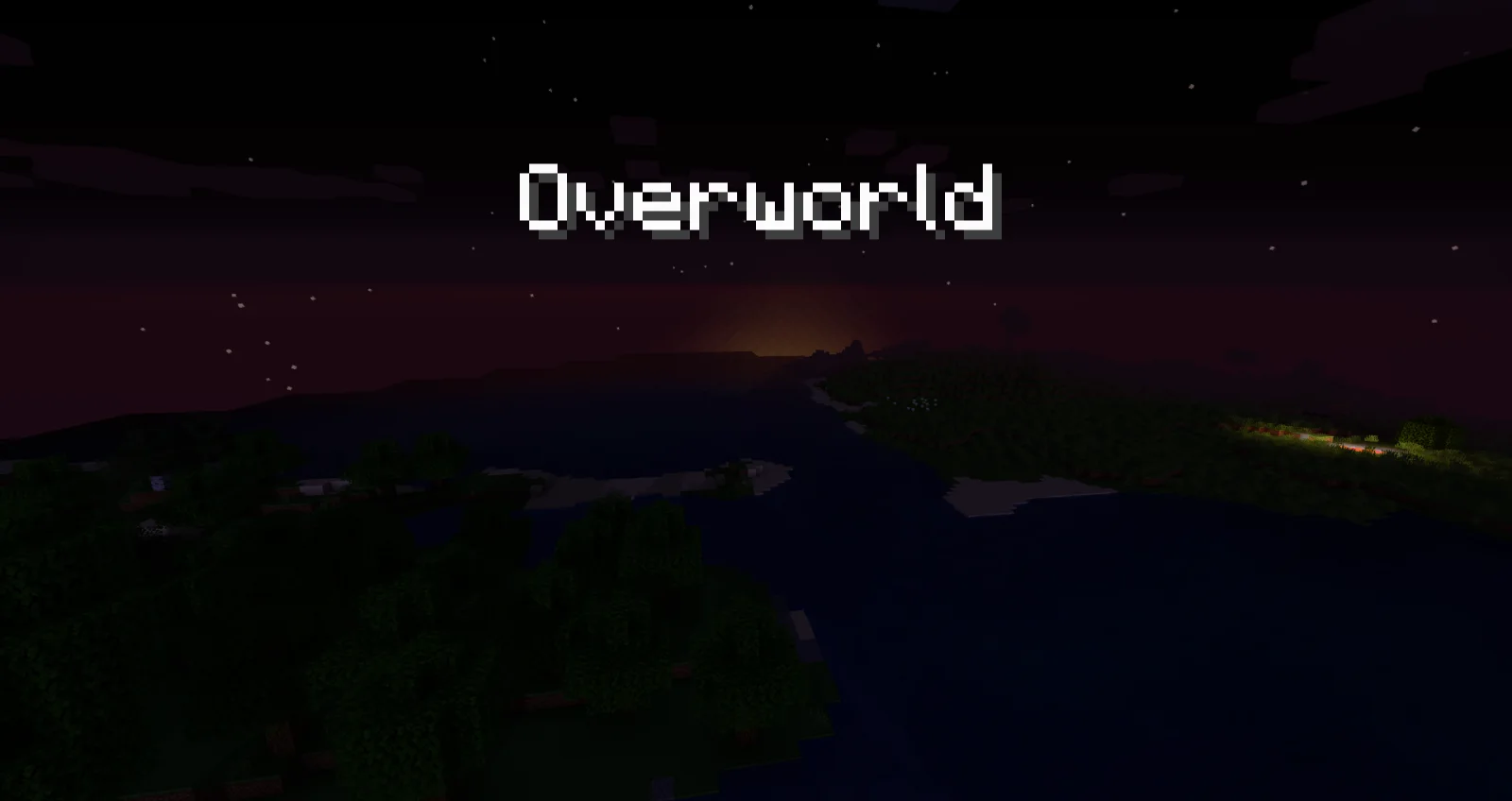
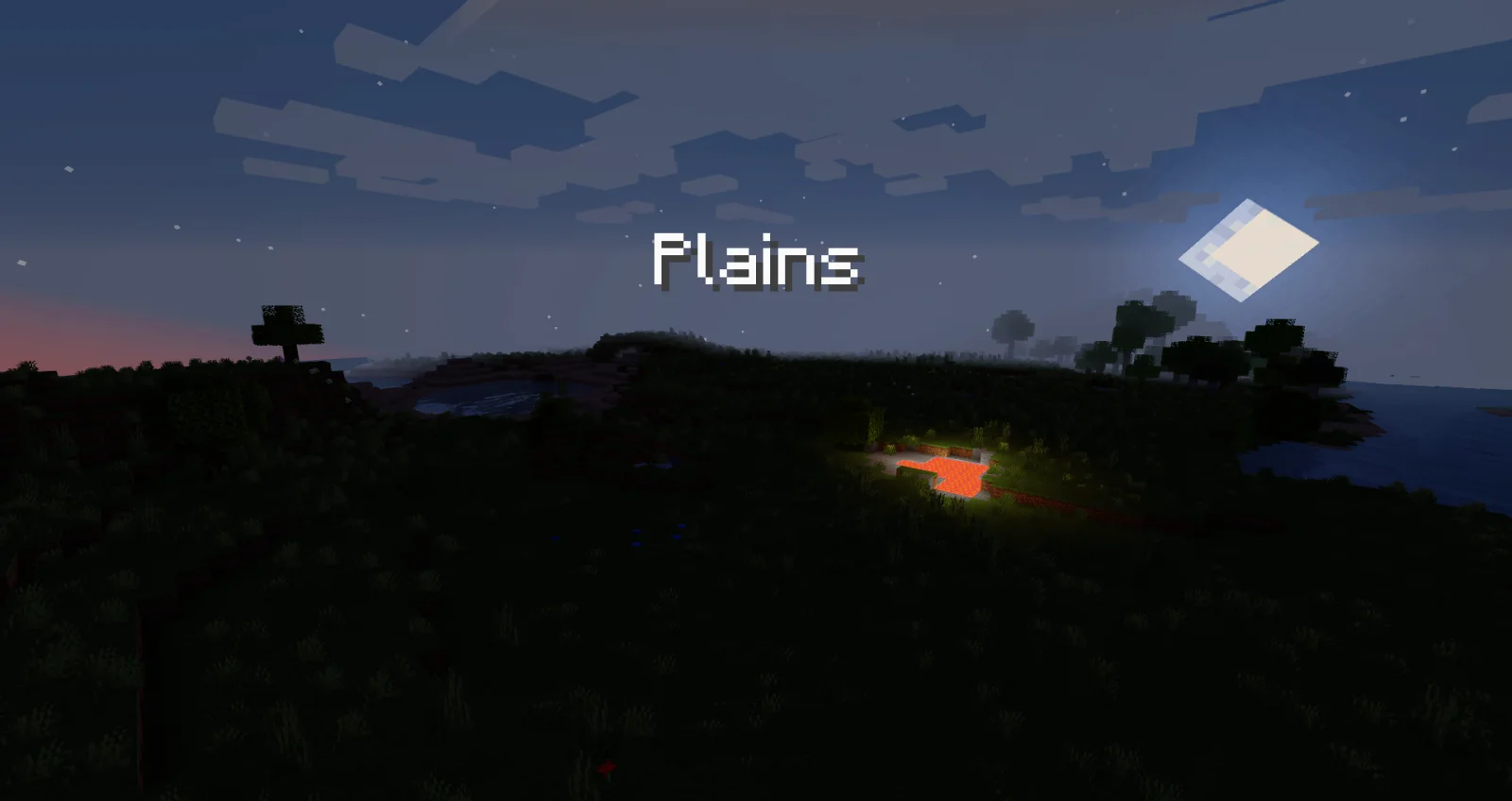
Traveler's Titles (mod) es obra de YUNGNICKYOUNG. Epic, RPG-like titles when entering biomes & dimensions!
Es compatible con Minecraft 1.19 – 26.x. Se ha descargado 9,543,840 veces en Modrinth. La última actualización salió el 24/06/2026.
Traveler's Titles ha publicado 31 versiones en Modrinth desde el 28/11/2022. 2 salieron en el último año. La más reciente es 26.1.2-NeoForge-6.1.0, publicada el 24/06/2026. Está hecha para Minecraft 26.1.1, 26.1.2. Funciona en NeoForge. La descarga ocupa 230 KB.
| Versión | Publicado | Minecraft | Tipo |
|---|---|---|---|
26.1.2-NeoForge-6.1.0 | 24/06/2026 | 26.1.1, 26.1.2 | Estable |
26.1.2-Fabric-6.1.0 | 24/06/2026 | 26.1.1, 26.1.2 | Estable |
1.21.4-Fabric-5.4.0 | 15/04/2025 | 1.21.4 | Estable |
1.21.4-NeoForge-5.4.0 | 15/04/2025 | 1.21.4 | Estable |
1.21.1-Fabric-5.1.3 | 11/03/2025 | 1.21, 1.21.1 | Estable |
Traveler's Titles es de código abierto. Su última versión en GitHub es 1.19.2-Forge-3.1.2-beta0, publicada el 19/10/2022.
No content.
[](modrinth.com/mod/yungs-api) [](https://discord.…)
Traveler's Titles is a simple client-side mod that adds RPG-like titles when entering biomes or dimensions.
Try out the beautiful Visual Traveler's Titles resource pack add-on by UnRoman for completely custom dimension titles! It includes support for a bunch of modded dimensions.
To use custom sounds, all you have to do is create a small resource pack with the namespace travelerstitles. In the sounds folder, you can add any or all of three custom sounds, named dimension.ogg, biome.ogg, and waystone.ogg. Each of these sounds will play when entering a new dimension, biome, and waystone, respectively. If no custom sound is provided for any of these, then no sound will play for the respective type of title.
Using lang files in resource packs, you can add your own dimension & biome titles!
Dimensions use a lang entry format like the following:
"travelerstitles.namespace.dimensionname": "Title"
Biomes use the same lang entries as always, guaranteeing built-in support for any mod's biomes, like so:
"biome.namespace.biomename": "Title"
However, should you want to change a vanilla or modded biome's title without potentially affecting other areas of the game that might use the biome's translation, you can use a special format specifically for this mod via the following:
"travelerstitles.biome.namespace.biomename": "Title"
Both dimensions and biomes also support an optional color lang entry which will override the configured default text color for that specific dimension or biome. The following is a complete example that adds a red title for the Nether and a green title for the Plains biome:
"travelerstitles.minecraft.the_nether": "The Nether",
"travelerstitles.minecraft.the_nether.color": "ff0000",
"travelerstitles.biome.minecraft.plains": "Plains",
"biome.minecraft.plains.color": "00ff00"
Note that for a biome's color entry, it is also acceptable to have the key start with travelerstitles, and any biome color entry with travelerstitles prepended to it will take priority over other entries.
For example, the following would resullt in blue (0000ff) text for the desert biome, since entries prepended with travelerstitles take priority:
"biome.minecraft.desert.color": "ff0000",
"travelerstitles.biome.desert.color": "0000ff"
Also note that colors are RGB hex-formatted strings.
See here for the lang entries that come included with the mod in 1.19.2. Lang entries for other versions may be available on a different branch.
The following commands work in single player worlds if you have sufficient permissions. They can be used to preview what titles will look like when you encounter them in the game.
/biometitle <biome>
/dimensiontitle <dimension>
Escrita por YUNGNICKYOUNG. Léela con imágenes en Modrinth.
Este mod funciona solo en tu propio juego. Los servidores no lo necesitan, así que puedes usarlo en cualquier servidor.
Instala Fabric, Forge y NeoForge para Minecraft 1.19 – 26.x.
Añade los mods que necesita: API de YUNG's.
Descarga el archivo .jar desde Modrinth y ponlo en la carpeta mods de tu directorio .minecraft.
Inicia Minecraft con el perfil de Fabric.
Más fácil: en Prism Launcher o la Modrinth App, busca Traveler's Titles en los mods de tu instancia y haz clic en Install. Añade el loader y los mods que necesita por ti.
| Recurso | Descargas | Versiones | Última actualización | Precio |
|---|---|---|---|---|
| Traveler's Titlesel que estabas viendo | 9.5M | 1.19 – 26.x | 24 jun 2026 | Gratis |
| Epic Fight_p1nero | 4.7M | 1.18 – 1.21 | 25 abr 2026 | Gratis |
 Title Fixerthegameratort | 3.8M | 1.16 – 26.x | 17 ago 2026 | Gratis |
 Oh The Biomes We've GoneJT122406 | 12.1M | 1.20 – 1.21 | 10 oct 2026 | Gratis |
Sí. Traveler's Titles es compatible con Minecraft 26.x. Todas las versiones compatibles: 26.x, 1.21, 1.20, 1.19.
Sí. Traveler's Titles se puede descargar gratis desde Modrinth.
Del lado del cliente. Traveler's Titles va en tu propia carpeta mods y funciona en cualquier servidor, incluso en servidores sin mods.
Sí: YUNG's API. Instálalo antes de Traveler's Titles.
Sí. La última actualización salió en el último día.
Los más parecidos son Epic Fight, Title Fixer y Oh The Biomes We've Gone. Comparar todas las alternativas
Epic FightMods · 1.18 – 1.21You will enter the world of Chinese ancient martial arts novels, experiencing epic skills and heroic journeys.
Title FixerMods · 1.16 – 26.xSimple client side mod that makes titles displayed on-screen always fit inside the screen space.
Oh The Biomes We've GoneMods · 1.20 – 1.21An astounding sequel to the original BYG mod for 1.20.1+ with over 50+ biomes ranging from the magical to the realistic and all breathtaking!
 BetterNetherMods · 1.19 – 26.x
More Biomes, More Mobs, More Tools for the fiery Dimension
 FastQuitMods · 1.17 – 26.x
Lets you return to the Title Screen early while your world is still saving in the background!
 Traveler's BackpackMods · 1.12 – 26.x
Unique and upgradeable backpacks with customisation, Curios API/Trinkets integration and more!
Inicia sesión para dejar una reseña.