
 Solas ShaderShaders · 1.12 – 26.x
A modern fantasy stylized shaderpack with colored lighting and stunning visuals
Gratis18,686,105 descargas
A Pretty, Stylized Shader trying to be extremey lightweight
Descarga directa desde Modrinth · 3,820 descargas
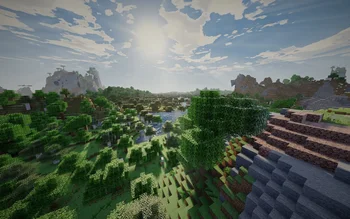
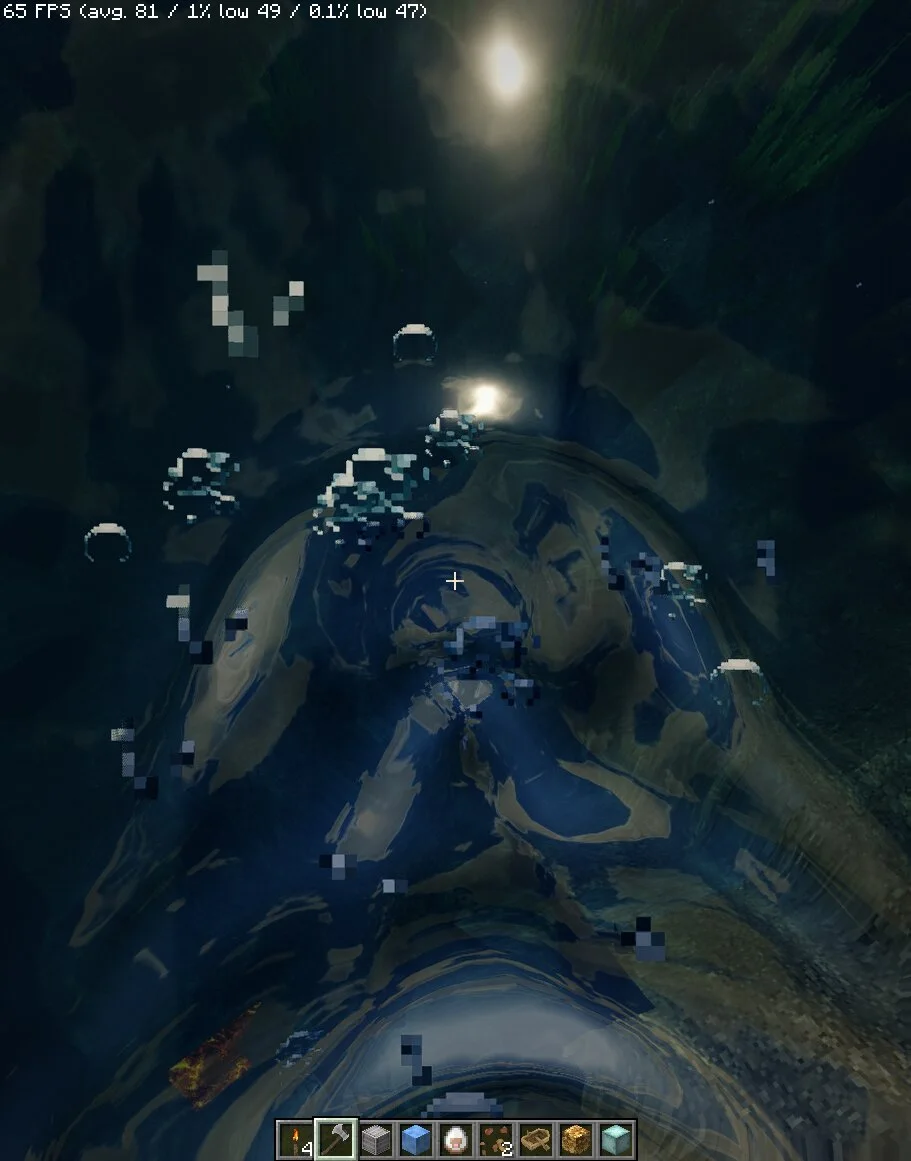

Aetherstone (pack de shaders) es obra de TarkProjects. A Pretty, Stylized Shader trying to be extremey lightweight.
Es compatible con Minecraft 1.16 – 26.x. Se ha descargado 3,820 veces en Modrinth. La última actualización salió el 10/10/2026.
Aetherstone ha publicado 13 versiones en Modrinth desde el 16/08/2026. 13 salieron en el último año. La más reciente es 1.2.1.B, publicada el 10/10/2026. Está hecha para Minecraft 1.16.5 – 26.3. Funciona en Iris. La descarga ocupa 2.2 MB.
| Versión | Publicado | Minecraft | Tipo |
|---|---|---|---|
1.2.1.B | 10/10/2026 | 1.16.5 – 26.3 | Beta |
1.2.0.B | 02/10/2026 | 1.16.5 – 26.3 | Beta |
1.1.3 | 23/09/2026 | 1.16.5 – 26.3 | Estable |
1.1.2 | 22/09/2026 | 1.16.5 – 26.3 | Estable |
1.1.1 | 21/09/2026 | 1.16.5 – 26.3 | Estable |
--
--
--
The new Updates changed visual design drastically and added a ton of effects, screenshots and description are partly severly outdated as of now, I am too lazy to update this at the moment.
Aetherstone is a stylized Cartoonish shader, built around having beautiful visuals while staying comfortably playable even on integrated graphics.
The shader is still under active development.
Aetherstone is not trying to be photorealistic.
Its stylized lighting, an (optional) ink outline and cool-tinted shadows give it a painted feel closer to modern stylized RPG games, while offering effects like dynamic shadows, 3D looking water, Physically Based Rendering...
Five profiles, Potato up to Max:
Start on Recommended and move up or down the list from there. A good way to find the performance and visuals that are good for you, is also to not only change shader settings but also play around with real render distance and Distant Horizons' render distance if you are using DH.
On weak hardware I recommend 6-12 real render distance with Distant Horizons turned off,
or Distant Horizons 32 render distance and chunk quality on low/medium paired with 4-6 real render distance.
Actual FPS depends heavily on your hardware, resource pack, render distance (including Distant Horizon's) and scene complexity, so no fixed benchmark number would be honest here.
Changing your window size, toggling fullscreen, or altering screen resolution while the shader is active can cause visual glitching.
Workaround: Simply reload the shader pack.
You can do this by opening shader settings and toggling the pack off and back on, or by assigning a hotkey, under:
Options → Controls → Key Binds → scroll down to Iris → ReloadShaders.
and water render through the shader at LOD range, including the
underwater ceiling past the normal render edge. DH's own shadow casting is
intentionally not used; the shadow map stays independent of DH by design.
IMPORTANT: If you run DH alongside this pack, turn off DH's own cloud rendering
in its settings (top-left icon in Video Settings) so it doesn't draw over this
pack's clouds!!!
full wave support for its ocean.
Aetherstone requires Iris, and relies on Iris-specific features for some effects, so it is not fully compatible with OptiFine.
Iris
Sodium
to be able to load shader packs.
do not unzip it!!
In modrinth, include it in any modpack, public or private, free or on a server, as long as you credit Aetherstone and link this page. No need to ask.
A very big Update has released, fixing many major bugs and improving playability, send me an E-mail and give me feedback so I can improve the shader even further: tarkprojectsfeedback@gmail.com
Escrita por TarkProjects. Léela con imágenes en Modrinth.
Instala Iris (con Sodium) u OptiFine para tu versión de Minecraft: los shaders necesitan uno de ellos.
Descarga el archivo .zip desde Modrinth. No lo descomprimas.
En Minecraft, abre Opciones, luego Gráficos, luego Shader Packs y pulsa Abrir carpeta de shaders.
Suelta el archivo .zip en esa carpeta, elige Aetherstone en la lista y pulsa Listo.
Los shaders exigen mucho a la tarjeta gráfica. Si el juego va lento, elige un perfil más bajo en sus ajustes.
| Recurso | Descargas | Versiones | Última actualización | Precio |
|---|---|---|---|---|
| Aetherstoneel que estabas viendo | 3,820 | 1.16 – 26.x | 10 oct 2026 | Gratis |
| Solas ShaderSeptonious | 18.7M | 1.12 – 26.x | hace 8 días | Gratis |
 Insanity ShaderElocinDev | 8M | 1.8 – 1.21 | 13 jun 2024 | Gratis |
 Miniature Shaderukrech | 5.2M | 1.8 – 26.x | 29 jul 2026 | Gratis |
Sí. Aetherstone es compatible con Minecraft 26.x. Todas las versiones compatibles: 26.x, 1.21, 1.20, 1.19, 1.18, 1.17, 1.16.
Sí. Aetherstone se puede descargar gratis desde Modrinth.
Sí: Sodium, Iris Shaders. Instálalo antes de Aetherstone.
Sí. La última actualización salió en el último día.
Los más parecidos son Solas Shader, Insanity Shader y Miniature Shader. Comparar todas las alternativas
Solas ShaderShaders · 1.12 – 26.xA modern fantasy stylized shaderpack with colored lighting and stunning visuals
Insanity ShaderShaders · 1.8 – 1.21A stylized, horror themed Iris shaderpack with high customizability and performance.
Miniature ShaderShaders · 1.8 – 26.xExtremely lightweight with shadows and reflections
 Nostalgia ShaderShaders · 1.16 – 1.21
Capturing the essence of old shaderpacks to create a stylized and modern Minecraft-look.
 Kappa ShaderShaders · 1.16 – 1.21
A high-quality realistic, yet also somewhat stylized shaderpack.
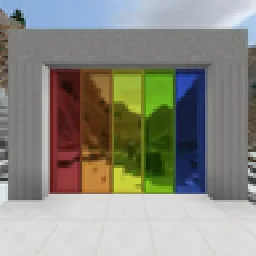 Builder's QOL ShadersShaders · 1.12 – 1.20
A lightweight shader pack designed to enhance the vanilla aesthetic.
Inicia sesión para dejar una reseña.