
 Laser's Fakemon PackPaquetes de recursos · 1.21
Cobblemon addon that adds custom fakemon by yours truly. Has new regional variants, convergent forms, and even brand new Pokémon!
Gratis205,995 descargas

An addon for the Cobblemon mod adding more vartaints of various floral Pokémon!
Descarga directa desde Modrinth · 145,036 descargas
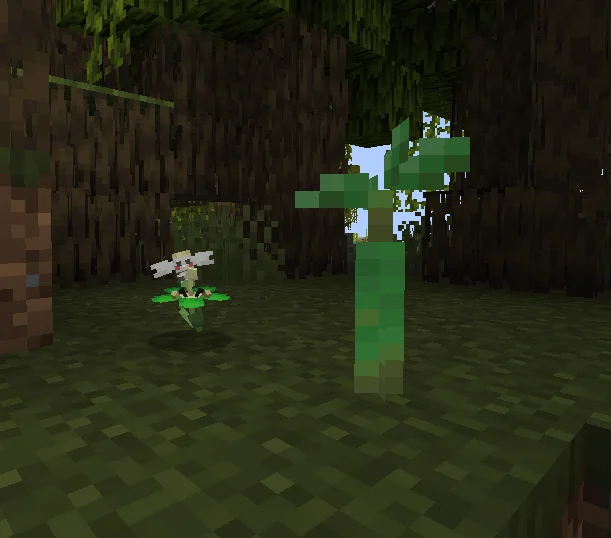
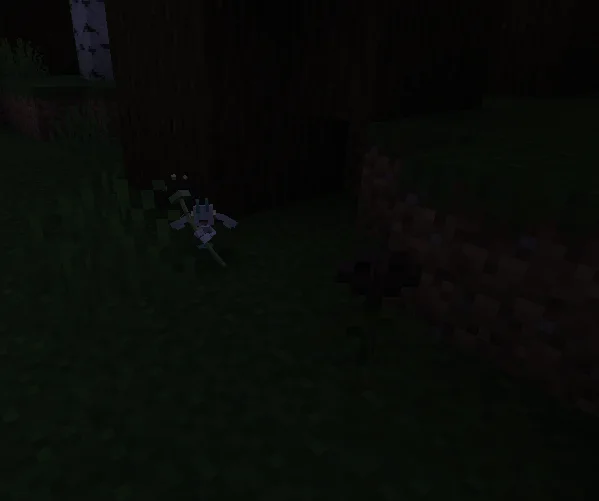
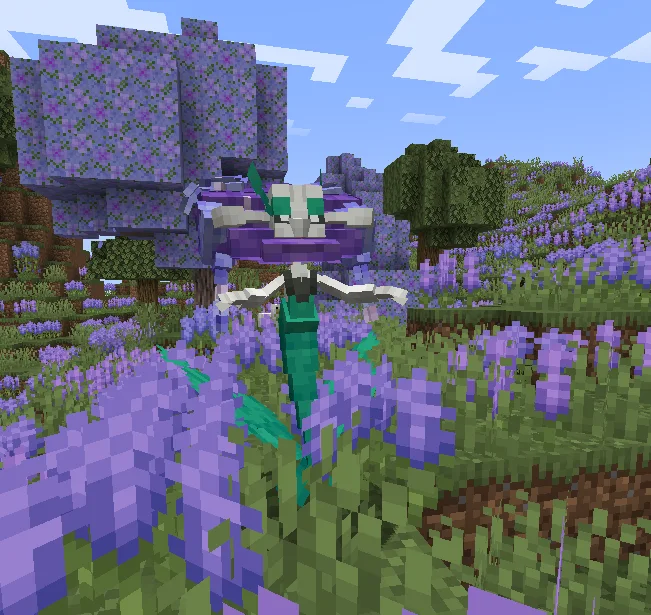
Flower Expansion (paquete de recursos) es obra de Jerzykv. An addon for the Cobblemon mod adding more vartaints of various floral Pokémon!
Es compatible con Minecraft 1.21. Se ha descargado 145,036 veces en Modrinth. La última actualización salió el 28/11/2025.
Flower Expansion ha publicado 8 versiones en Modrinth desde el 08/01/2025. 2 salieron en el último año. La más reciente es 4.2.1, publicada el 28/11/2025. Está hecha para Minecraft 1.21.1. Funciona en Data pack. La descarga ocupa 369 KB.
| Versión | Publicado | Minecraft | Tipo |
|---|---|---|---|
4.2.1 | 28/11/2025 | 1.21.1 | Estable |
4.2 | 28/11/2025 | 1.21.1 | Estable |
4.1 | 15/07/2025 | 1.21.1 | Estable |
4.0 | 06/05/2025 | 1.21.1 | Estable |
3.0 | 28/02/2025 | 1.21.1 | Estable |
Discover new forms of the Single Bloom Pokémon, Flabébé, the Posy Picker Pokémon, Comfey, and many more!
This pack currently adds new variants to 5 evolutionary lines of Pokémon, all being able to spawn without any additional mods! (however, there will be additional biome mod support!)
These forms, like all of Flabébé's forms, are just cosmetic and do not affect their stats or abilities.
Additionally, icons from the E19 Xaero's Minimap resource pack have support for this addon!
Flabébé Line
Flabébé colours spawn only near flowers of the same colour, like the standard Cobblemon Flabébé. Here's a list of what colour spawns near what flowers:
To spawn a new Flabébé variant, use the command `/pokespawn [species] flower-expansion=[colour]`
Additionally, as a form of compatibility, standard Cobblemon colours spawn near the following flowers:
Comfey
All of Comfey's spawns are the same as the Flabébé line. The original Flabébé colours use "#cobblemon:[colour]_flowers", and the custom added colours are the same as the ones I gave Flabébé. There is no cyan or brown variant. There's around a 50/50 chance of getting the normal Comfey or one with a certain colour of flowers.
To spawn a Comfey with coloured flowers, use the command `/pokespawn comfey comfey-flower=[colour]`
There's also a little easter egg!
Sunflora
Sunflora's variants are random! Each Sunflora will have a randomly chosen variant from the pool. The new variants are: Classic, Leucistic, and Blazing. Sunkern also have those variants, but don't change visually.
To spawn a certain Sunflora, use the command `/pokespawn sunflora sunflora-variant=[variant]`
Meganium
Meganium's flower depends on the flower held by Bayleef before evolving, similar to Cobblemon's Torterra. It accepts all vanilla Minecraft flowers! Here's how to get each variant:
To spawn a certain Meganium, use the command `/pokespawn meganium meganium-flower=[variant]`
Roselia Line
Roselia's roses can be any of 4 colours: red, blue, yellow, and white. Each rose has a randomly assigned colour, making for a total of 16 variants! Additionally, Roserade's eyes change colour depending on the rose's colour.
The shiny variant has purple, green, orange, and black roses instead.
To spawn one with a certain rose combination, use the command `/pokespawn [species] roselia-rose=[variant]`
To install this addon, make sure the downloaded file is placed in your world's datapack folder, and in your Minecraft instance resourcepacks folder. Remember to enable the resourcepack in the in-game menu!
#
I hope you enjoy!
#
This addon was made for the 1.7 version of Cobblemon, it might not work in older versions. I do not plan backporting it. This might not work with other addons editing the same Pokémon as this pack.
#
Guidelines
Here are some guidelines as to what you can and can't do with this pack
You may:
You may not:
Escrita por Jerzykv. Léela con imágenes en Modrinth.
Descarga el archivo .zip desde Modrinth. No lo descomprimas.
En Minecraft, abre Opciones, luego Paquetes de recursos y luego Abrir carpeta de paquetes.
Suelta el archivo .zip en esa carpeta y vuelve al juego.
Mueve Flower Expansion a la lista de la derecha y pulsa Hecho.
Está hecho para Minecraft 1.21. En otras versiones Minecraft lo marca como incompatible, pero a menudo funciona igual.
| Recurso | Descargas | Versiones | Última actualización | Precio |
|---|---|---|---|---|
| Flower Expansionel que estabas viendo | 145K | 1.21 | 28 nov 2025 | Gratis |
| Laser's Fakemon PackLasercraft32 | 206K | 1.21 | hace 14 días | Gratis |
 Cobblemon: Cosmetic ExpansionTheeraphat | 22K | 1.21 | hace 28 días | Gratis |
 MundialMons ReaniPackalexiocraft | 4.7M | 1.20 – 1.21 | 12 nov 2025 | Gratis |
Todavía no. La versión más reciente que admite es Minecraft 1.21.
Sí. Flower Expansion se puede descargar gratis desde Modrinth.
Sí: Cobblemon. Instálalo antes de Flower Expansion.
Sí. La última actualización salió en el último día.
Los más parecidos son Laser's Fakemon Pack, Cobblemon: Cosmetic Expansion y MundialMons ReaniPack. Comparar todas las alternativas
Laser's Fakemon PackPaquetes de recursos · 1.21Cobblemon addon that adds custom fakemon by yours truly. Has new regional variants, convergent forms, and even brand new Pokémon!
Cobblemon: Cosmetic ExpansionPaquetes de recursos · 1.21Adds cosmetic for Pokémon in Cobblemon.
MundialMons ReaniPackPaquetes de recursos · 1.20 – 1.21The add-on adds Pokémon that have not yet been modeled and re-animations to some Pokémon of cobblemon
 CobbleHatsPaquetes de recursos · 1.19 – 1.21
Add various Pokémon-themed hats to your game!
 OdysseyMonsPaquetes de recursos · 1.19 – 1.20
OdysseyMons adds Pokémon that aren't in the initial Cobblemon mod Yet.
 Cobblemon Interface: RecoloredPaquetes de recursos · 1.20 – 1.21
Changes the colors of the Cobblemon Interface resoucepack to match the Pokémon health and exp bar colors from Cobblemon.
Inicia sesión para dejar una reseña.