
 JetLagPlugins · 1.16 – 26.x
Every teleport has side effects: charged creepers, TNT rings, fake bans, sky drops... or first class.
Gratis0 descargas
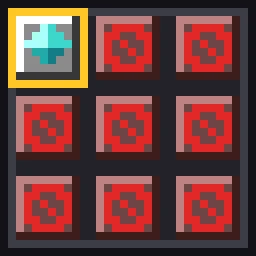
Only one usable inventory slot: the first hotbar slot. Every other slot is blocked by barriers. An extreme survival challenge, server-side only.
Descarga directa desde Modrinth · 75 descargas
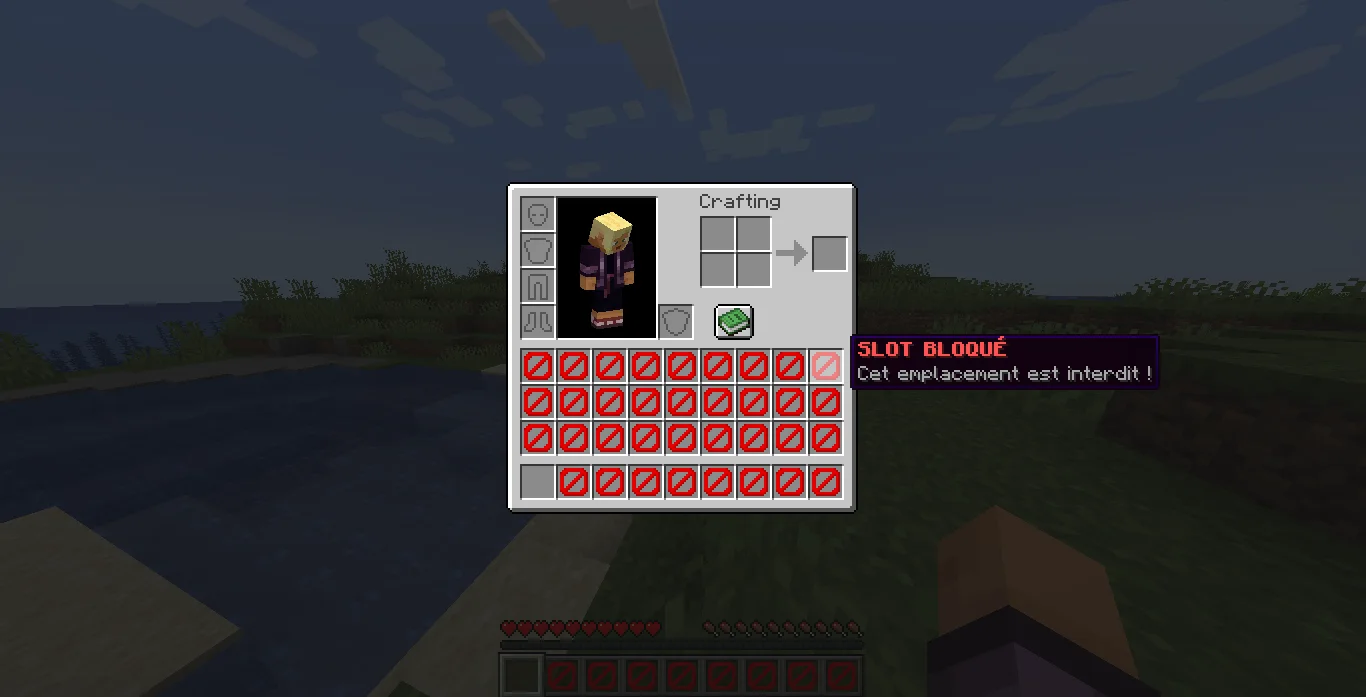
Smiley_53 creó 1 Slot Survival (plugin) para servidores Paper / Spigot. Only one usable inventory slot: the first hotbar slot. Every other slot is blocked by barriers. An extreme survival challenge, server-side only.
Es compatible con Minecraft 1.21 – 26.x. Se ha descargado 75 veces en Modrinth. La última actualización salió el 12/11/2026.
1 Slot Survival ha publicado 3 versiones en Modrinth desde el 05/11/2026. 3 salieron en el último año. La más reciente es 2.0.0, publicada el 11/11/2026. Está hecha para Minecraft 1.21.11 – 26.3. Funciona en Paper. La descarga ocupa 11 KB.
| Versión | Publicado | Minecraft | Tipo |
|---|---|---|---|
2.0.0 | 11/11/2026 | 1.21.11 – 26.3 | Estable |
2.0.0 | 11/11/2026 | 1.21.11 – 26.3 | Estable |
1.0.0 | 05/11/2026 | 1.21.1 | Estable |
Los comandos que aparecen en la página de 1 Slot Survival en Modrinth:
/slotlock/tag1 Slot Survival es de código abierto. Su última versión en GitHub es 1 SLOT SURVIVAL v3.0.0, publicada el 12/11/2026.
Fabric mod (1.21.11 and 26.x, requires Fabric API) and Paper plugin (1.21.11 and 26.x). See the README for commands and languages.
Antes: 1 SLOT SURVIVAL v2.0.1 (11/11/2026), 1 SLOT SURVIVAL v2.0.0 (11/11/2026).
What if you had to survive Minecraft with a single inventory slot?
This mod blocks every inventory slot except the first one of your hotbar. Every choice matters: which item do you keep, when do you swap it, what do you leave behind?
The mod runs entirely on the server: on a multiplayer server, your friends don't need to install anything and can join with a vanilla client. It also works in singleplayer.
Operator permission (level 2) is required.
Command · Effect
/slotlock enable · Enables the challenge
/slotlock pause · Pauses the challenge
/slotlock offhand on / off · Blocks or frees the offhand slot
/slotlock status · Shows the current state and how many barriers are in your inventory
/slotlock uninstall · Removes every barrier before you delete the mod
Exempt a player: /tag add sl_exempt
Settings are saved in config/slot_survival.properties.
Run /slotlock uninstall to remove all barriers from inventories, then delete the mod. If you skip this step, the barriers stay in your inventories.
Escrita por Smiley_53. Léela con imágenes en Modrinth.
Asegúrate de que tu servidor use Paper y Spigot en Minecraft 1.21 – 26.x.
Descarga el archivo .jar desde Modrinth y ponlo en la carpeta plugins de tu servidor.
Reinicia el servidor. Evita /reload, muchos plugins no lo llevan bien.
Escribe /plugins en la consola: 1 Slot Survival debería aparecer en verde. Sus archivos de configuración se crean en la carpeta plugins al primer arranque.
Guía completa: Cómo instalar plugins en un servidor de Minecraft
| Recurso | Descargas | Versiones | Última actualización | Precio |
|---|---|---|---|---|
| 1 Slot Survivalel que estabas viendo | 75 | 1.21 – 26.x | hace 3 días | Gratis |
| JetLagItzJoelinho | 0 | 1.16 – 26.x | hace 5 días | Gratis |
 Random Death Dropvae_fbi | 65K | 1.20 – 26.x | 9 oct 2026 | Gratis |
 Client ExecutionNettakrim | 32K | 1.20 – 26.x | 10 jul 2026 | Gratis |
Sí. 1 Slot Survival es compatible con Minecraft 26.x. Todas las versiones compatibles: 26.x, 1.21.
Sí. 1 Slot Survival se puede descargar gratis desde Modrinth.
1 Slot Survival funciona en servidores Paper y Spigot.
Sí. La última actualización salió en el último día.
Los más parecidos son JetLag, Random Death Drop y Client Execution. Comparar todas las alternativas
JetLagPlugins · 1.16 – 26.xEvery teleport has side effects: charged creepers, TNT rings, fake bans, sky drops... or first class.
Random Death DropPlugins · 1.20 – 26.xThis Plugin adds at every dead one inventary slot drops or armor slot the cpability is variable in config or In-Game GUI
Client ExecutionPlugins · 1.20 – 26.xRun Client-Side only commands from the server!
 SidekickPlugins · 1.17 – 1.21
Your creative companion — extended inventory, noclip, teleport, and other superpowers for Creative mode.
 Item LimitPlugins · 1.21 – 26.x
As the name suggests this plugin allows you to limit any item players can only hold up to a set maximum amount of an item in their inventory. If a player has…
 HoloMobHealthPlugins · 1.8 – 26.x
Display mob health CLIENT-SIDE ONLY through packets! Support custom JavaScript formatting!
Inicia sesión para dejar una reseña.