
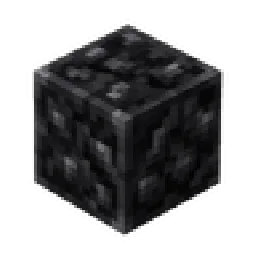
 Block of CharcoalMods · 1.19
Block of Charcoal is a simple Fabric mod that adds a charcoal block for compact storage and decoration, helping you save inventory and chest space.
Gratis13 descargas
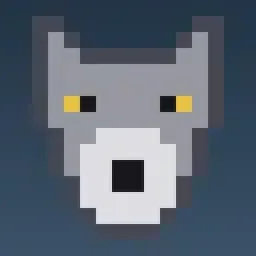
Adds visible male anatomy to wolves, with soft jiggle physics. Purely cosmetic. Fabric 1.21.11
Descarga directa desde Modrinth · 7 descargas
Wolf Anatomy (mod) es obra de rAINYYY_. Adds visible male anatomy to wolves, with soft jiggle physics. Purely cosmetic. Fabric 1.21.11.
Es compatible con Minecraft 1.21. Se ha descargado 7 veces en Modrinth. La última actualización salió el 02/10/2026.
La más reciente es 1.0.0, publicada el 02/10/2026. Está hecha para Minecraft 1.21.11. Funciona en Fabric. La descarga ocupa 38 KB.
| Versión | Publicado | Minecraft | Tipo |
|---|---|---|---|
1.0.0 | 02/10/2026 | 1.21.11 | Estable |
Wolf Anatomy
Adds visible testicles and a scrotum to male wolves, with simple physics so they no longer look anatomically incomplete. Purely cosmetic: no new items, blocks, or gameplay changes.
Features
Wolves are randomly assigned male or female based on their UUID, so their sex stays the same between sessions.
Male wolves have visible testicles and a scrotum, positioned according to the wolf's body model.
The scrotum has its own simple jiggle physics: it moves while walking, lifts slightly when falling, and bounces naturally after landing.
The anatomy reacts to the wolf's pose and follows the body when a wolf shakes off water.
Baby wolves and invisible wolves are not affected.
Requirements
Minecraft 1.21.1
Fabric Loader 0.19.5 or newer
Fabric API
Notes
Client-side visuals only. No data is stored in worlds.
Compatibility with other mods that replace the wolf model is untested.
Credits
Made by rAINYYY.
Copyright © 2026 rAINYYY. All rights reserved.
You may download and use this mod for personal gameplay.
Redistribution, re-uploading, modification, selling, or claiming
authorship of this mod or its original assets is not permitted
without explicit permission from the author.
Escrita por rAINYYY_. Léela con imágenes en Modrinth.
Este mod funciona solo en tu propio juego. Los servidores no lo necesitan, así que puedes usarlo en cualquier servidor.
Instala Fabric para Minecraft 1.21.
Descarga el archivo .jar desde Modrinth y ponlo en la carpeta mods de tu directorio .minecraft.
Inicia Minecraft con el perfil de Fabric.
Más fácil: en Prism Launcher o la Modrinth App, busca Wolf Anatomy en los mods de tu instancia y haz clic en Install. Añade el loader y los mods que necesita por ti.
| Recurso | Descargas | Versiones | Última actualización | Precio |
|---|---|---|---|---|
| Wolf Anatomyel que estabas viendo | 7 | 1.21 | 2 oct 2026 | Gratis |
| Block of Charcoalzyyn0x | 13 | 1.19 | 16 sept 2026 | Gratis |
 LambDynamicLightsLambdAurora | 63.6M | 1.16 – 26.x | 15 sept 2026 | Gratis |
 Biomes O' PlentyForstride | 38.8M | 1.8 – 26.x | hace 9 días | Gratis |
Todavía no. La versión más reciente que admite es Minecraft 1.21.
Sí. Wolf Anatomy se puede descargar gratis desde Modrinth.
Del lado del cliente. Wolf Anatomy va en tu propia carpeta mods y funciona en cualquier servidor, incluso en servidores sin mods.
Sí. La última actualización salió en el último día.
Los más parecidos son Block of Charcoal, LambDynamicLights y Biomes O' Plenty. Comparar todas las alternativas
Block of CharcoalMods · 1.19Block of Charcoal is a simple Fabric mod that adds a charcoal block for compact storage and decoration, helping you save inventory and chest space.
LambDynamicLightsMods · 1.16 – 26.xAdds dynamic lights to Minecraft as the most feature-complete and optimized dynamic lighting mod.
Biomes O' PlentyMods · 1.8 – 26.xAdds 50+ unique biomes to enhance your world, with new trees, flowers, and more!
 ComfortsMods · 1.12 – 26.x
Adds sleeping bags and hammocks for, respectively, portability and turning day to night, without setting new spawns. Comes in 16 different colors!
 SkyboxifyMods · 1.21 – 26.x
A skybox mod that allows you to use OptiFine skies in Fabric 1.21+
 Cobblemon additionsMods · 1.20 – 1.21
A Mod that adds villages with Pokemon Village/City variants - Originally made for the Brocraft server. This will spawn in a variety of structures within the…
Inicia sesión para dejar una reseña.