
A Minecraft resource pack that adds 3D music disc models!
Gratuit1,238,408 téléchargements
A EMF resource pack that brings Fresh Animations eye Animations but for the player. Just that...
Téléchargement direct depuis Modrinth · 2,428,466 téléchargements
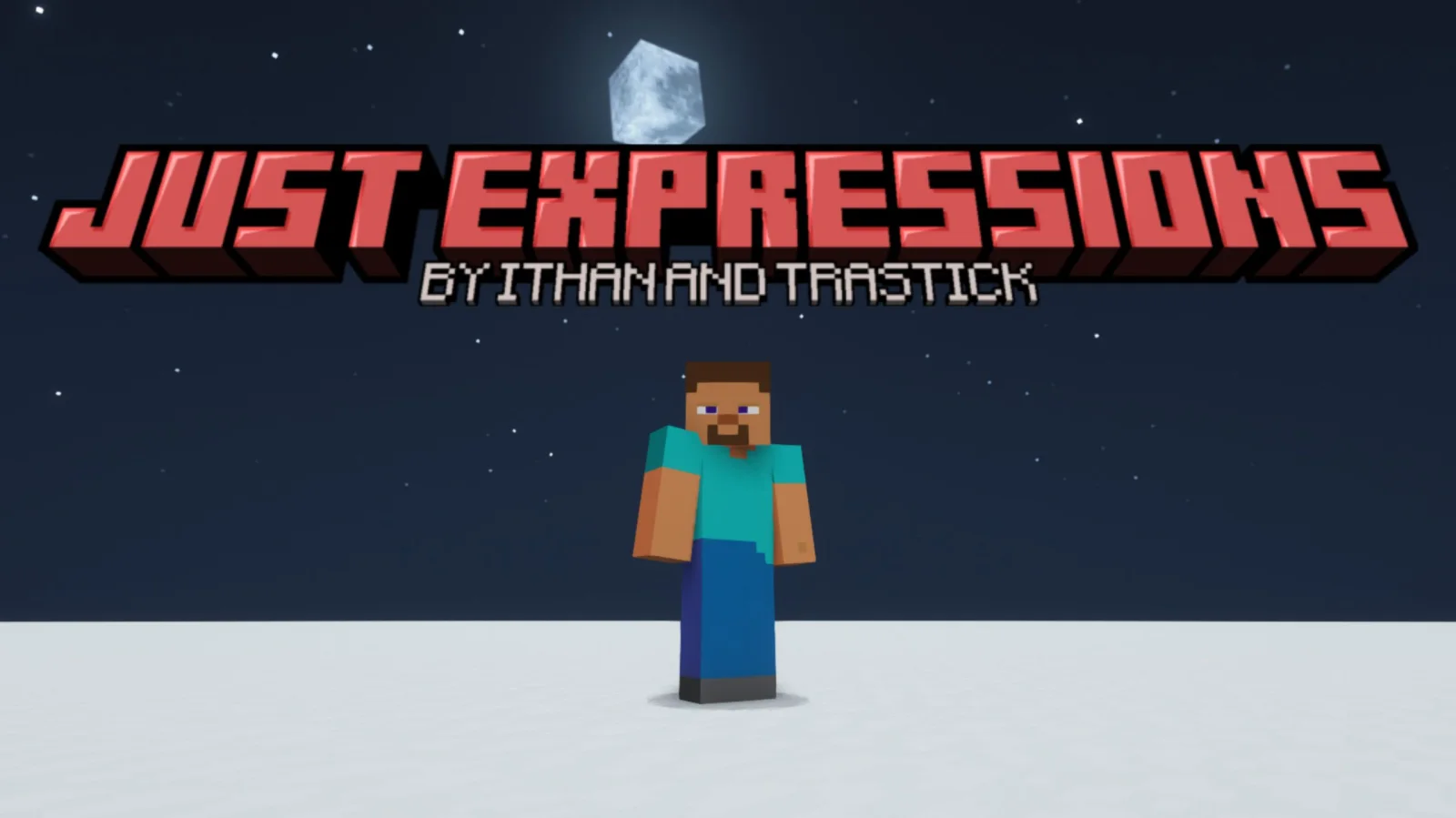
Just Expressions (pack de ressources) est une création de IthanMendoza. A EMF resource pack that brings Fresh Animations eye Animations but for the player. Just that...
Versions prises en charge : Minecraft 1.18 – 26.x. On compte 2,428,466 téléchargements sur Modrinth. La dernière mise à jour date du 05/07/2026.
Just Expressions a publié 3 versions sur Modrinth depuis le 30/04/2024. 2 sont sorties au cours de l'année passée. La plus récente est 1.2.1, sortie le 05/07/2026. Elle est faite pour Minecraft 1.20 – 26.3. Elle fonctionne sur Minecraft. Le téléchargement fait 257 KB.
| Version | Publié | Minecraft | Type |
|---|---|---|---|
1.2.1 | 05/07/2026 | 1.20 – 26.3 | Stable |
1.2 | 30/06/2026 | 1.20 – 26.3 | Stable |
1.1 | 30/04/2024 | 1.18.2 – 1.20.6 | Stable |
You need the LATEST versions Entity Model Features (+v2.0.2), Entity Texture Features (+v6.0.1) to use this pack. This are client-side mods that are available for both Forge and Fabric
OPTIFINE DOESN'T SUPPORT PLAYER CUSTOM MODELS ...yet, just in case
A part from the Fresh Moves resource pack... but just the expressions
Check this tutorial and the new face feaures added in v1.1 in this video made by Laynce.
To fix Black eyes follow this quick guide ↓. For a video demonstration go to this page in the wiki of the resourcepack.
Fix Black Eyes · IthanMendoza/Fresh-Moves Wiki (github.com)
If you want your hand to stop moving in the first person perspective. Go to this page in the wiki to disable it.
Fix Moving 1st Person Hand · IthanMendoza/Fresh-Moves Wiki (github.com)
For this mod to work you have to activate this features in the EMF and ETF settings:
Spoiler
First go to resourcepacks
The click in this button (ETF and EMF settings)
Click in textures
Click on player skin settings
And activate the option that says "Allow skin transparency" and set it to "All skins"
Go back to the mod settings and click on models
Go to Options and Fixes
And finally set to On the option that says "Prevent first person hand animation"
Compatiblity with some player resource packs
To animate the eyes go to the Fresh Moves wiki. TLDR you must add extra pixels to your skin and upload that modified skin. The positions of those extra pixels are in the wiki. All supported eyes are there.
Here are some examples in real skins.
Here are some examples of things you must get in the end in your skin.png. This result must be used as your skin. If other people have these extra pixels on their skin, you will be able to see their animated eyes in multiplayer.
May look like there is some part missing the eyewhites but in game the eyewhites expand to their normal size. Notice that it has the eyebrows at the third position.
The version of this pack with animated eyes (Expressive Fresh Moves.zip) will also have the extra pixels on the default Minecraft skins (Steve, Alex, Makena, Efe, Noor, Kai, Ari, Sunny, and Zuri) as an example. **
Credits:
FreshLX: Creator of Fresh Animations. The pillager animations of the Fresh Animations pack were used as the base of this pack.
Traben: Creator of ETF and ETM and the custom player models feature.
BoZo-Xo2 & CoolRanchChris: Creators of the original Fresh Player and members of the Traben's discord server (The pack where Fresh Moves is made from)
Fresh Player and other Player Animation packs can be found in the Traben's discord server in the etf-emf-pack-list channel. Be sure to take a look.
Écrite par IthanMendoza. À lire avec les images sur Modrinth.
Télécharge le fichier .zip depuis Modrinth. Ne le décompresse pas.
Dans Minecraft, ouvre Options, puis Packs de ressources, puis Ouvrir le dossier des packs.
Dépose le fichier .zip dans ce dossier et retourne au jeu.
Déplace Just Expressions dans la liste de droite et clique sur Terminé.
Il est fait pour Minecraft 1.18 – 26.x. Sur d'autres versions, Minecraft l'indique comme incompatible, mais il fonctionne souvent quand même.
| Ressource | Téléchargements | Versions | Mise à jour | Prix |
|---|---|---|---|---|
| Just Expressionscelle que tu regardais | 2.4M | 1.18 – 26.x | 5 juil. 2026 | Gratuit |
| Fresh Music Discscyber | 1.2M | 1.20 – 26.x | il y a 16 jours | Gratuit |
 Fresh DungeonsMcFella | 194K | 1.20 – 1.21 | 9 mars 2025 | Gratuit |
 Invisible Item FramesMattyWalker | 586K | 1.8 – 26.x | 7 mai 2025 | Gratuit |
Oui. Just Expressions prend en charge Minecraft 26.x. Toutes les versions prises en charge : 26.x, 1.21, 1.20, 1.19, 1.18.
Oui. Just Expressions se télécharge gratuitement sur Modrinth.
Oui. La dernière mise à jour date des dernières 24 heures.
Les plus proches sont Fresh Music Discs, Fresh Dungeons et Invisible Item Frames. Comparer toutes les alternatives
A Minecraft resource pack that adds 3D music disc models!
Fresh DungeonsPacks de ressources · 1.20 – 1.21A Fresh Animations addon for the Dungeons Style resource pack
Invisible Item FramesPacks de ressources · 1.8 – 26.xA Resource Pack that makes Item Frames invisible.
 PDB3D's Blocky Armor StandsPacks de ressources · 1.13 – 26.x
A Resource pack adding a Blockier Armor Stand Model. Requires Optifine or EntityModelFeatures
 Just Fancy TorchesPacks de ressources · 1.16 – 26.x
Changes all torch models to a Fresh and Fancy new Look
 Vanilla EvolvedPacks de ressources · 1.16 – 1.21
A vanilla minecraft resource pack with an enhanced artistic vision through the use of custom models and textures.
Connecte-toi pour laisser un avis.