
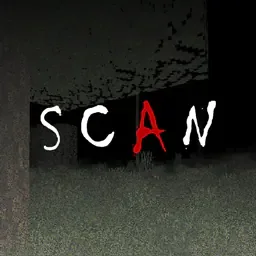
 SCANShaders · 1.8 – 26.x
Scan the space around you - each pulse of light shows you where you are...
Gratuit28,805 téléchargements

Simulates blindness with noise, pulse, and light distortion effects.
Téléchargement direct depuis Modrinth · 20,315 téléchargements


Blind (pack de shaders) est une création de xsoras. Simulates blindness with noise, pulse, and light distortion effects.
Versions prises en charge : Minecraft 1.17 – 26.x. On compte 20,315 téléchargements sur Modrinth. La dernière mise à jour date du 12/09/2026.
Blind a publié 2 versions sur Modrinth depuis le 02/11/2025. L'une d'elles est sortie au cours de l'année passée. La plus récente est 1.1, sortie le 12/09/2026. Elle est faite pour Minecraft 1.17 – 1.19.1. Elle fonctionne sur Iris et Optifine. Le téléchargement fait 7 KB.
| Version | Publié | Minecraft | Type |
|---|---|---|---|
1.1 | 12/09/2026 | 1.17 – 1.19.1 | Stable |
0.2 | 02/11/2025 | 1.17 – 1.19 | Stable |
A lightweight toon shader that transforms Minecraft into an anime-style world with cel-shading and cartoon aesthetics.
🧠 Lamapi: Next-Gen Open Source AI
Pushing the boundaries of accessible intelligence. Whether you need lightweight efficiency or industrial-grade reasoning, the Next Series delivers.
Why build with Lamapi?
Explore our models and start building:
🚀 KCB Hosting: Power Meets Reliability
Looking for a host that takes your gaming experience as seriously as you do? We provide robust infrastructure ensuring smooth gameplay and enterprise-grade uptime.
Why switch to us?
🔥 Experience the difference with 25% off your first month,
Use code XSORAS
Deploy your server now:
Écrite par xsoras. À lire avec les images sur Modrinth.
Installe Iris (avec Sodium) ou OptiFine pour ta version de Minecraft : les shaders ont besoin de l'un des deux.
Télécharge le fichier .zip depuis Modrinth. Ne le décompresse pas.
Dans Minecraft, ouvre Options, puis Paramètres vidéo, puis Shaders, et clique sur Ouvrir le dossier des shaders.
Dépose le fichier .zip dans ce dossier, choisis Blind dans la liste et clique sur Terminé.
Les shaders sollicitent beaucoup la carte graphique. Si le jeu ralentit, choisis un profil plus bas dans leurs réglages.
| Ressource | Téléchargements | Versions | Mise à jour | Prix |
|---|---|---|---|---|
| Blindcelle que tu regardais | 20K | 1.17 – 26.x | 12 sept. 2026 | Gratuit |
| SCANLoLip_p | 29K | 1.8 – 26.x | 23 août 2026 | Gratuit |
 Zenith ShadersBeboNaiem | 3,841 | 1.16 – 26.x | 25 juin 2026 | Gratuit |
Oui. Blind prend en charge Minecraft 26.x. Toutes les versions prises en charge : 26.x, 1.21, 1.20, 1.19, 1.18, 1.17.
Oui. Blind se télécharge gratuitement sur Modrinth.
Oui. La dernière mise à jour date des dernières 24 heures.
SCANShaders · 1.8 – 26.xScan the space around you - each pulse of light shows you where you are...
Zenith ShadersShaders · 1.16 – 26.xA lightweight, highly optimized shaderpack focusing on soft procedural 3D clouds, immersive underwater distortion, cozy light-source blooming, and beautifully…
Connecte-toi pour laisser un avis.