
 Better Than MendingMods · 1.12 – 26.x
A small quality of life tweak to the Mending enchantment
Gratuit4,511,333 téléchargements

Client side mod that adds some Quality of Life changes to OG-Network's RPG-SMP mode.
Téléchargement direct depuis Modrinth · 31 téléchargements
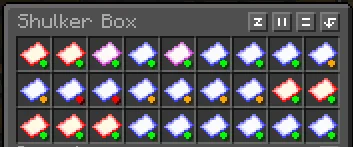
OG-Network Quality of Life Mod (mod) est une création de LxVer. Client side mod that adds some Quality of Life changes to OG-Network's RPG-SMP mode.
Versions prises en charge : Minecraft 1.21. On compte 31 téléchargements sur Modrinth. La dernière mise à jour date du 16/11/2026.
OG-Network Quality of Life Mod a publié 4 versions sur Modrinth depuis le 20/10/2026. 4 sont sorties au cours de l'année passée. La plus récente est 1.2.1, sortie le 01/11/2026. Elle est faite pour Minecraft 1.21.11. Elle fonctionne sur Fabric. Le téléchargement fait 129 KB.
| Version | Publié | Minecraft | Type |
|---|---|---|---|
1.2.1 | 01/11/2026 | 1.21.11 | Stable |
1.2.0 | 27/10/2026 | 1.21.11 | Stable |
1.1.0 | 26/10/2026 | 1.21.11 | Bêta |
1.0 | 20/10/2026 | 1.21.11 | Stable |
This mod is not dynamic to the updates that the server may go though, meaning that if any of the items from the shop changes, the mod will not update itself to show the new numbers. The same thing applies in the case of a new item being added, an old item getting removed, or new runes being created.
This mod is hardcoded to apply to all items, no matter the server or world you are in, meaning that you will see this on a single player world, or any other server you play, as long as you have the mod activated.
This mod is not afiliated to OG-Network in any way. I'm just a player that wanted to build something cool.
Écrite par LxVer. À lire avec les images sur Modrinth.
Ce mod fonctionne uniquement dans ton jeu. Les serveurs n'en ont pas besoin, tu peux donc l'utiliser sur n'importe quel serveur.
Installe Fabric pour Minecraft 1.21.
Ajoute les mods dont il a besoin : Mod Menu et API Cloth Config.
Télécharge le fichier .jar depuis Modrinth et place-le dans le dossier mods de ton répertoire .minecraft.
Lance Minecraft avec le profil Fabric.
Plus simple : dans Prism Launcher ou la Modrinth App, cherche OG-Network Quality of Life Mod dans les mods de ton instance et clique sur Install. Le loader et les mods requis sont ajoutés pour toi.
| Ressource | Téléchargements | Versions | Mise à jour | Prix |
|---|---|---|---|---|
| OG-Network Quality of Life Modcelle que tu regardais | 31 | 1.21 | il y a 15 heures | Gratuit |
| Better Than Mendinglegobmw99 | 4.5M | 1.12 – 26.x | 12 avr. 2026 | Gratuit |
 Client TweaksBlayTheNinth | 10.7M | 1.12 – 26.x | 16 sept. 2026 | Gratuit |
 Tom's Trading Networktom5454 | 2.8M | 1.19 – 26.x | 16 sept. 2026 | Gratuit |
Pas encore. La version la plus récente prise en charge est Minecraft 1.21.
Oui. OG-Network Quality of Life Mod se télécharge gratuitement sur Modrinth.
Côté client. OG-Network Quality of Life Mod se place dans ton propre dossier mods et fonctionne sur n'importe quel serveur, même sans mods.
Oui : Mod Menu, Cloth Config API. Installe-le avant OG-Network Quality of Life Mod.
Oui. La dernière mise à jour date des dernières 24 heures.
Les plus proches sont Better Than Mending, Client Tweaks et Tom's Trading Network. Comparer toutes les alternatives
Better Than MendingMods · 1.12 – 26.xA small quality of life tweak to the Mending enchantment
Client TweaksMods · 1.12 – 26.xThere, I fixed Minecraft for you. Various optional tweaks to improve Minecraft Quality of Life.
Tom's Trading NetworkMods · 1.19 – 26.xA simple mod to make trading with players easier
 Container SearchMods · 1.20 – 26.x
This project is a quality of life mod that indexes and organize the contents of containers into one in game menu to allow the player to easily find what they…
 Create: Molten Vents +Mods · 1.21
Adding in more vent variants, ponder tutorials, and other quality-of-life improvements to the Create: Molten Vents mod.
 WynnOverhaulMods · 26.x
A client-side Wynncraft mod with a custom HUD, weapon animations, an entity tracker, a Content Book replacement and quality-of-life tools. Unofficial and not…
Connecte-toi pour laisser un avis.