
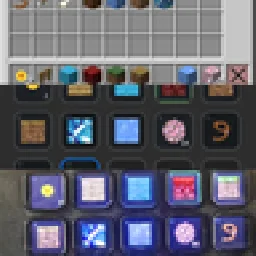
 StreamDeckMacrosMods · 1.21
Use your Stream Deck as a customizable Minecraft controller for hotbar slots, inventory management, actions, shortcuts, commands, and more.
Gratuit26 téléchargements
Create customizable routines for commands, menus, keyboard and mouse actions, with support for conditions and loops.
Téléchargement direct depuis Modrinth · 9 téléchargements
Routinize (mod) est une création de WhereDidMyDivGo. Create customizable routines for commands, menus, keyboard and mouse actions, with support for conditions and loops.
Versions prises en charge : Minecraft 26.x. On compte 9 téléchargements sur Modrinth. La dernière mise à jour date du 05/09/2026.
La plus récente est 0.1.0-beta, sortie le 05/09/2026. Elle est faite pour Minecraft 26.1.2. Elle fonctionne sur Fabric. Le téléchargement fait 262 KB.
| Version | Publié | Minecraft | Type |
|---|---|---|---|
0.1.0-beta | 05/09/2026 | 26.1.2 | Bêta |
Routinize est open source. Sa dernière version sur GitHub est 0.1.0-beta, publiée le 05/09/2026.
Initial beta release of Routinize, a client-side Fabric mod for creating routines that automate:
This release may contain bugs and compatibility issues. Please report problems through the GitHub issue tracker.
Routinize is a Fabric client-side mod for creating routines that automate commands, menus, keyboard inputs, and mouse actions.
Beta: Routinize may contain bugs or compatibility issues. Report them at: github.com/WhereDidMyDivGo/routinize/issues
Run /routinize to open the routine manager. From there you can create, edit, and delete routines, assign run and pause keys, and configure routine settings.
Mod Menu also provides a shortcut to open the routine manager.
Command · Action
/routinize · Open the routine manager.
/routinize edit · Edit a routine.
/routinize delete · Delete a routine.
/routinize dump · Save the current menu's item names and lore to a text file.
/routinize reload · Reload saved routines and settings.
Examples:
/routinize edit My Routine
/routinize delete My Routine
Menu dumps are saved to .minecraft/routinize-dumps/.
The config is saved to ./minecraft/config/routinize.json.
Empty lines and lines beginning with # are ignored.
Function · Action
command [...] · Run a command.
wait (...) · Wait for a duration, a menu to open, or a menu to change.
close · Close the current menu.
stop · Stop the routine.
action [...] · Press or release keys and click matching items.
if, else, elseif · Choose blocks based on a condition.
while · Repeat a block while its condition is met.
loop · Repeat a block a fixed number of times or indefinitely.
continue · Skip to the next loop iteration.
break · Exit the current loop.
Run a command. The slash is optional.
command [/home]
command [home]
Wait for a fixed or random duration in milliseconds:
wait (500)
wait (500-1500)
Wait for a menu to open or change:
wait (open)
wait (change)
These waits time out after five seconds if the expected event does not occur.
Close the current menu or stop the routine:
close
stop
An action can contain one or more tokens. Key actions use down and up:
action [forward down] [jump down]
wait (1000)
action [forward up] [jump up]
Supported held keys:
forward backward left right
jump sneak lclick rclick
Inventory clicks use an optional item name, lore, or shift filter:
action [lclick item name="Stone"]
action [rclick item lore="Right-click to open"]
action [lclick item shift name="Diamond"]
action [mclick item name="Upgrade" lore="Cost: 10 coins"]
Inventory click buttons are lclick, rclick, and mclick.
mclick cannot be combined with shift.
name="X" and lore="X" use contains matching, so they match names or lore that include X rather than requiring an exact match.
Conditions determine whether a block should run:
if (name="Confirm")
action [lclick item name="Confirm"]
end
Use not, else, and elseif as needed:
if not (name="Cancel")
command [tell steve No cancel button found]
elseif (lore="Click to continue")
action [lclick item lore="Click to continue"]
else
wait (500)
end
Run a block while its condition is met:
while (name="Refresh")
action [lclick item name="Refresh"]
wait (change)
end
Use not to invert the condition:
while not (name="Done")
wait (change)
end
Repeat a block a fixed number of times or indefinitely:
loop (3)
action [lclick item name="Next"]
wait (change)
end
loop
action [lclick item name="Refresh"]
wait (change)
end
Inside a loop, continue skips to the next iteration and break exits the loop.
How long an item click can remain unsuccessful before the routine times out. Default: 5000 milliseconds.
Shows routine status messages in chat. Errors and command responses are shown regardless of this setting. Default: enabled.
Releases keys held by a routine when it stops. Default: enabled.
Resumes routines that were automatically paused when a GUI opened after that GUI closes. Default: disabled.
Routines that use world actions are paused or stopped when a GUI opens, depending on whether a pause key is assigned.
Écrite par WhereDidMyDivGo. À lire avec les images sur Modrinth.
Ce mod fonctionne uniquement dans ton jeu. Les serveurs n'en ont pas besoin, tu peux donc l'utiliser sur n'importe quel serveur.
Installe Fabric pour Minecraft 26.x.
Ajoute les mods dont il a besoin : API Fabric.
Télécharge le fichier .jar depuis Modrinth et place-le dans le dossier mods de ton répertoire .minecraft.
Lance Minecraft avec le profil Fabric.
Plus simple : dans Prism Launcher ou la Modrinth App, cherche Routinize dans les mods de ton instance et clique sur Install. Le loader et les mods requis sont ajoutés pour toi.
| Ressource | Téléchargements | Versions | Mise à jour | Prix |
|---|---|---|---|---|
| Routinizecelle que tu regardais | 9 | 26.x | 5 sept. 2026 | Gratuit |
| StreamDeckMacrosariel.galnur | 26 | 1.21 | 29 août 2026 | Gratuit |
 Create: Power LoaderLysine | 2.7M | 1.18 – 1.21 | 22 mai 2026 | Gratuit |
 Man of Many PlanesLuke100000 | 4.8M | 1.19 – 26.x | 10 oct. 2026 | Gratuit |
Oui. Routinize prend en charge Minecraft 26.x. Toutes les versions prises en charge : 26.x.
Oui. Routinize se télécharge gratuitement sur Modrinth.
Côté client. Routinize se place dans ton propre dossier mods et fonctionne sur n'importe quel serveur, même sans mods.
Oui : Mod Menu, Fabric API. Installe-le avant Routinize.
Oui. La dernière mise à jour date des dernières 24 heures.
Les plus proches sont StreamDeckMacros, Create: Power Loader et Man of Many Planes. Comparer toutes les alternatives
StreamDeckMacrosMods · 1.21Use your Stream Deck as a customizable Minecraft controller for hotbar slots, inventory management, actions, shortcuts, commands, and more.
Create: Power LoaderMods · 1.18 – 1.21A Create mod add-on adding immersive chunk loaders.
Man of Many PlanesMods · 1.19 – 26.xA set of additional aircraft for Immersive Aircraft with Create support in mind.
 Create FabricMods · 1.18 – 1.20
Building Tools and Aesthetic Technology
 Create Big CannonsMods · 1.18 – 1.21
A Minecraft mod for building large cannons with the Create mod.
 GD656KilliconMods · 1.18 – 1.21
This Minecraft mod adds FPS-style killfeed notifications with exceptionally smooth animations. It offers unique features and highly customizable settings for…
Connecte-toi pour laisser un avis.