
 FancyHologramsPluginy · 1.19 – 26.x
Create fancy looking text, item or block holograms with display entities.
Za darmoPobrania: 346,117
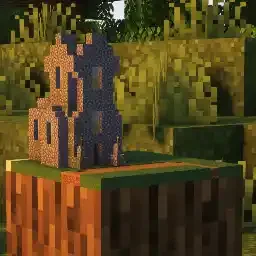
Miniaturise to plugin do serwerów Paper / Spigot, autor: GhastCraftHD. Create miniatures of your builds and use block displays with ease.
Obsługiwane wersje: Minecraft 1.20. Liczba pobrań w serwisie Hangar: 605. Ostatnia aktualizacja: 21.06.2024.
Miniaturise ma 12 wydań na Hangar. Żadna nie wyszła w ostatnim roku. Najnowsza to 2.4.5, wydana 21.06.2024. Jest zrobiona dla Minecraft 1.20 – 1.20.6. Działa na Paper. Plik ma 1.2 MB.
| Wersja | Wydano | Minecraft | Typ |
|---|---|---|---|
2.4.5 | 21.06.2024 | 1.20 – 1.20.6 | Wydanie |
2.4.4 | 20.06.2024 | 1.20 – 1.20.6 | Wydanie |
2.4.3 | 20.06.2024 | 1.20 – 1.20.6 | Wydanie |
2.4.2 | 05.04.2024 | 1.20 – 1.20.4 | Wydanie |
2.4.1 | 31.03.2024 | 1.20 – 1.20.4 | Wydanie |
Komendy wymienione na stronie Miniaturise w Hangar:
/mposition/mselect/mscale/mpaste/madjust/mremove/msave/mlistMiniaturise is a tool that allows you to create miniatures of something that you’ve built in Minecraft without needing any mods. You can also use it to work with single Block Displays.
The miniatures are achieved through the new Block Display entities that were added in Minecraft 1.19.4. Block Displays are an easy and performant way to display blocks in your Minecraft worlds. One of their biggest advantages is that you can change their size and rotation.
Block Displays are not the only type of Display entities that were added in 1.19.4. For the other ones I have created separate plugins:
Please notice the plugins license
You can alter the default configuration by changing the values of the config.yml file in the plugins data folder.
The setting max-entity-limit is defining how many Block Displays can be spawned when pasting a miniature.
Be careful when increasing this setting as it will influence performance and might lead to crashes of servers or clients when it is too high.
check-for-update: true
max-entity-limit: 1500
selector-tool : WOODEN_SHOVEL
adjuster-tool: BRUSH
\
\
By default only server operators are able to use Miniaturise. If you want to give other players the right to use Miniaturise you need to grant them the permission miniaturise.use
You can watch this awesome YouTube Tutorial made by KasaiSora or you can read the text tutorial below.
Select two positions with either the selector tool (wooden shovel by default) or use the /mposition command.
If you have selected two positions use the /mselect command to select this region. This will also select any miniatures in that region as your placed miniature, so this way you can alter or delete already placed miniatures.
Now you can optionally use /mscale selection to scale your miniature before pasting it.
To paste your miniature simply use the /mpaste command
To adjust the position, size or rotation of your miniature you can use the adjuster tool (brush by default) together with the adjuster interface that you can open with /madjust
If you want to delete your miniature you can do this via the adjuster interface or by using /mremove
\
\
You can also save any miniature you’d like as a file with /msave
You can load miniatures from a file with /msave
You can list every saved miniature that are saved on your server with /mlist
The miniatures are saved in the data folder of Miniaturise in the miniatures folder.
your-server/plugins/Miniaturise/miniatures
If you run into any issues feel free to report them to me on GitHub. There you can also suggest new features that could be added to Miniaturise.
[
Autor: GhastCraftHD. Z obrazkami na Hangar.
Upewnij się, że twój serwer działa na Paper i Spigot w Minecraft 1.20.
Pobierz plik .jar z Hangar i wrzuć go do folderu plugins na serwerze.
Zrestartuj serwer. Unikaj /reload, wiele pluginów źle to znosi.
Wpisz /plugins w konsoli: Miniaturise powinien być na zielono. Pliki konfiguracyjne tworzą się w folderze plugins przy pierwszym starcie.
Pełny poradnik: Jak zainstalować pluginy na serwerze Minecraft
| Zasób | Pobrania | Ocena | Wersje | Aktualizacja | Cena |
|---|---|---|---|---|---|
 Miniaturiseten, który oglądałeś | 605 | – | 1.20 | 21 cze 2024 | Za darmo |
| FancyHologramsOliver | 346K | – | 1.19 – 26.x | 6 d. temu | Za darmo |
 DungeonsXLSataniel | 178K | 4.5 | 1.18 | 24 lip 2026 | Za darmo |
 Typewritergabber235 | 154K | – | 1.19 – 26.x | 8 wrz 2026 | Za darmo |
Jeszcze nie. Najnowsza obsługiwana wersja to Minecraft 1.20.
Tak. Miniaturise można pobrać za darmo z serwisu Hangar.
Miniaturise działa na serwerach Paper i Spigot.
Tak. Ostatnia aktualizacja wyszła w ciągu ostatniej doby.
Najbliższe to FancyHolograms, DungeonsXL i Typewriter. Porównaj wszystkie alternatywy
FancyHologramsPluginy · 1.19 – 26.xCreate fancy looking text, item or block holograms with display entities.
DungeonsXLPluginy · 1.18Create custom dungeons and adventure maps with ease!
TypewriterPluginy · 1.19 – 26.xTypewriter is a plugin for paper Minecraft servers that allows for custom player interactions such as Quests, NPC chat, Create branching story with ease, and…
 Dream DisplaysPluginy · 1.18 – 26.x
Create in-game screens to stream your favorite videos in Minecraft.
 OGAnimatedHologramPluginy · 1.21 – 26.x
Create stunning in-game holograms with customizable text, animated displays
 BiteDisplaysPluginy · 26.x
NPCs, holograms, and item and block displays, placed and styled in-game.
Zaloguj się, aby wystawić opinię.