

 Rising LegendsModpacki · 1.20
[1.20.1] RLCraft Recreated For Modern Minecraft Versions! Includes (almost) all features from the original modpack.
Za darmoPobrania: 274,759

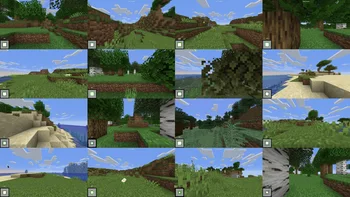

All verifiable mods on speedrun.com for modern versions of Minecraft.
SpeedrunPack to modpack, autor: interp. Obsługiwane wersje: Minecraft 1.16 – 26.x. Liczba pobrań w serwisie Modrinth: 210,714. Ostatnia aktualizacja: 21.10.2026.
SpeedrunPack ma 266 wydań na Modrinth od 15.05.2024. 114 z nich wyszło w ostatnim roku. Najnowsza to mc1.16.1-v8.1.0, wydana 21.10.2026. Jest zrobiona dla Minecraft 1.16.1. Działa na Fabric. Plik ma 4 KB.
| Wersja | Wydano | Minecraft | Typ |
|---|---|---|---|
mc1.16.1-v8.1.0 | 21.10.2026 | 1.16.1 | Wydanie |
mc26.3-v1.0.0 | 21.10.2026 | 26.3 | Wydanie |
mc1.15.2-v5.4.0 | 21.10.2026 | 1.15.2 | Wydanie |
mc1.14.4-v6.3.0 | 21.10.2026 | 1.14.4 | Wydanie |
mc26.2-v2.1.0 | 21.10.2026 | 26.2 | Wydanie |
Contains all mods that are verifiable on speedrun.com for modern versions of Minecraft.
Mac: You can follow these instructions to install everything except the mods, since the modpack does that bit for you. (Excluding Mac Sodium)
Modrinth App
Optionally, navigate to the Versions tab to select a version to install
Prism Launcher & MultiMC
Optionally, select a version to install in the dropdown
ATLauncher
Optionally, select a version to install in the dropdown
Why?
You might think you should use the latest version of Minecraft, but there are many reasons that make 1.16.1 the most popular version for speedrunning. Not only is it the fastest version of the game, it also relies way less on RNG to complete a run than newer versions.
Because of this, 1.16.1 gets the most support when it comes to speedrunning specific mods, resources, and guides.
However, other versions of Minecraft are still popular to speedrun. 1.15.2 is popular due to being the last version before The Nether Update, which dramatically changed Minecraft speedruns. This means that the speedrun route for 1.15.2 and below is very different from newer versions of the game.
Of course, if you still want to speedrun the latest versions of the game, go ahead! Just know that it will be very different from what most people play: you will find piglin brutes in bastions; the rates at which you get ender pearls from piglins are much worse; the new world generation makes getting to the nether difficult; the F3 pie chart works differently; and much more.
This is due to the StandardSettings mod, which changes your settings to a preset default every time you load a new world.
To fix this, you can either disable the mod or set it up to revert to the settings you choose.
Otherwise, change the settings in this menu to the ones you would usually use. You can press 'CTRL+F' to search for a setting.
Generate many worlds at once on a single-instance using SeedQueue
Here's a video guide to setup SeedQueue. The guide is for MultiMC, but the steps should be similar in most other launchers.
You don't need to watch the separate set-up video mentioned as the modpack does that bit for you.
Toolscreen - Program for overlays, instant resizing, and more
Ninjabrain Bot - An accurate stronghold calculator legal for Minecraft speedrunning
Jingle - An all-inclusive Minecraft speedrunning application
OBS Studio - Free and open source software for video recording and live streaming
The MCSR Practice Map - All-in-one practice map
MiniPracticeKit - Practice splits on any instance
& more at MinecraftSpeedrunning.com
This is an unofficial source and may not always be up-to-date. The official source for legal mods can be found at mc.sr/mods.
Autor: interp. Z obrazkami na Modrinth.
Ten modpack działa na Fabric for Minecraft 1.16 – 26.x. Launcher, którym go zainstalujesz, ustawi to za ciebie.
Pobierz plik .mrpack z Modrinth.
Otwórz go launcherem obsługującym .mrpack, np. Modrinth App albo Prism Launcher: utworzy nową instancję ze wszystkimi modami i ustawieniami.
Daj instancji dość pamięci: większość modpacków chce od 4 do 8 GB.
Aby grać z przyjaciółmi na serwerze, użyj plików serwera modpacka, jeśli są; w przeciwnym razie zainstaluj te same mody na serwerze.
Tak. SpeedrunPack działa w wersji Minecrafta 26.x. Wszystkie obsługiwane wersje: 26.x, 1.21, 1.20, 1.19, 1.18, 1.17, 1.16.
Tak. SpeedrunPack można pobrać za darmo z serwisu Modrinth.
Tak. Ostatnia aktualizacja wyszła w ciągu ostatniej doby.
Rising LegendsModpacki · 1.20[1.20.1] RLCraft Recreated For Modern Minecraft Versions! Includes (almost) all features from the original modpack.
Zaloguj się, aby wystawić opinię.