
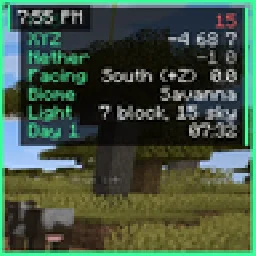
 Eclipse HUDMody · 26.x
Movable HUD: FPS and coords, compass, looking-at box, saturation bar, armor durability, potion timers, keystrokes, clock and more.
Za darmoPobrania: 54

Themeable HUD suite and visual effects for Minecraft. Customizable target display, music player with a scrolling marquee, potion timers, keybind list, and a…

Themeable HUD suite and visual effects for Minecraft. Customizable target display, music player with a scrolling marquee, potion timers, keybind list, and a…
EclipseVisuals to zasób, autor: qwider. Obsługiwane wersje: Minecraft 1.21. Liczba pobrań w serwisie Modrinth: 10. Ostatnia aktualizacja: 05.09.2026.
Najnowsza to 1, wydana 05.09.2026. Jest zrobiona dla Minecraft 1.21.11. Działa na Fabric. Plik ma 34.1 MB.
| Wersja | Wydano | Minecraft | Typ |
|---|---|---|---|
1 | 05.09.2026 | 1.21.11 | Wydanie |
A themeable HUD suite and visual effects pack for Minecraft.
Eclipse Visuals bundles a configurable HUD, a set of world effects, and a
theme engine into a single client-side mod. Every element can be dragged,
scaled, recolored, or switched off individually — nothing is forced on you.
No server-side component. No gameplay advantage. Purely presentation.
Element · What it shows
Target Display · Face, name, health bar, and live armor durability of your current target
Music Player · Track and artist from your system player, with a smooth scrolling marquee for long titles
Potion Timers · Active effects with remaining duration and amplifier
Keybind List · Your bound keys, hidden automatically when nothing is bound
Module List · Enabled features, sorted by width with a gradient accent
Watermark · Your username and client build
Notifications · Toast popups for toggles, low armor durability, and expiring effects
Session Info · FPS, ping, coordinates, and server address
Every element is repositionable through a drag-and-drop editor. Hold
Right Shift to open the menu, then drag any element freely.
World and atmosphere
Player and item rendering
Feedback and juice
Seven built-in presets, plus custom themes saved as JSON. Accent color
propagates through the entire interface: panels, sliders, toggles, glow,
and HUD elements all follow the active theme.
The menu itself is configurable — background blur, dimming, scanlines,
glow, particles, and halftone dots can each be toggled.
Minecraft · 1.21.11
Loader · Fabric
Dependency · Fabric API
Java · 21 or newer
Side · Client only
Does this work on servers?
Yes. The mod is client-side only and adds no gameplay advantage, so it is
safe on any server that permits cosmetic mods. Always check the rules of
the server you play on.
Can I move the HUD elements?
Press Right Shift and drag any element. Positions are saved
automatically.
How do I make my own theme?
Open the theme selector in the menu and create a new theme. It is stored
as JSON in your config folder and can be shared as a file.
Набор настраиваемых HUD-элементов и визуальных эффектов для Minecraft.
Eclipse Visuals объединяет настраиваемый интерфейс, набор визуальных
эффектов и систему тем в одном клиентском моде. Любой элемент можно
перетащить, изменить в размере, перекрасить или отключить — ничего не
навязывается.
Серверная часть не нужна. Игрового преимущества не даёт.
Элемент · Что показывает
Target Display · Лицо, ник, полосу здоровья и прочность брони цели
Музыкальный плеер · Трек и исполнителя из системного плеера, длинные названия едут бегущей строкой
Таймеры зелий · Активные эффекты с остатком времени и уровнем
Список биндов · Назначенные клавиши, скрывается когда биндов нет
Список модулей · Включённые функции с градиентным акцентом
Watermark · Ник игрока и сборку клиента
Уведомления · Всплывающие сообщения о переключениях, прочности брони и эффектах
Инфо сессии · FPS, пинг, координаты и адрес сервера
Всё перетаскивается мышью. Нажми Right Shift, чтобы открыть
меню и переставить элементы.
Мир и атмосфера
Игрок и предметы
Отдача и эффекты
Семь встроенных пресетов плюс свои темы в JSON. Акцентный цвет
применяется ко всему интерфейсу: панели, слайдеры, переключатели,
свечение и HUD следуют активной теме.
Сам фон меню настраивается: размытие, затемнение, скан-линии, свечение,
частицы и точки включаются по отдельности.
Minecraft · 1.21.11
Загрузчик · Fabric
Зависимость · Fabric API
Java · 21 или новее
Сторона · Только клиент
Autor: qwider. Z obrazkami na Modrinth.
Ten mod działa tylko w twojej grze. Serwery go nie potrzebują, więc możesz go używać na każdym serwerze.
Zainstaluj Fabric dla Minecraft 1.21.
Dodaj potrzebne mody: API Fabric.
Pobierz plik .jar z Modrinth i wrzuć go do folderu mods w katalogu .minecraft.
Uruchom Minecraft z profilem Fabric.
Z CraftRank Launcherem pominiesz te kroki: otwórz Mody, wyszukaj EclipseVisuals i kliknij Zainstaluj.
| Zasób | Pobrania | Wersje | Aktualizacja | Cena |
|---|---|---|---|---|
| EclipseVisualsten, który oglądałeś | 10 | 1.21 | 5 wrz 2026 | Za darmo |
| Eclipse HUDnobub | 54 | 26.x | 1 dzień temu | Za darmo |
 Createsimibubi | 28M | 1.18 – 1.21 | 22 kwi 2026 | Za darmo |
 Create: ConnectedLysine | 7.4M | 1.18 – 1.21 | 31 sie 2026 | Za darmo |
Jeszcze nie. Najnowsza obsługiwana wersja to Minecraft 1.21.
Tak. EclipseVisuals można pobrać za darmo z serwisu Modrinth.
Po stronie klienta. EclipseVisuals trafia do twojego folderu mods i działa na każdym serwerze, także bez modów.
Tak: Fabric API. Zainstaluj to przed EclipseVisuals.
Tak. Ostatnia aktualizacja wyszła w ciągu ostatniej doby.
Najbliższe to Eclipse HUD, Create i Create: Connected. Porównaj wszystkie alternatywy
Eclipse HUDMody · 26.xMovable HUD: FPS and coords, compass, looking-at box, saturation bar, armor durability, potion timers, keystrokes, clock and more.
CreateMody · 1.18 – 1.21Aesthetic Technology that empowers the Player
Create: ConnectedMody · 1.18 – 1.21QoL blocks that you wish existed in Create - Highly configurable, disable what you don't need
 BetterF3Mody · 1.16 – 26.x
BetterF3 is a mod that replaces Minecraft's original debug HUD with a highly customizable, more human-readable HUD.
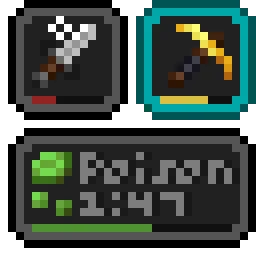 Status Effect BarsMody · 1.17 – 26.x
Adds customizable bars to the status effects overlay to show the remaining duration of effects.
 CityWorksMody · 1.21
CityWorks adds a ton of additions for your city. Such as scalable street lights, customizable highway signs, live traffic cameras, and detailed modern city…
Zaloguj się, aby wystawić opinię.