
 CorpseMods · 1.19 – 26.x
Never lose your items again!
Grátis4,744,685 downloads
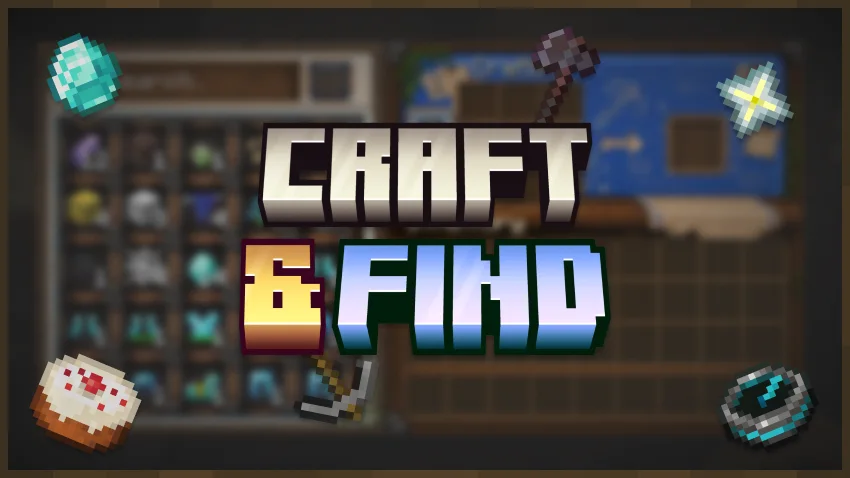
Craft & Find (mod) é obra de ouheaddd. Find, access, and craft with items from nearby storage — all from one convenient workbench.
É compatível com o Minecraft 1.20 – 1.21. Tem 276 downloads em Modrinth. A última atualização saiu em 08/11/2026.
Craft & Find teve 18 versões no Modrinth desde 07/08/2026. 18 saíram no último ano. A mais recente é 1.2.2-forge-1.20.1, lançada em 08/11/2026. Ela é feita para o Minecraft 1.20.1. Ela roda em Forge. O download tem 407 KB.
| Versão | Lançado | Minecraft | Tipo |
|---|---|---|---|
1.2.2-forge-1.20.1 | 08/11/2026 | 1.20.1 | Estável |
1.2.2-neoforge-1.21.1 | 08/11/2026 | 1.21.1 | Estável |
1.2.2-fabric-1.21.1 | 08/11/2026 | 1.21.1 | Estável |
1.2.1-forge-1.20.1 | 07/11/2026 | 1.20.1 | Estável |
1.2.1-neoforge-1.21.1 | 07/11/2026 | 1.21.1 | Estável |
Craft & Find is a lightweight quality-of-life mod for players who enjoy vanilla Minecraft storage but want to make it much easier to use.
The mod adds the Storage Workbench — a special crafting station that connects nearby storage into one convenient interface. From there, you can browse everything you have, locate specific items, and craft using resources stored around you.
No required dependencies and no complicated storage networks. Place a Storage Workbench near your storage room and it is ready to use.
The Storage Workbench scans compatible containers around it and gathers information about their contents.
Instead of treating every chest as a separate inventory, it gives you one combined list of resources from your nearby storage, including the total amount of each item.
Use the search bar or sorting controls to quickly find what you need, even in large storage rooms.
By default, the workbench searches within a 16-block radius, which can be changed in the configuration.
Found the item in the list but cannot remember which chest it is stored in?
Simply click the item.
Craft & Find will close the interface and highlight the containers that contain the selected item. The primary storage location can also display the item itself above the container.
This becomes especially useful once your storage room grows large enough that remembering the contents of every chest is no longer practical.
The Storage Workbench also functions as a full crafting station.
Its Recipe Book checks both your inventory and resources stored in nearby containers.
If the required ingredients are somewhere in your storage room, the recipe can appear as craftable. Selecting a recipe can automatically move the required materials from available storage into the crafting grid.
No need to search several chests, move everything into your inventory, and only then start crafting.
The Storage Workbench has its own interface that brings together:
The interface is designed to stay simple, readable, and visually close to vanilla Minecraft, making the workbench feel like a natural extension of normal crafting rather than a separate complex storage system.
Craft & Find includes a simple configuration system, allowing you to adjust the workbench for anything from a small storage room to a large warehouse.
There are also client-side settings for the item-finding effects, allowing you to customize or disable highlights, particles, sounds, the item marker, and effect duration.
This means the functionality can stay the same while each player adjusts the visual effects to their own preference.
Craft & Find is not designed to replace normal Minecraft storage.
There are no cables, storage disks, terminals, or separate logistics networks to build.
You still build your storage room using ordinary containers — the Storage Workbench simply makes it much easier to use.
Updates will be released frequently, and community feedback is highly appreciated.
If you find bugs or have ideas, please join the Discord server.
If you enjoy Craft & Find and want to support development, you can do so here:
Escrita por ouheaddd. Leia com imagens no Modrinth.
Este mod é necessário no servidor e em cada jogador que entra.
Instale Fabric, Forge e NeoForge para o Minecraft 1.20 – 1.21.
Baixe o arquivo .jar pelo Modrinth e coloque na pasta mods do seu diretório .minecraft.
Abra o Minecraft com o perfil Fabric.
Mais fácil: no Prism Launcher ou no Modrinth App, procure Craft & Find nos mods da sua instância e clique em Install. Ele adiciona o loader e os mods necessários para você.
| Recurso | Downloads | Versões | Última atualização | Preço |
|---|---|---|---|---|
 Craft & Findo que você estava vendo | 276 | 1.20 – 1.21 | há 4 dias | Grátis |
| Corpsehenkelmax | 4.7M | 1.19 – 26.x | há 21 dias | Grátis |
 CreateVaultPlusfervauk | 18 | 1.21 | 6 out 2026 | Grátis |
 Traveler's BackpackTiviacz1337 | 21.9M | 1.12 – 26.x | há 13 horas | Grátis |
Ainda não. A versão mais recente compatível é o Minecraft 1.21.
Sim. Você pode baixar Craft & Find de graça em Modrinth.
Os dois. O servidor e cada jogador precisam ter Craft & Find instalado.
Sim. A última atualização saiu no último dia.
Os mais parecidos são Corpse, CreateVaultPlus e Traveler's Backpack. Comparar todas as alternativas
CorpseMods · 1.19 – 26.xNever lose your items again!
CreateVaultPlusMods · 1.21Allows you to retrieve more items from the Create storage in a single click
Traveler's BackpackMods · 1.12 – 26.xUnique and upgradeable backpacks with customisation, Curios API/Trinkets integration and more!
 Item HighlighterMods · 1.12 – 26.x
Highlights newly picked-up items. Simple and convenient.
 LumyMonMods · 1.21
Craft maps to locate rare structures & gyms across every dimension, and collect unique legendary items to power up your Cobblemon experience!
 JewelryMods · 1.19 – 26.x
💍 Find precious gems deep down, and craft them into powerful jewelry!
Entre para deixar uma avaliação.