
 Samarium ShadersShaders · 1.21 – 26.x
Samarium Shaders is a custom, high-performance realistic shader pack built specifically for Minecraft Java Edition (supporting 1.21.11 and 26.2 using Fabric…
Grátis31 downloads
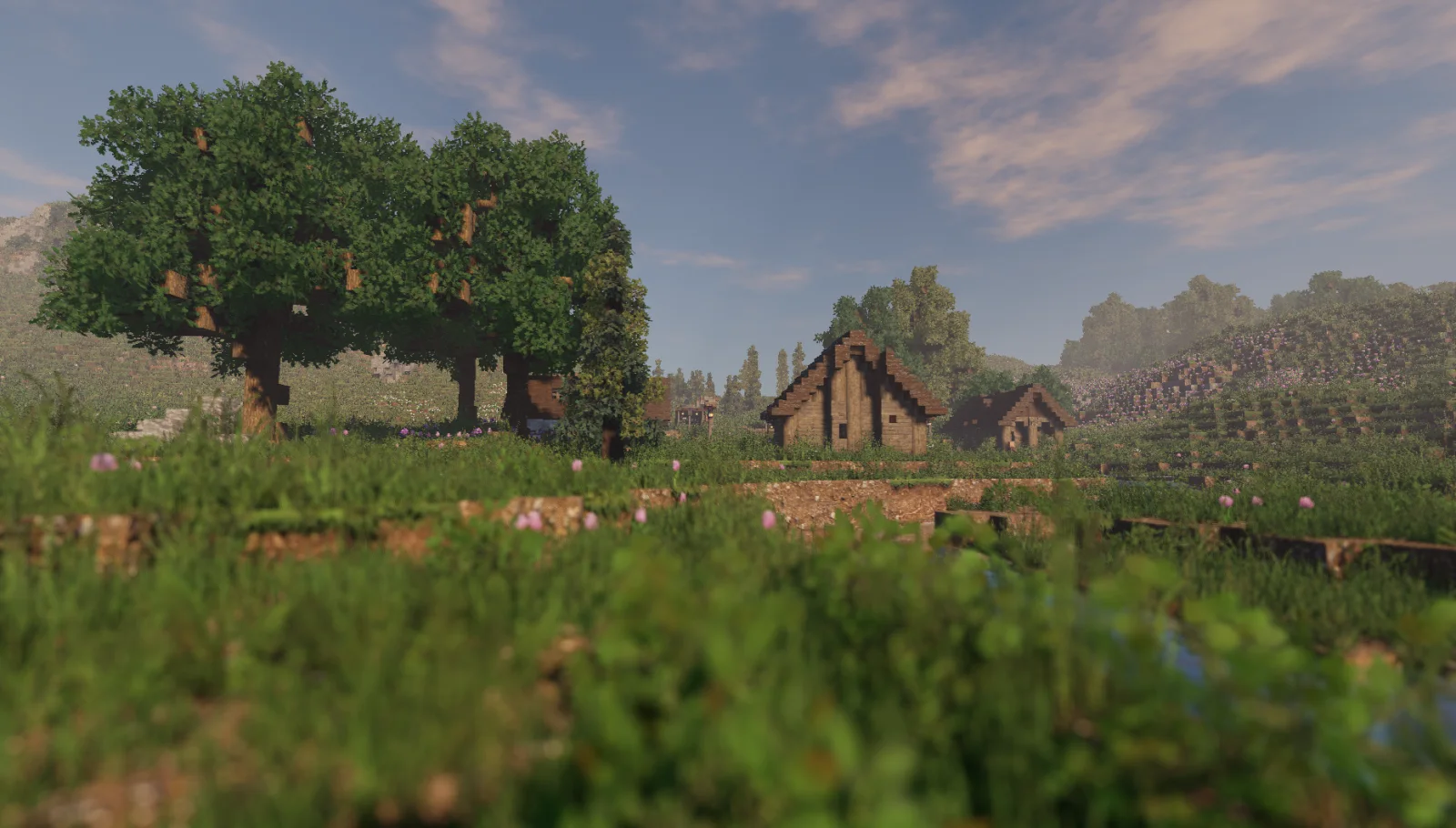

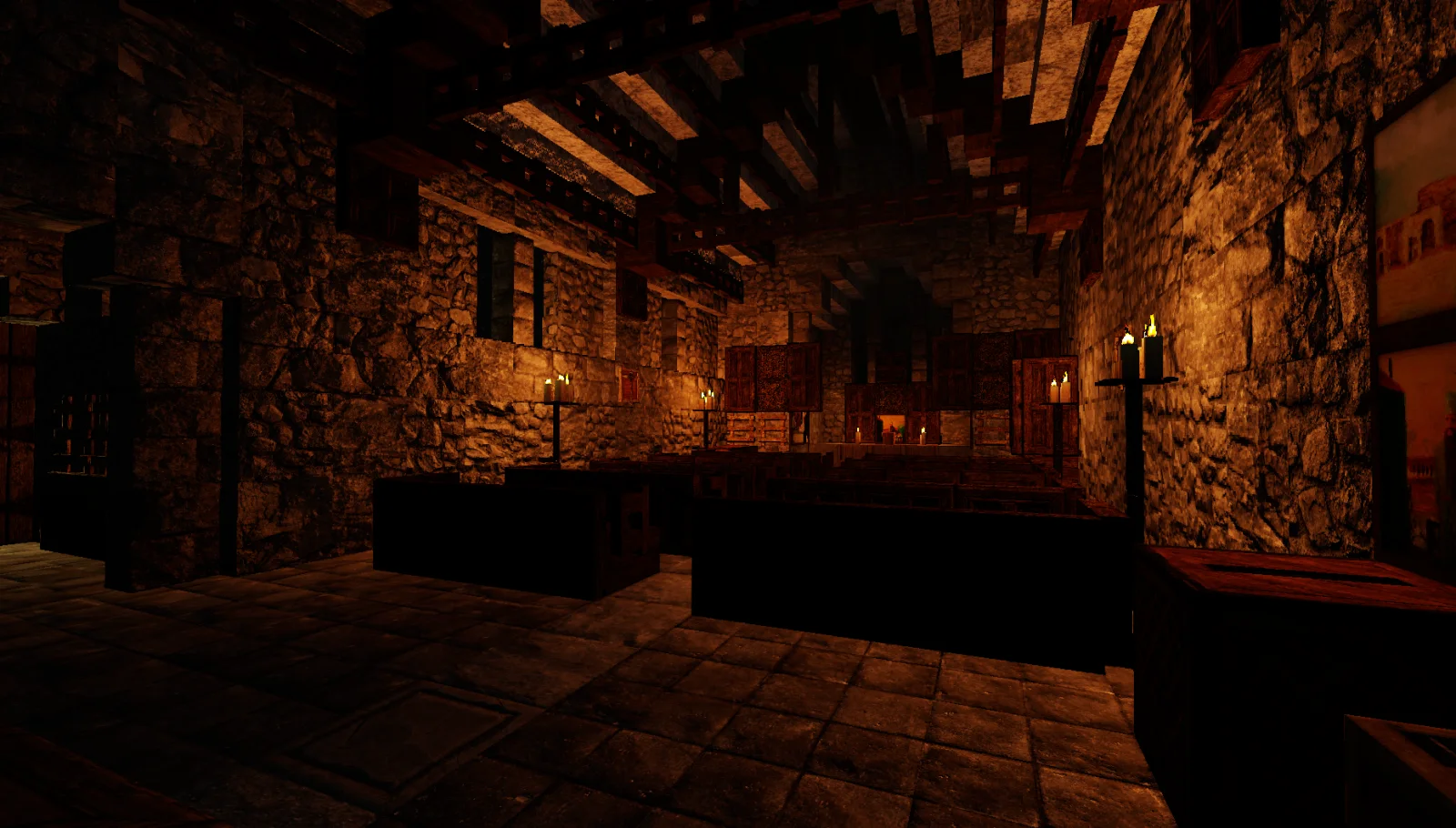
Arc (pacote de shaders) é obra de Null. An attempt at a mostly realistic shader that maintains decent performance; for Minecraft Java.
É compatível com o Minecraft 1.16 – 1.19. Tem 990,042 downloads em Modrinth. A última atualização saiu em 01/03/2023.
A mais recente é 0.15.2, lançada em 01/03/2023. Ela é feita para o Minecraft 1.16 – 1.19.4. Ela roda em Iris e Optifine. O download tem 13.2 MB.
| Versão | Lançado | Minecraft | Tipo |
|---|---|---|---|
0.15.2 | 01/03/2023 | 1.16 – 1.19.4 | Beta |
Arc é de código aberto. A versão mais recente no GitHub é Release 0.15, publicada em 25/02/2023.
-
Added dynamic/colored lighting! requires Iris 1.6+ [beta]
-
Added custom End sky.
-
Added post-process blurring for soft-shadows, SSS, SSAO, & SSGI.
-
Added support for translucent entities (Iris only).
-
Added vertex waving option for blocky/vanilla foliage.
-
Added item glint support (enchantment glow).
-
Added custom dynamic lava texturing.
-
Added dithering for artificial particle transparency.
-
Added screen-space global-illumination (SSGI).
-
Added water foam/dirt.
-
Added FXAA.
-
Fixed a bug with clouds making everything very slow.
-
Fixed directional blocklight (DLM) feature.
-
Fixed sun color temperature.
-
Fixed several misc shadow bugs.
-
Fixed particle shadows.
-
Fixed nether compatibility.
-
Fixed HW soft-shadowing (Iris only).
-
Fixed cave brightness when shadows are disabled.
-
Fixed shadows on first-person hands/items.
-
Fixed (extra) noise on volumetric lighting.
-
Fixed colored distorted shadows.
-
Fixed ambient light flickering.
-
Fixed misc bugs with PhysicsMod ocean water support.
-
Fixed depth-write POM on first-person hand/items.
-
Fixed bug with torches being chocolate.
-
Improved speed of cascaded shadows.
-
Antes: Release 0.14 (24/01/2023), Release 0.13 (04/01/2023).
A shader for Iris & Optifine that aims to providing realistic visuals with very minimal performance loss. Almost every effect/feature can be fine-tuned for the ideal balance between performance and quality. This project is still in beta but will be reaching initial release very soon!
Also contains special support for PhysicsMod ocean waves & snow!
Supports LabPBR and OldPBR texture formats; The default setting for materials is "vanilla", which hard-codes a limited set of PBR material values for the original Minecraft textures.
The recommended resource pack is Patrix; when used make sure to set the shader setting for Material Format to "Patrix", as it uses a special combination of OldPBR and LabPBR formats.
For best results use Iris 1.6 or later; however most features should work with Optifine or Oculus. If you have any suggestions or requests, you can reach out to me on the ShaderLabs Discord.
Escrita por Null. Leia com imagens no Modrinth.
Instale o Iris (com Sodium) ou o OptiFine para sua versão do Minecraft: shaders precisam de um deles.
Baixe o arquivo .zip pelo Modrinth. Não descompacte.
No Minecraft, abra Opções, depois Gráficos, depois Shader Packs e clique em Abrir pasta de shaders.
Coloque o arquivo .zip nessa pasta, escolha Arc na lista e clique em Concluído.
Shaders pesam na placa de vídeo. Se o jogo ficar lento, escolha um perfil mais baixo nas configurações.
| Recurso | Downloads | Versões | Última atualização | Preço |
|---|---|---|---|---|
 Arco que você estava vendo | 990K | 1.16 – 1.19 | 1 mar 2023 | Grátis |
| Samarium Shadersofficial_SM | 31 | 1.21 – 26.x | há 14 dias | Grátis |
 MaxRealstic ShaderTaeVersePlayz | 15K | 1.16 – 26.x | 31 jul 2026 | Grátis |
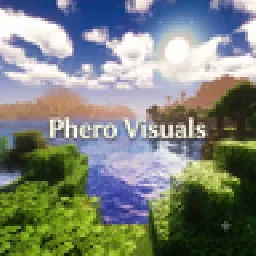 Phero VisualsDark_PixelForge | 8,812 | 1.16 – 26.x | há 4 dias | Grátis |
Ainda não. A versão mais recente compatível é o Minecraft 1.19.
Sim. Você pode baixar Arc de graça em Modrinth.
Sim. A última atualização saiu no último dia.
Os mais parecidos são Samarium Shaders, MaxRealstic Shader e Phero Visuals. Comparar todas as alternativas
Samarium ShadersShaders · 1.21 – 26.xSamarium Shaders is a custom, high-performance realistic shader pack built specifically for Minecraft Java Edition (supporting 1.21.11 and 26.2 using Fabric…
MaxRealstic ShaderShaders · 1.16 – 26.xUltra-realistic Minecraft shader with animated foliage, dynamic water, realistic lighting, cinematic skies, and optimized performance.
Phero VisualsShaders · 1.16 – 26.xPhero Visuals Minecraft shader pack featuring vibrant lighting, realistic water, dynamic skies, soft shadows, cinematic atmosphere, and optimized performance…
 Luxora ShadersShaders · 1.21
Warm toned shader pack with realistic lighting, golden sunsets, water reflections, and smooth performance.
 Kinetic-shaderShaders · 1.18 – 26.x
Realistic visuals with highly optimized features, designed to stay lightweight and deliver smooth performance.
 MakeUpShaders · 1.12 – 26.x
MakeUp aims to provide the best quality / performance ratio, building a shader that can be adapted to anyone's resources.
Entre para deixar uma avaliação.