
 InventoryHUD+Mods · 1.8 – 26.x
Adds your main inventory, potion effects and your equipments to your HUD. And few other features.
Grátis11,155,029 downloads
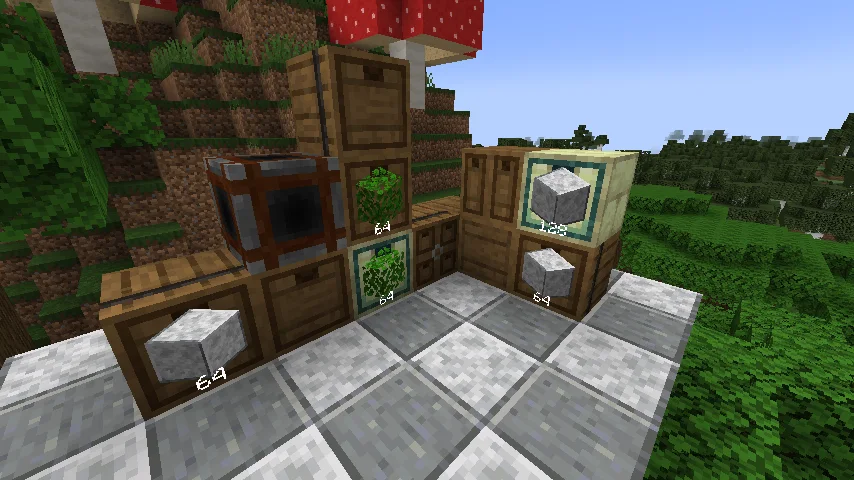
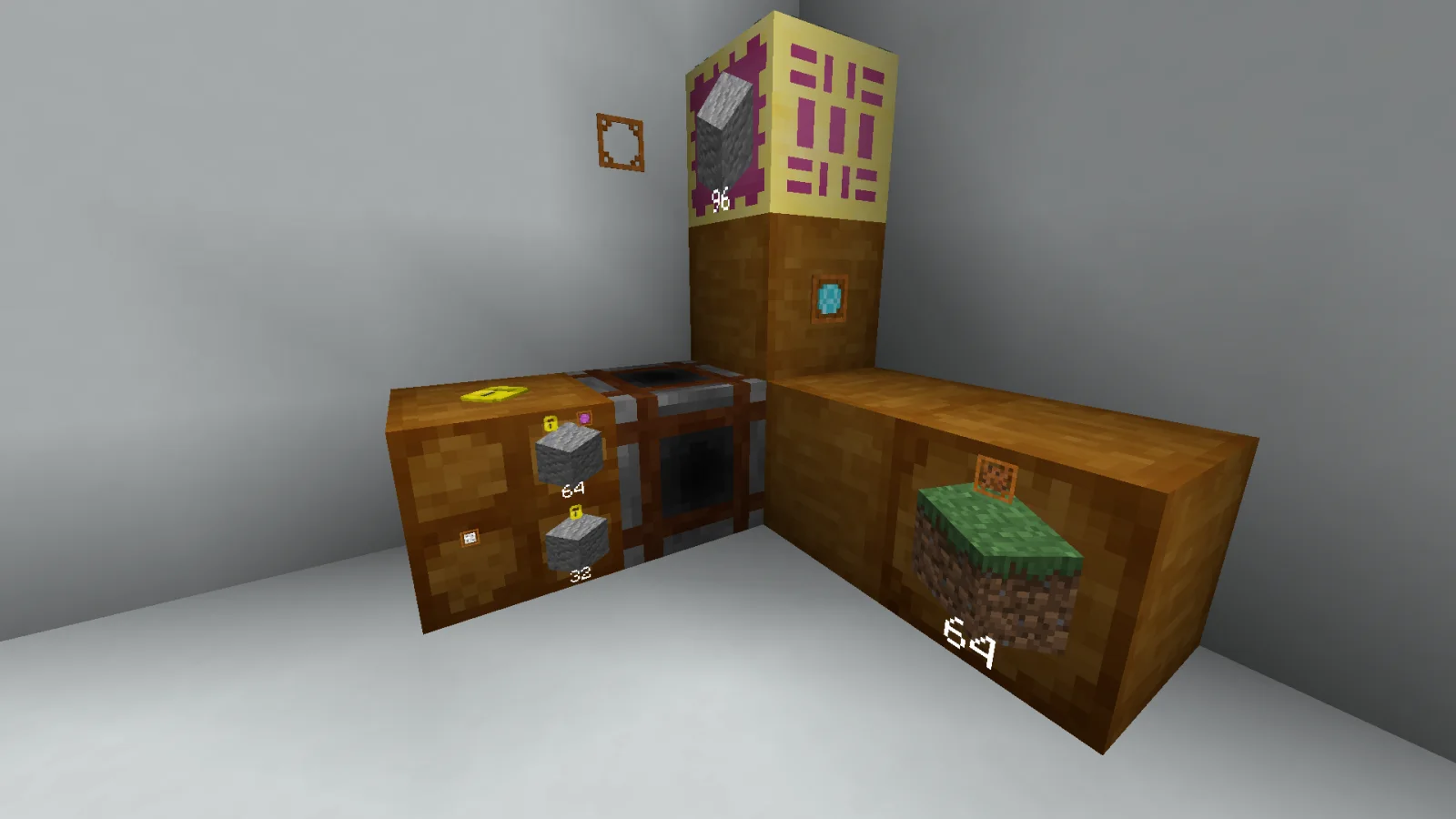
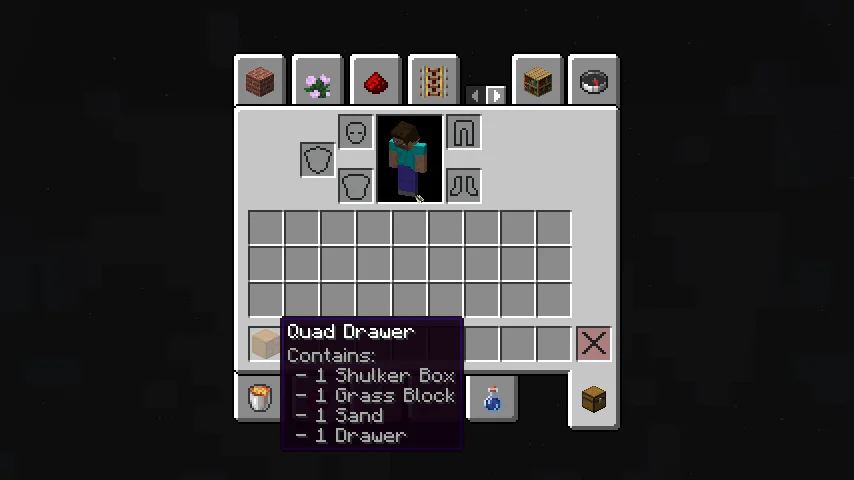
Extended Drawers (mod) é obra de MattiDragon. Adds drawers and more.
É compatível com o Minecraft 1.18 – 26.x. Tem 3,018,074 downloads em Modrinth. A última atualização saiu em 11/10/2026.
Extended Drawers teve 89 versões no Modrinth desde 24/04/2022. 4 saíram no último ano. A mais recente é 5.2.0+mc.26.3, lançada em 11/10/2026. Ela é feita para o Minecraft 26.3. Ela roda em Fabric. O download tem 2.4 MB.
| Versão | Lançado | Minecraft | Tipo |
|---|---|---|---|
5.2.0+mc.26.3 | 11/10/2026 | 26.3 | Estável |
5.1.0+mc.26.2 | 20/06/2026 | 26.2 | Estável |
5.0.0+mc.26.1 | 30/03/2026 | 26.1, 26.1.1, 26.1.2 | Estável |
4.3.0-beta.3+mc.1.21.11 | 15/12/2025 | 1.21.11 | Beta |
4.3.0-beta.2+mc.1.21.10 | 26/10/2025 | 1.21.10 | Beta |
Extended Drawers é de código aberto. A versão mais recente no GitHub é v5.2.0 [26.3], publicada em 11/10/2026.
Antes: v5.1.0 [26.2] (20/06/2026), v5.0.0 [26.1] (30/03/2026).
[![Badge showing the amount of downloads on modrinth][modrinth badge]](modrinth.com/mod/extended-drawers)
[![Badge showing the amount of downloads on curseforge][curseforge badge]](curseforge.com/minecraft/mc-mods/extended-drawe…)
[![Badge linking to issues on github][github badge]](github.com/MattiDragon/ExtendedDrawers/issues)
[![Badge linking to support on discord][discord badge]](discord.gg/26T5KK2PBv)
[modrinth badge]: img.shields.io/badge/dynamic/json?color=2d2d2d&…
[curseforge badge]: img.shields.io/badge/dynamic/json?query=value&a…
[github badge]: img.shields.io/badge/dynamic/json?query=value&a…
[discord badge]: img.shields.io/discord/760524772189798431?label…
A mod inspired by storage drawers that aims to allow for easy creation of powerful yet not
overpowered storage systems using simple components.
Crafted by combining a book with and upgrade frame, the guide book will explain in more detail how the mod works.
**Patchouli is required for the guide book to load ingame!
The book is only available on versions supported by them.**
Drawers are blocks that can store a lot of a few items and come in three variants: single-, double- and quad-slot.
They can be interacted with in world or using hopper or pipes from other mods.
They will make up the bulk of your storage as they are cheap and effective.
Access points are blocks that can interact with multiple drawers that are connected to them.
They only support insertion in world, but can be extracted from using pipes and hoppers.
You can use them to quickly dump your inventory into the system, or hook up digital storage.
Shadow drawers show the amount of a resource that is available in the whole network and allows
for insertion and expansion of that resource.
They are especially useful for automation as you can keep storage centralized and still access it from far away.
While slightly more expensive to craft compacting drawers offer a lot of convenience over regular drawers.
They automatically compress and decompress your items using 2x2 and 3x3 crafting recipes.
They also store more of items as the max capacity is based on the most compressed stored item.
Upgrades are items that extend the capacity of a drawer slot. Their power can be tweaked in the config.
There is also a downgrade if you need to limit the capacity of a drawer slot.
They apply to individual slots and not the whole drawer, unlike other mods.
You can use a lock on drawers to make them keep their selected item even when empty.
This makes sure you don't lose your organization when you remove items and allows you to block automation from filling up empty drawers.
If sneak clicked with a lava bucket, drawers will start voiding excess items.
This is useful when you want to store items of low value as you don't need to worry about overflow.
Extended drawers will make sure drawers without voiding enabled fill up first.
Hide icons on drawers to reduce lag or hide your valuables, but remember, anyone can change it.
Applied by sneaking and using black dye or ink sacs on drawers.
You can use a, by default unobtainable, dupe wand to toggle duping mode on drawers.
They will continue to provide items even when empty. Voiding mode must still be applied separately.
Some features, which have been deemed to powerful or otherwise unsuited to the main mod,
are available as an official addon.
Extended drawers offers two main ways to customize the experience: the configs and datapacks.
The configs can be located under the config directory in your installation root, under extended_drawers.
There are two files: one for client side setting and one for settings needed on both the server and client.
All recipes and loot tables can be modified by datapacks like with most mods.
You can find some of the defaults under src/main/resources and others under src/main/generated.
Extended drawers also provides the option to override what items the compacting drawers can compact and how.
This is done through files placed under data//extended_drawers/compression_overrides in json format.
The files should consist of a single object with items as keys and compression levels as values.
Here are some examples:
{
// Adds compacting support to clays. It isn't default as you can't craft it into balls
"clay_ball": 1,
"clay": 4
}
{
// You should never need to do this, but here's an example of how a file for iron might look like
// You can see that numbers are based off of the amount of first item
"iron_nugget": 1,
"iron_ingot": 9,
"iron_block": 81
}
{
// Disables compacting for gold nuggets.
// You have to do this for each tier or something might break.
"gold_nugget": 1
}
You can use this mod in any modpack as long as you don't reupload the mod.
You can get a direct download link from modrinth if you need,
but I'd prefer you create your modpacks on modrinth or curseforge directly.
This mod is only officially available on curseforge, modrinth and github.
Any other sites are third-party reuploads and should not be trusted.
You can read my policy on forking and porting mods.
Current target: 26.3.
I intend to try and stay compatible with as many mods as possible, but might abandon support for some if it becomes too hard.
Versions 1.3.0 and older and their source code are licensed under the MIT license. Newer versions
are licensed under the Apache License, Version 2.0. I chose to switch because I want to retain
ownership of my code while still allowing forks and addons to use any license they want.
You are free to use the mods code in any way you want as long as you follow the license and
credit me for the original (link is enough).
Escrita por MattiDragon. Leia com imagens no Modrinth.
Este mod é necessário no servidor e em cada jogador que entra.
Instale Fabric e Quilt para o Minecraft 1.18 – 26.x.
Adicione os mods que ele precisa: API do Fabric.
Baixe o arquivo .jar pelo Modrinth e coloque na pasta mods do seu diretório .minecraft.
Abra o Minecraft com o perfil Fabric.
Mais fácil: no Prism Launcher ou no Modrinth App, procure Extended Drawers nos mods da sua instância e clique em Install. Ele adiciona o loader e os mods necessários para você.
| Recurso | Downloads | Versões | Última atualização | Preço |
|---|---|---|---|---|
 Extended Drawerso que você estava vendo | 3M | 1.18 – 26.x | 11 out 2026 | Grátis |
| InventoryHUD+DmitryLovin | 11.2M | 1.8 – 26.x | há 20 dias | Grátis |
 Iron FurnacesQelifern | 10.2M | 1.20 – 26.x | 26 jun 2026 | Grátis |
 Macaw's Furnituresketchmacaw | 7.5M | 1.16 – 26.x | 29 set 2026 | Grátis |
Sim. Extended Drawers é compatível com o Minecraft 26.x. Todas as versões compatíveis: 26.x, 1.21, 1.20, 1.19, 1.18.
Sim. Você pode baixar Extended Drawers de graça em Modrinth.
Os dois. O servidor e cada jogador precisam ter Extended Drawers instalado.
Sim: Fabric API. Instale antes de Extended Drawers.
Sim. A última atualização saiu no último dia.
Os mais parecidos são InventoryHUD+, Iron Furnaces e Macaw's Furniture. Comparar todas as alternativas
InventoryHUD+Mods · 1.8 – 26.xAdds your main inventory, potion effects and your equipments to your HUD. And few other features.
Iron FurnacesMods · 1.20 – 26.xInspired by cpw's Iron Chests mod, adds a few different tiers of furnace.
Macaw's FurnitureMods · 1.16 – 26.xDecorate your world with wardrobes, drawers, chairs, desks, couches, chaise, sinks, tables and more...!
 Carved WoodMods · 1.20 – 26.x
Adds new sets of wooden blocks and new variants of existing wooden blocks!
 Storage DrawersMods · 1.8 – 26.x
Interactive bulk storage solution
 XP TomeMods · 1.12 – 26.x
Adds a book that can store a configurable amount of XP.
Entre para deixar uma avaliação.