
 ImageFramePlugins · 1.13 – 26.x
Put images on maps and walls!
Grátis270,343 downloads
BbIJABNPOBATEJb criou MapPaint (plugin) para servidores Paper / Spigot. Paint pictures in game on canvases made of maps: brush, color wheel, export and import as a string. No resource pack.
É compatível com o Minecraft 1.20 – 26.x. Isso o coloca na posição 109 entre os 109 plugins de mundo e mapas listados aqui. A última atualização saiu em 12/11/2026.
A mais recente é 1.0.0, lançada em 12/11/2026. Ela é feita para o Minecraft 1.20 – 26.3. Ela roda em Paper. O download tem 6.5 MB.
| Versão | Lançado | Minecraft | Tipo |
|---|---|---|---|
1.0.0 | 12/11/2026 | 1.20 – 26.3 | Estável |
Os comandos citados na página de MapPaint no Hangar:
/paintPermissões citadas lá, para dar com um plugin como o LuckPerms:
mappaint.imagemappaint.usemappaint.exportmappaint.importmappaint.givemappaint.adminMapPaint é de código aberto. A versão mais recente no GitHub é MapPaint 1.0.0, publicada em 12/11/2026.
First release of MapPaint: paint pictures right in the game. One jar for Paper 1.20 – 26.3, no resource pack, no other plugins.
Paper
Java
1.20 – 1.20.4
17+
1.20.5 – 1.21.11
21+
26.1 – 26.3
25+
The jars are otherwise identical; the language can be changed at any time with /paint language (18 languages).
What works differently on older versions is listed in the README.
Paint pictures right in the game: no resource pack, no other plugins.
A Paper 1.20 – 26.3 plugin, one jar for every version. 18 languages.
Place a canvas on a wall, take the brush and paint with your crosshair like with a mouse.
A finished painting can be signed, copied, moved to another wall, or turned into a string and sent to anyone.
The idea comes from the MC Paint datapack, but here a canvas is made of
regular maps in invisible item frames, so the client has nothing to download.
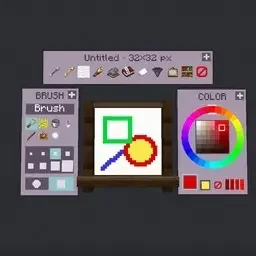
a color wheel on the right, painting actions on top. Only the painter sees the panel. Windows can be dragged around.
a rectangle into a square and an ellipse into a circle. The brush is round or square.
16, 32, 64 or 128 pixels per block, changeable on a finished drawing.
Drop mappaint-1.0.0.jar into plugins and restart the server. PacketEvents is bundled inside, you don't need it
as a separate plugin.
The language is English by default and is switched with /paint language . A build also produces
mappaint-1.0.0-ru.jar, the same plugin with Russian by default; it is attached to the GitHub releases.
One jar for Paper 1.20 – 26.3. Painting, the panel, menus, export, import and images work on every version.
What depends on the version:
1.20 – 1.20.1 · 1.20.2 – 1.21.3 · 1.21.4 – 1.21.5 · 1.21.6 – 1.21.8 · 1.21.9 – 1.21.10 · 1.21.11 – 26.3
Input windows · chat + chest menus · chat + chest menus · chat + chest menus · ✔ dialogs · ✔ dialogs · ✔ dialogs
Panel icons · item displays · item displays · item displays · item displays · ✔ sprites · ✔ sprites
Plugin items · brush, paper, painting · brush, paper, painting · ✔ own look · ✔ · ✔ · ✔
A stroke ends · ¼ s after release · ¼ s after release · ✔ at once · ✔ · ✔ · ✔
Walking while painting · ✔ · ✔ · slower · slower · slower · ✔
Color from a block · ✘ · ✔ · ✔ · ✔ · ✔ · ✔
1.21.6 and newer · Older
Titles, color codes and painting codes go into a dialog · The same is typed in chat; a code is copied by clicking a chat message and goes in parts of 200 characters
Image settings · Image settings as a chest menu
1.21.9 and newer · Older
Icons are sprites inside text, always bright · Icons are item displays, darker on walls facing east and west
On 1.21.4 and older a block outline can show between canvas tiles under the crosshair.
/paint language current language and the list
/paint language ru switch
Bundled: en, ru, uk, de, fr, es, pt, it, pl, tr, nl, cs, sv, zh, ja, ko, vi, id.
The choice is saved to config.yml (language: en). Translations live in plugins/mappaint/lang/ and can be edited;
put your own xx.yml there and it becomes available as /paint language xx. Missing keys fall back to English.
Items that were already given out keep the text they were created with.
A crafting table works too: identical canvases laid out as a rectangle merge into one.
Action · What it does
RMB on a canvas (can be held) · Paint with the current tool
LMB on a canvas · Pick the color under the crosshair
LMB on a block · Pick the block's map color
RMB or LMB on a panel button · Press it
Shift + RMB off the canvas · Palette and tools as a chest menu
Shift while painting · Straight line, square, circle
Shift + mouse wheel · Brush size
Q / Shift + Q · Previous / next tool
F / Shift + F · Undo / redo
You can paint from up to 6 blocks away.
Every window has a + handle in the top right corner: hold RMB on it and drag, the window follows your crosshair and
flows around the canvas and the other windows. With LMB it's two clicks: grab and drop. Shift + click puts a window back,
/paint panel resets all three. The layout is remembered per player and used for every canvas.
Action · What it does
LMB on a painting without the brush · Take it down
RMB with a glow ink sac · Make it glow (a regular ink sac reverts it)
Painting + blank canvas of the same size in a crafting table · A copy. Signed paintings only
A single painting in a crafting table · A blank canvas. The drawing stays in "My paintings"
A single big canvas in a crafting table · 1×1 canvases back
Only the player who placed a painting can take it down. Only the author paints on it, unless "Anyone can paint" is on.
The Mona Lisa, The Starry Night and The Great Wave off Kanagawa (public domain) were loaded with /paint image.
/paint export shows the painting code with a Copy button. The house drawing from the screenshot above, 96×64 pixels:
pc1:7ZVLjsMgDIbVqcbHYMGKU8yShY_DEXOyCcEQmhBiXlKr8ldVqjT9PmMefTx_fvXMO0W61P4ct9ziKwUYkmXXGhBzAikbBYg5gZSNAsSs4N35iKUC3ZffuH7u-ckYY0byjeEKaviGMohv9rSvzyw-JxBbyvnGcAQgRFpQiL8SwIWglH4WALjmrAY4CSrwRwHY5lg4eAPj_yWHPwhWrH270AC0Zm8qnkG4-t0wmumvghUoNr6dA3vtgI8EUXco25w04neBa46fXjeKe0EBP3Se-rO-dMf6hW97vIY0ZxKU-ktHqddzB3YD9Yo1xTz-vjZJYoUd-b7-ML12Irry4_0F3ftDx6ZrDh1xPev3AtoBtE6L-ItPkh9G4ItnHkBsfhgBOXRvvo74_PIL-PR4-v7kfwMfzlGKPixLfIm-ODyevn8Z5RPqD3c-gl-Y0XwYjJ-ZmZmZGZF_
/paint import opens a window to paste a code. The drawing goes:
A code isn't tied to a server, a world or a game version. If the canvas has another size, the drawing is stretched.
Importing costs paper: one sheet per block of the painting (configurable). Free in creative mode and for admins.
Imported paintings are marked: the item gets a yellow "Import" line, and menus show "import" next to the state.
The mark goes away only when the import is undone or the canvas is cleared.
Very long codes are split into parts of about 12 thousand characters; the windows walk you through them.
/paint image [url] or the panel button opens a window with settings:
The image goes to the same place a code would. Tuning is easiest on a canvas that already hangs: apply, look,
open the window again — settings are kept, the previous result is replaced and paper isn't charged twice.
mappaint.image is op-only by default because the server itself downloads the URL. Localhost and LAN addresses are
refused unless allowed in the config.
Left: a block covered with three paintings of the bedrock texture. Right: real bedrock.
The correction depends on where the canvas faces, so import onto a canvas that already hangs, each face separately;
so a thin seam shows the block below.
/paint admin gives plugin items (Shift + LMB for 64) and lists every painting on the server:
LMB to take, RMB to export, Shift + RMB twice to delete forever.
/paint, also /mappaint. Painting commands apply to the painting you look at, then to the one in your hand.
Command · What it does
/paint · Palette and tools
/paint gallery · My paintings
/paint color · Color, the nearest one from the map palette
/paint size · Brush size in canvas pixels
/paint tool · Tool
/paint undo, /paint redo · Undo and redo
/paint panel · Put moved panel windows back
/paint clear · Fill the canvas with white (can be undone)
/paint sign [title] · Sign
/paint export · Painting code
/paint import [code] · Paste a code
/paint image [url] · Image from the web
/paint admin · Items and all paintings
/paint give [WxH] [amount] [player] · Give the brush or canvases
/paint language [code] · Plugin language
/paint report [seconds] · Debug file for a bug report
/paint reload · Reload config.yml and translations
/paint help · Short help
Permission · Default · Gives
mappaint.use · everyone · Painting, placing canvases, /paint and menus
mappaint.export · everyone · Export
mappaint.import · everyone · Import
mappaint.image · op · /paint image
mappaint.give · op · /paint give
mappaint.admin · op · Other players' paintings, /paint reload, language and report, no limits and no costs. Includes everything above
plugins/mappaint/config.yml, applied with /paint reload.
Setting · Default · Meaning
language · en · Plugin language
update-check · true · Tell admins when a new version is out
features.panel · true · Buttons next to the canvas; false — only the /paint menu
features.placement-preview · true · Outline of the place a canvas in hand will take
features.glowing · true · A glow ink sac makes a painting glow
features.shared-painting · true · The author can let everyone paint on a canvas
sounds · true · Interface sounds
canvas.max-size · 5 · Biggest canvas side in blocks, up to 16
canvas.default-resolution · 32 · Pixels per block of a new canvas
canvas.resolutions · 16, 32, 64, 128 · Resolutions players can choose
canvas.reach · 6.0 · Painting distance
canvas.resolution-undo-minutes · 30 · How long a resolution change can be reverted without losing detail
brush.max-size · 32 · Biggest brush
brush.eraser-transparent · false · The eraser makes pixels transparent instead of white
limits.paintings-per-player · 200 · 0 — unlimited
limits.undo-steps · 30 · Undo steps per painting
protection.only-placer-breaks · true · Only the placer can take a painting down
import.paper-per-block · 1 · Paper per block of the painting, 0 — free
import.code · true · Import from a string
import.image-url · true · Import images from a URL
import.image-max-bytes · 8 MB · Download size limit
import.image-resolution · 128 · Resolution of paintings created from an image
import.image-allow-private-hosts · false · Allow localhost and LAN URLs
autosave-seconds · 20 · How often changed paintings are saved
recipes.brush, recipes.canvas · stick + feather, paper + stick · Shapeless recipe ingredients
Placing and breaking go through the regular HangingPlaceEvent and HangingBreakByEntityEvent, so protection plugins work.
Escrita por BbIJABNPOBATEJb. Leia com imagens no Hangar.
Confira se o seu servidor roda Paper e Spigot no Minecraft 1.20 – 26.x.
Baixe o arquivo .jar pelo Hangar e coloque na pasta plugins do seu servidor.
Reinicie o servidor. Evite /reload, muitos plugins não lidam bem com ele.
Digite /plugins no console: MapPaint deve aparecer em verde. Os arquivos de configuração são criados na pasta plugins na primeira inicialização.
Guia completo: Como instalar plugins em um servidor de Minecraft
| Recurso | Downloads | Versões | Última atualização | Preço |
|---|---|---|---|---|
 MapPainto que você estava vendo | 0 | 1.20 – 26.x | há 48 min | Grátis |
| ImageFrameLOOHP | 270K | 1.13 – 26.x | 18 set 2026 | Grátis |
 Take It Outrofumer | 121K | 1.20 – 26.x | há 7 dias | Grátis |
 TreasureMapsPlusMachine_Maker | 836 | 1.19 – 1.21 | 19 jun 2025 | Grátis |
Sim. MapPaint é compatível com o Minecraft 26.x. Todas as versões compatíveis: 26.x, 1.21, 1.20.
Sim. Você pode baixar MapPaint de graça em Hangar.
MapPaint roda em servidores Paper e Spigot.
Sim. A última atualização saiu no último dia.
Os mais parecidos são ImageFrame, Take It Out e TreasureMapsPlus. Comparar todas as alternativas
ImageFramePlugins · 1.13 – 26.xPut images on maps and walls!
Take It OutPlugins · 1.20 – 26.xMinecraft mod that lets you pick blocks from shulker boxes using mouse wheel, Easy Place, or right-click — perfect for Litematica schematics and printers.
TreasureMapsPlusPlugins · 1.19 – 1.21A solution to massive lags spikes caused by treasure maps
 heroic-mapPlugins · 26.x
Isometric and top-down maps of your world, rendered like the game itself, with a web map, layers and a companion mod.
 Sepd OreLimiterPlugins · 1.18 – 26.x
Sepd Orelimiter Limits ores so that game can become more harder to complete it reduces the ores of the world
 BedWars1058-SoloControlsPlugins · 1.8 – 1.21
A BedWars1058 addon allowing admins to start the game with only one person in the map.
Entre para deixar uma avaliação.