
 Shopkeepers AddonPlugins · 1.16 – 26.x
Navigation & Economy » No more searching the shopkeepers marketplace to buy your favorite items.
Grátis82,553 downloads
nboyer585 criou Midnight Economy (plugin) para servidores Paper / Spigot. An Economy Plugin For Your Minecraft Server.
É compatível com o Minecraft 1.21 – 26.x. Tem 10 downloads em Modrinth. Isso o coloca na posição 129 entre os 187 plugins de economia e loja listados aqui. A última atualização saiu em 13/11/2026.
Midnight Economy teve 3 versões no Modrinth desde 28/10/2026. 3 saíram no último ano. A mais recente é 1.3.0, lançada em 29/10/2026. Ela é feita para o Minecraft 1.21.7 – 26.3. Ela roda em Paper e Purpur. O download tem 859 KB.
| Versão | Lançado | Minecraft | Tipo |
|---|---|---|---|
1.3.0 | 29/10/2026 | 1.21.7 – 26.3 | Estável |
1.2.0 | 29/10/2026 | 1.21.7 – 26.3 | Estável |
1.0.0 | 28/10/2026 | 1.21.7 – 26.3 | Beta |
Os comandos citados na página de Midnight Economy no Modrinth:
/sell/tpa/tpahere/meco/home/homes/settings/friends/follow/rtp/ah/shop/quickbuy/starshop/cratesadmin/cratesPermissões citadas lá, para dar com um plugin como o LuckPerms:
midnight.settings.usemidnight.homes.usemidnight.homes.limitmidnight.homes.limit.10midnight.homes.limit.unlimitedmidnight.homes.colormidnight.homes.bypass.warmupmidnight.homes.bypass.cooldownmidnight.homes.adminmidnight.tpa.usemidnight.tpa.heremidnight.tpa.automidnight.tpa.allmidnight.tpa.bypass.privacymidnight.tpa.bypass.warmupmidnight.tpa.bypass.cooldownMidnight Economy is an all-in-one plugin for Paper 1.21.7 to 26.3. Instead of installing separate plugins for an economy, an auction house, homes, teleports, crates and moderation, and then getting them to work together, you get all of them in one plugin with one config file. You can switch off any part you don't need.
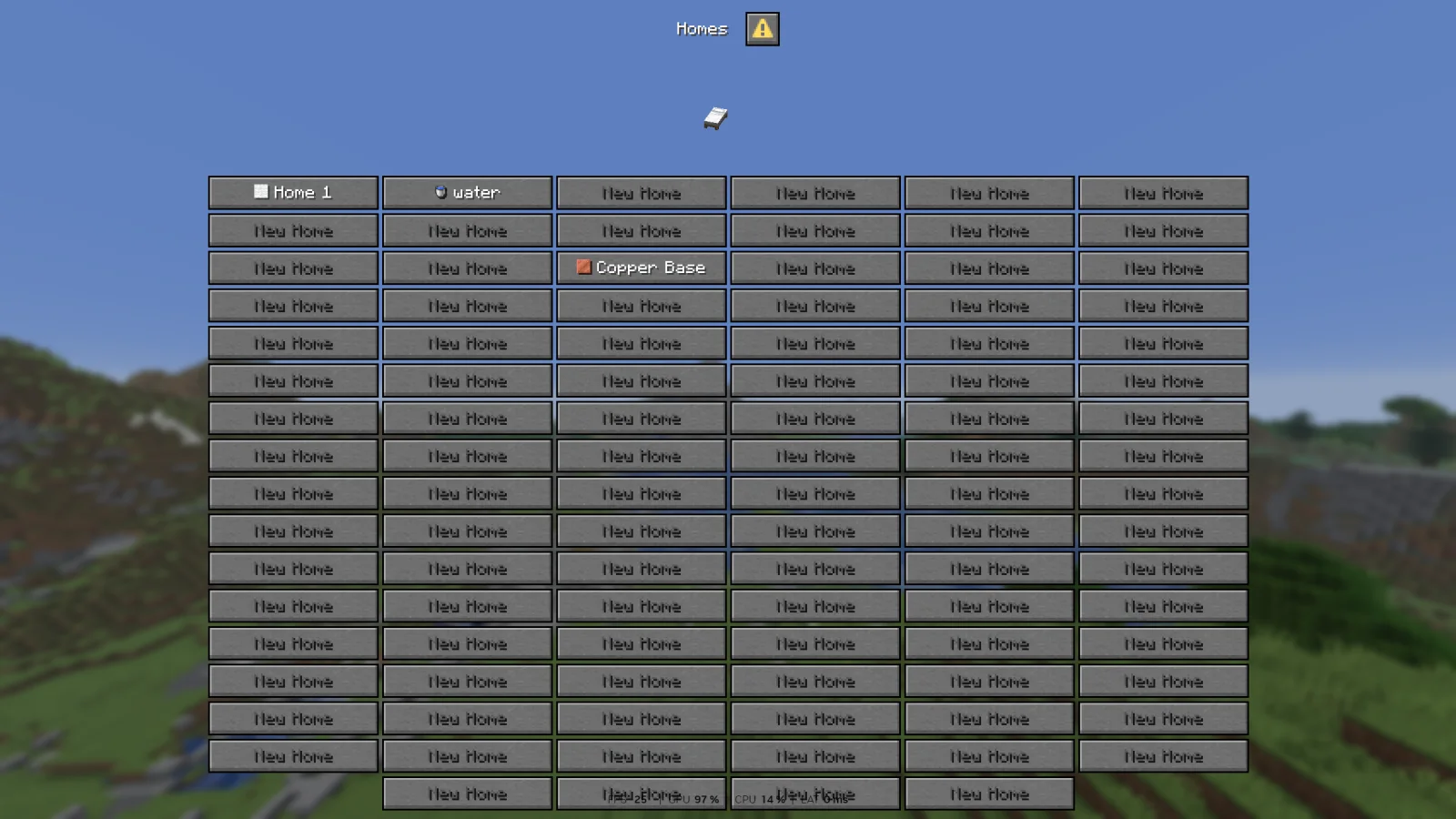
Homes, Settings, Friends, RTP and the Moderation Menu use Minecraft's dialog menus. The Auction House, Quick Buy, Star Shop and crate editor use chest menus, with dialogs for searching, setting prices and confirming. Everything is set up in one config.yml, and /meco reload reloads all of it.
These work with LuckPerms or any other permissions plugin.
Permission · Command · What it does · Default
midnight.settings.use · /settings · Open your personal settings menu · Everyone
midnight.settings.dev · /settings lock · Try options marked "Coming Soon", and lock them again · OP only
midnight.homes.use · /homes, /sethome, /delhome · Set, visit and delete homes · Everyone
midnight.homes.limit. · — · How many home slots a player has, e.g. midnight.homes.limit.10. The highest one counts; without one, players get the config default (3) · None
midnight.homes.limit.unlimited · — · Every home slot · OP only
midnight.homes.color · /sethome · Use colors in home names · OP only
midnight.homes.bypass.warmup · — · Teleport home with no countdown · OP only
midnight.homes.bypass.cooldown · — · Teleport home with no cooldown · OP only
midnight.homes.admin · /mhomes import · Import homes from the old per-player files · OP only
midnight.tpa.use · /tpa, /tpaccept, /tpdeny · Send, accept and deny teleport requests · Everyone
midnight.tpa.here · /tpahere · Ask a player to teleport to you · Everyone
midnight.tpa.auto · /tpauto · Accept teleport requests automatically · Everyone
midnight.tpa.all · /tpaall · Ask everyone online to teleport to you · OP only
midnight.tpa.bypass.privacy · — · Send requests even to players whose privacy settings would block them · OP only
midnight.tpa.bypass.warmup · — · Teleport with no countdown · OP only
midnight.tpa.bypass.cooldown · — · Send teleport requests with no cooldown · OP only
midnight.friends.use · /friends, /follow, /unfollow · Add friends, follow players and open the friends menu · Everyone
midnight.friends.bypass · — · Ignore other players' friend limits on teleport requests and private messages · OP only
midnight.rtp.use · /rtp · Open the random teleport menu · Everyone
midnight.rtp.duel · /duel · Join the duel queue · Everyone
midnight.rtp.duel.bypass · — · Use any command during a duel · OP only
midnight.rtp.bypass.warmup · — · Random teleport with no countdown · OP only
midnight.rtp.bypass.cooldown · — · Random teleport with no cooldown · OP only
midnight.money.balance · /balance · See your own balance · Everyone
midnight.money.balance.others · /balance · See another player's balance · Everyone
midnight.money.pay · /pay · Send money to another player · Everyone
midnight.money.baltop · /baltop · See the richest players · Everyone
midnight.money.admin · /eco · Give, take, set or reset a player's balance · OP only
midnight.market.use · /ah, /quickbuy · Use the auction house and Quick Buy · Everyone
midnight.market.sell · /sell · Sell items to the shop · Everyone
midnight.market.slots. · — · How many auction listings a player can have, e.g. midnight.market.slots.10. The highest one counts; without one, players get the config default (3) · None
midnight.market.slots.unlimited · — · Every listing slot · OP only
midnight.market.admin · /market · Check prices, manage bots and test Vault · OP only
midnightcrates.use · /keys, /stars · Open crates and check your keys and stars · Everyone
midnightcrates.shop · /starshop · Open the star shop · Everyone
midnightcrates.admin · /cratesadmin, /keys give, /stars give · Edit and place crates, and give, take or set keys and stars · OP only
midnight.pvp.bypass · — · Never get tagged in combat · OP only
midnight.pvp.bypass.commands · — · Use any command while in combat · OP only
midnight.pvp.admin · /mpvp · Check and clear combat tags · OP only
midnight.moderation.staff · /mute, /tempmute, /unmute, /history, /vanish, /socialspy, /invsee, /ecsee · Staff tools; staff can also see vanished players · OP only
midnight.moderation.bypass · — · Never scanned for banned items or flagged by x-ray detection · OP only
midnight.moderation.admin · /moderation · The moderation menu and all its tools · OP only
midnighteconomy.admin · /meco, /meco reload, /meco genpack · See which modules are running, reload the whole plugin, and build the icon pack · OP only
Escrita por nboyer585. Leia com imagens no Modrinth.
Confira se o seu servidor roda Paper e Spigot no Minecraft 1.21 – 26.x.
Baixe o arquivo .jar pelo Modrinth e coloque na pasta plugins do seu servidor.
Reinicie o servidor. Evite /reload, muitos plugins não lidam bem com ele.
Digite /plugins no console: Midnight Economy deve aparecer em verde. Os arquivos de configuração são criados na pasta plugins na primeira inicialização.
Guia completo: Como instalar plugins em um servidor de Minecraft
| Recurso | Downloads | Versões | Última atualização | Preço |
|---|---|---|---|---|
 Midnight Economyo que você estava vendo | 10 | 1.21 – 26.x | há 2 dias | Grátis |
| Shopkeepers Addon_w41k3r | 83K | 1.16 – 26.x | há 14 dias | Grátis |
 ExcellentEconomyNightExpress | 44K | 1.19 – 26.x | 24 abr 2026 | Grátis |
 King AdmincoreKingNeverDie_ | 15 | 1.21 | 29 set 2026 | Grátis |
Sim. Midnight Economy é compatível com o Minecraft 26.x. Todas as versões compatíveis: 26.x, 1.21.
Sim. Você pode baixar Midnight Economy de graça em Modrinth.
Midnight Economy roda em servidores Paper e Spigot.
Sim. A última atualização saiu no último dia.
Os mais parecidos são Shopkeepers Addon, ExcellentEconomy e King Admincore. Comparar todas as alternativas
Shopkeepers AddonPlugins · 1.16 – 26.xNavigation & Economy » No more searching the shopkeepers marketplace to buy your favorite items.
ExcellentEconomyPlugins · 1.19 – 26.xA modern and lightweight economy system with unlimited virtual currencies.
King AdmincorePlugins · 1.21King AdminCore is an all-in-one Minecraft staff management plugin with a clean GUI for player management, investigations, punishments, economy tracking…
 Sell-GUIPlugins · 26.x
A default selling gui for each economy servers in the world
 EcoMenuPlugins · 1.13
Complete economy plugin with GUI: bank, shop, jobs, daily rewards. Vault & PlaceholderAPI support.
 Auction House PluginPlugins · 1.21 – 26.x
Use /ah to open the auctionHouse.
Entre para deixar uma avaliação.