
 Dynamic FPSMods · 1.16 – 26.x
Reduce resource usage while Minecraft is in the background, idle, or on battery.
Grátis72,044,854 downloads
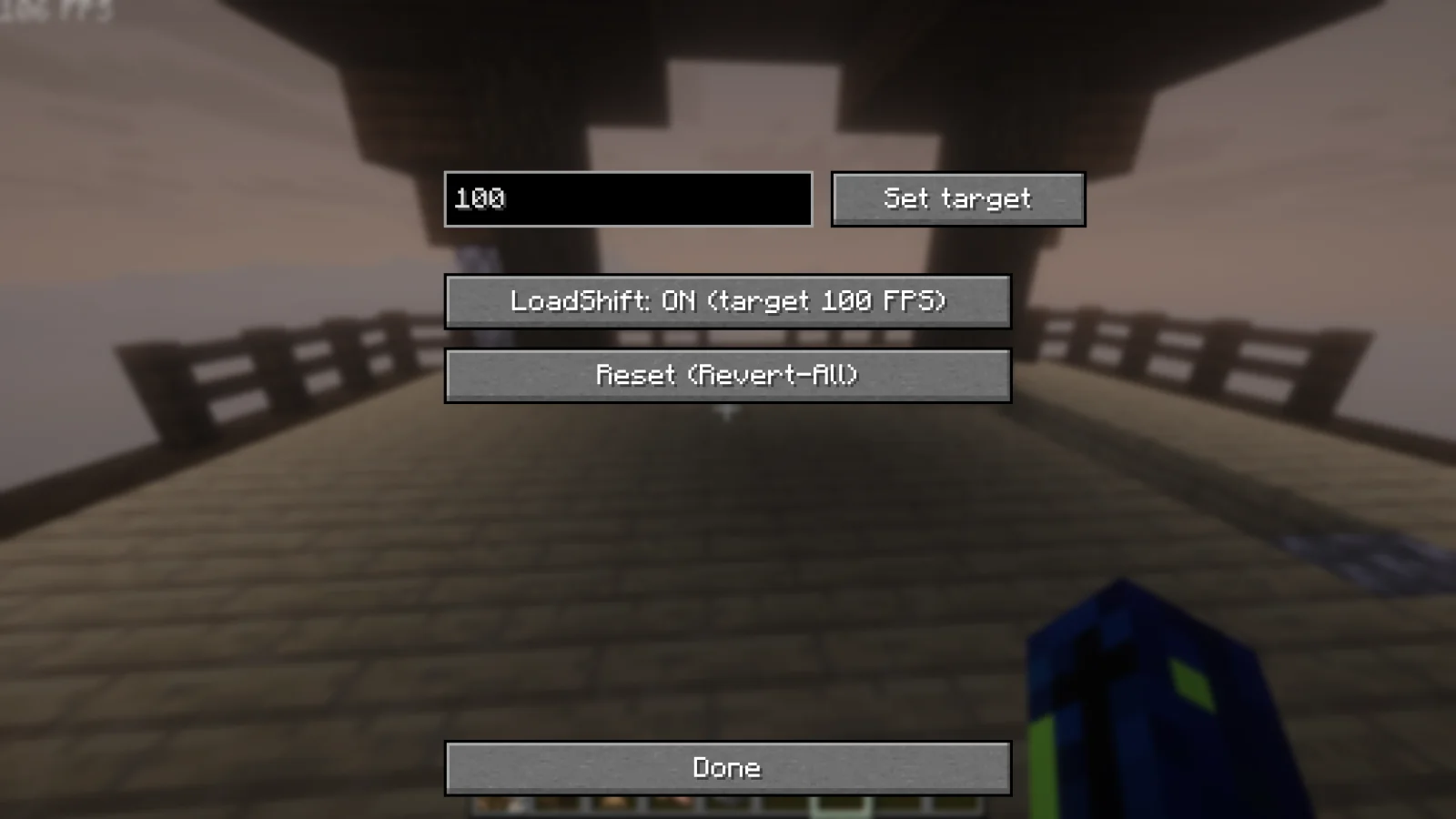
LoadShift (mod) é obra de mikovogel2008. Set an FPS target and LoadShift dynamically adjusts your settings to hit it.
É compatível com o Minecraft 26.x. Tem 9 downloads em Modrinth. A última atualização saiu em 12/11/2026.
LoadShift teve 5 versões no Modrinth desde 20/10/2026. 5 saíram no último ano. A mais recente é 0.4.9+26.3, lançada em 12/11/2026. Ela é feita para o Minecraft 26.3. Ela roda em Fabric. O download tem 374 KB.
| Versão | Lançado | Minecraft | Tipo |
|---|---|---|---|
0.4.9+26.3 | 12/11/2026 | 26.3 | Estável |
0.4.6+26.3 | 28/10/2026 | 26.3 | Estável |
0.4.5+26.3 | 25/10/2026 | 26.3 | Estável |
1.0.1 | 21/10/2026 | 26.3 | Estável |
1.0 | 20/10/2026 | 26.3 | Estável |
Automatic FPS Target Balancing
Set an FPS target and LoadShift adjusts your graphics settings to hit it.
It detects CPU and GPU bottlenecks in real time and automatically tunes the settings that matter most.
LoadShift is active right after install with a target of 120 FPS and starts
adjusting your video settings when you join a world. Change the target with
/loadshift target or turn it off with /loadshift off.
Your settings stay yours: every change is logged (/loadshift status), and
/loadshift revert puts everything back and switches LoadShift off.
LoadShift raises quality. When it drops below, it lowers the setting that costs
the most on whatever is limiting you (GPU or CPU). It only raises a setting
when it predicts the FPS will hold, so it doesn't keep flipping back and forth.
pack's quality profiles (BSL, Complementary and similar). The new shaders are
prepared and compiled in the background while you play, so the switch itself
takes about 0.4 s instead of several seconds. It also prepares the Nether and
End shaders, so server world switches don't hang in the loading screen. This is done using Seamless shader reload.
happens when you are safe: not in combat, not falling, not flying with an
elytra, not in lava, and only with 8 or more hearts. Longer interruptions (like
turning shaders on) wait for the pause menu.
raise it above your value. If you raise one, it won't go below it. This lasts
until you restart the game, turn LoadShift off and on, or set a new target.
were flying, riding or using an elytra, it comes back as soon as you slow down.
server and used as the starting point next time.
With Voxy, your LODs stay loaded during shader changes. Sodium's own settings
are never touched. Gets the most out of shaders.
with a tip on what to change.
Render distance, entity distance, particles, clouds, cloud range, weather radius,
Improved Transparency, cutout leaves, entity shadows, ambient occlusion, biome
blend, FPS cap, shaders on/off and the shader pack's quality profile. Each one can
be disabled in config/loadshift.json.
/loadshift on | off | status | target | revert | diag
Also available as a settings screen through Mod Menu.
Escrita por mikovogel2008. Leia com imagens no Modrinth.
Este mod roda só no seu jogo. Os servidores não precisam dele, então você pode usar em qualquer servidor.
Instale Fabric para o Minecraft 26.x.
Adicione os mods que ele precisa: API do Fabric.
Baixe o arquivo .jar pelo Modrinth e coloque na pasta mods do seu diretório .minecraft.
Abra o Minecraft com o perfil Fabric.
Mais fácil: no Prism Launcher ou no Modrinth App, procure LoadShift nos mods da sua instância e clique em Install. Ele adiciona o loader e os mods necessários para você.
| Recurso | Downloads | Versões | Última atualização | Preço |
|---|---|---|---|---|
 LoadShifto que você estava vendo | 9 | 26.x | há 1 dia | Grátis |
| Dynamic FPSjuliand665 | 72M | 1.16 – 26.x | 16 set 2026 | Grátis |
 Enhanced Block EntitiesFoundationGames | 25.9M | 1.16 – 1.21 | 20 jan 2025 | Grátis |
 FPS Reducerbre2el | 8M | 1.8 – 26.x | 26 set 2026 | Grátis |
Sim. LoadShift é compatível com o Minecraft 26.x. Todas as versões compatíveis: 26.x.
Sim. Você pode baixar LoadShift de graça em Modrinth.
Do lado do cliente. LoadShift vai na sua própria pasta mods e funciona em qualquer servidor, inclusive sem mods.
Sim: Iris Shaders, voxy, Sodium, Fabric API. Instale antes de LoadShift.
Sim. A última atualização saiu no último dia.
Os mais parecidos são Dynamic FPS, Enhanced Block Entities e FPS Reducer. Comparar todas as alternativas
Dynamic FPSMods · 1.16 – 26.xReduce resource usage while Minecraft is in the background, idle, or on battery.
Enhanced Block EntitiesMods · 1.16 – 1.21Reduce block entity FPS lag with almost no compromises, and improve their visuals
FPS ReducerMods · 1.8 – 26.xReduce GPU and CPU usage automatically when no user operation exists.
 FleroviumMods · 1.20 – 1.21
Greatly improve your fps with virtually no side-effects on graphics quality
 Cull Less Leaves ReforgedMods · 1.18 – 1.20
Gives you a 9% fps improvement for leaves rendering
 CreateBetterFpsMods · 1.20 – 1.21
Improve your Create FPS when shaderpack is on, up to 50%
Entre para deixar uma avaliação.