NovoCraftRank SitesSite e loja grátisFaça a sua ›
AshlarSoftware de servidor grátis baseado no Paper, com proteção contra DDoS e backdoors Ver o Ashlar ›Security RadarA free check of your server's login, anti-bot and proxy settings, only with your OK Veja como funciona ›ComunidadeFaça perguntas, compartilhe construções e encontre gente para jogar Entrar no fórum ›
Recursos / Plugins / backpacksplus

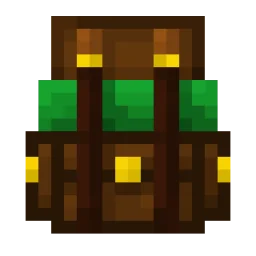
backpacksplus

Craftable, upgradable backpacks with pages, sorting and database storage.

PluginsGrátis26.x
por CoachLuck · listado a partir do Hangar
Baixar ›

Download direto do Hangar · 0 downloads

O que ele faz

CoachLuck criou backpacksplus (plugin) para servidores Paper / Spigot. Craftable, upgradable backpacks with pages, sorting and database storage.

É compatível com o Minecraft 26.x. A última atualização saiu em 14/11/2026.

Versões suportadas

26.x

Histórico de versões

A mais recente é 2.0.0, lançada em 14/11/2026. Ela é feita para o Minecraft 26.1.2, 26.2, 26.3. Ela roda em Paper.

VersãoLançadoMinecraftTipo
2.0.014/11/202626.1.2, 26.2, 26.3Estável

Comandos

Os comandos citados na página de backpacksplus no Hangar:

/backpack/backpacks/bp/bpp/backpacksplus/rg

Permissões

Permissões citadas lá, para dar com um plugin como o LuckPerms:

backpacks.usebackpacks.givebackpacks.adminbackpacks.reloadbackpacks.helpbackpacks.craftbackpacks.limit
Descrição do autor no Hangar

Wiki | Source | Support | Permissions/Commands | Changelog

Craftable backpacks that players hold, wear and upgrade.

Any number of backpack types, each with its own look, size, recipe and rules. Contents are saved in a database, so they survive crashes, lost items and server switches.

Requires Minecraft 26.1+ and Java 25. Runs on CraftBukkit, Spigot, Paper and Folia. No other plugins needed.

Updating from 1.x? Your backpacks, backpacks.yml and language files carry over, but permissions were renamed. Read Updating to 2.0 first.

For players

  • Item based: right click a backpack to open it. No command needed.
  • Up to 900 slots per backpack, shown a page of 45 slots at a time.
  • Sort and deposit buttons under every backpack: sort merges and orders everything across all pages, deposit moves over every kind of item the backpack already holds.
  • Upgrades: craft a Basic with gold into an Advanced, and an Advanced with diamonds into a Mega. Everything inside stays.
  • Wearable: put a backpack in your chest slot and open it by sneaking and pressing the swap hands key (F).
  • Auto pickup: when your inventory is full, items you walk over go into your backpack. (Paper and Folia)
  • Recipe menu: /backpack shows every backpack you may craft and how. The recipes are in the recipe book too.
  • Bigger ender chest: optionally replace the ender chest with one of up to 900 slots, also reachable from an EndPack.
  • Your own language: every player sees messages in their game language.

For server owners

  • Everything per backpack: name, title, lore, size, recipe, upgrade recipe, whitelist/blacklist (with item tags such as #minecraft:shulker_boxes), open and close sounds, keep on death, glow.
  • Custom looks: player head textures from MinecraftHeads.com, or item models and custom model data from your resource pack. The menu buttons can be restyled the same way.
  • Database storage: SQLite out of the box, or MySQL, PostgreSQL or MongoDB. Several servers can share one database; a backpack open on one server can't be opened on another until it is closed.
  • Safe saving: open backpacks are saved every minute. If the database is down, contents are kept on disk and saved once it is back.
  • Admin tools: /backpack view to look into any player's backpacks (also offline), /backpack restore to bring back a lost one, /backpack purge to clear out old ones.
  • Permissions to use and to craft each backpack, and an optional limit on how many backpacks a player may have.
  • Formatting: & colour codes and &#rrggbb everywhere; MiniMessage tags and gradients on Paper and Folia.
  • PlaceholderAPI placeholders and WorldGuard flags (backpack-use, backpack-auto-pickup). Both optional.
  • 14 languages: English, German, Spanish, French, Italian, Dutch, Polish, Portuguese (Brazil), Russian, Turkish, Japanese, Korean, Chinese (Simplified and Traditional).

Which server can do what

  • CraftBukkit and Spigot: everything except auto pickup and MiniMessage tags.
  • Paper and Folia: everything.

All four are tested. Forks should behave like the server they are made from.

Default backpacks

  • Basic (27 slots): a chest surrounded by leather.
  • Advanced (45 slots): a Basic surrounded by gold ingots.
  • Mega (108 slots, 3 pages): an Advanced surrounded by diamonds.
  • EndPack: an ender chest surrounded by leather. Opens your ender chest.

Change them or add your own in backpacks.yml.

Commands

  • /backpack - open the menu of craftable backpacks and their recipes (backpacks.use)
  • /backpack open - open the backpack you hold or wear (backpacks.use)
  • /backpack give <BackPack> <Player> [Amount] - give backpacks to a player (backpacks.give)
  • /backpack view <Player> [Number] - browse or open a player's saved backpacks (backpacks.admin)
  • /backpack restore <Player> <Number> - make a new item for a saved backpack (backpacks.admin)
  • /backpack purge <Days> [confirm] - count, and with confirm delete, backpacks unused for that long (backpacks.admin)
  • /backpack reload - reload the plugin's files (backpacks.reload)
  • /backpack help - show the help page (backpacks.help)

Aliases: /backpacks, /bp, and /bpp and /backpacksplus from 1.x.

Permissions

  • backpacks.use.<BackPack> - open that backpack
  • backpacks.craft.<BackPack> - craft that backpack, or upgrade into it
  • backpacks.use.\* and backpacks.craft.\* - every backpack
  • backpacks.limit.<number> - how many backpacks a player may have while BackPackLimiter is on; backpacks.limit.\* for any number
  • backpacks.\* - everything

Operators have all of them by default.

Custom textures

Find a head on MinecraftHeads.com, copy its "Minecraft URL" and put it under the backpack in backpacks.yml:

Texture: "textures.minecraft.net/texture/";

With a resource pack, use Model: "namespace:path" or CustomData: instead.

Example backpack

Miner:
Name: "&6Miner's BackPack"
Title: "Miner's BackPack"
Size: 90
Texture: "textures.minecraft.net/texture/";
Lore:

  • " &7Open this with &e"
  • " &7Slots used: &e%used%&7/&e%size%"

Whitelist: [ "#minecraft:coal_ores", "#minecraft:iron_ores", "COBBLESTONE", "RAW_IRON", "COAL" ]
AutoPickup: true
KeepOnDeath: true
Upgrade:
From: "Basic"
Shape:

  • "III"
  • "IBI"
  • "III"

Materials:
I: "IRON_INGOT"
B: "BACKPACK"

Every option is listed at the top of backpacks.yml and in the wiki.

Storage

Set Storage.Type in config.yml to sqlite (default), mysql, postgresql or mongodb.

  • The PostgreSQL and MongoDB drivers are downloaded by the server from Maven Central on first start.
  • Backpacks from 1.x kept their contents on the item. They are moved into the database the first time they are opened.
  • Switching from one kind of storage to another does not move existing contents.

PlaceholderAPI and WorldGuard

  • %backpacksplus_carried% - backpacks the player carries
  • %backpacksplus_limit% - how many they may have
  • %backpacksplus_open% - name of the backpack they have open
  • %backpacksplus_open_size% - its number of slots

WorldGuard: /rg flag <region> backpack-use deny stops backpacks from being opened in a region, and backpack-auto-pickup deny stops auto pickup there.

Older Minecraft versions

2.0 is for Minecraft 26.1 and newer. For 1.14 to 1.16, version 1.2.4 is still on SpigotMC; it gets no more updates.

Support

Questions, ideas and bugs: open an issue on GitLab. Please don't report bugs in reviews; I can't help you there.

Escrita por CoachLuck. Leia com imagens no Hangar.

Como instalar backpacksplus

  1. Confira se o seu servidor roda Paper e Spigot no Minecraft 26.x.

  2. Baixe o arquivo .jar pelo Hangar e coloque na pasta plugins do seu servidor.

  3. Reinicie o servidor. Evite /reload, muitos plugins não lidam bem com ele.

  4. Digite /plugins no console: backpacksplus deve aparecer em verde. Os arquivos de configuração são criados na pasta plugins na primeira inicialização.

Guia completo: Como instalar plugins em um servidor de Minecraft

Compatibilidade

Versões do Minecraft
26.x
Roda em
Paper, Spigot
Edição
Java
Precisa de
WorldGuard, PlaceholderAPI
Licença
GPL
Preço
Grátis
Manutenção
Atualizado ativamente (14/11/2026)

backpacksplus comparado com similares Comparar todas as alternativas

RecursoDownloadsVersõesÚltima atualizaçãoPreço
backpackspluso que você estava vendo026.xhá 48 minGrátis
LoginToYager40068K1.8 – 26.x15 out 2026Grátis
Backpacks & MoreUltroGhast38K1.17 – 26.x16 set 2026Grátis
UNKNOWN-login-systemyykk715711.13 – 26.xhá 6 diasGrátis

Perguntas

backpacksplus funciona no Minecraft 26.x?

Sim. backpacksplus é compatível com o Minecraft 26.x. Todas as versões compatíveis: 26.x.

backpacksplus é grátis?

Sim. Você pode baixar backpacksplus de graça em Hangar.

Em qual software de servidor backpacksplus roda?

backpacksplus roda em servidores Paper e Spigot.

backpacksplus precisa de mais alguma coisa?

Sim: WorldGuard, PlaceholderAPI. Instale antes de backpacksplus.

backpacksplus ainda recebe atualizações?

Sim. A última atualização saiu no último dia.

Quais são as melhores alternativas a backpacksplus?

Os mais parecidos são LoginTo, Backpacks & More e UNKNOWN-login-system. Comparar todas as alternativas

Alternativas ao backpacksplus

LoginToPlugins · 1.8 – 26.x

A complete authentication solution for Minecraft servers, providing secure login, database storage, premium autologin and secure otp code with qrcode

Grátis68,193 downloads
Comparar todas as alternativas ›

Avaliações

–★★★★★
0 avaliações
50
40
30
20
10

Entre para deixar uma avaliação.