
 Visible-OresPacotes de recursos · 1.20 – 26.x
This is a resource pack for mining
Grátis136,959 downloads
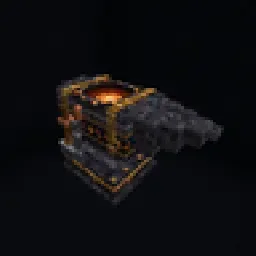
Rare ores, a magical Forging Anvil, five elemental spell books and one Legendary Scythe. Adds Siftie, Enderite and Wardenite gear, Blast mining and custom…
Download direto do Modrinth · 0 downloads
The Forge Resource Pack (pacote de recursos) é obra de Duckkifyy. Rare ores, a magical Forging Anvil, five elemental spell books and one Legendary Scythe. Adds Siftie, Enderite and Wardenite gear, Blast mining and custom…
É compatível com o Minecraft 1.21. A última atualização saiu em 07/11/2026.
A mais recente é 1.1.0, lançada em 07/11/2026. Ela é feita para o Minecraft 1.21 – 1.21.11. Ela roda em Minecraft. O download tem 659 KB.
| Versão | Lançado | Minecraft | Tipo |
|---|---|---|---|
1.1.0 | 07/11/2026 | 1.21 – 1.21.11 | Estável |
The Forge Resource Pack é de código aberto. A versão mais recente no GitHub é The Forge 1.0.1, publicada em 31/10/2026.
A bug-fix update for Paper 1.21.11. Recommended for everyone.
File
What it is
TheForge-1.0.1.jar
The plugin. Replace your old jar in plugins.
TheForge-1.21.11-pack.zip
The resource pack (unchanged from 1.0.0).
TheForge-1.21.11-pack.sha1
The pack's checksum.
The resource pack didn't change, so server.properties stays the same:
resource-pack-sha1=644e37d8c39170190611943ca0e35cd83350472c
Updating from BlastForge? Just replace the jar. plugins/BlastForge is moved to plugins/TheForge automatically, and all your items, anvils and settings keep working.
Antes: The Forge 1.0.0 (30/10/2026).
The official resource pack for The Forge plugin. It adds the custom models, textures and screens, so everything The Forge adds looks the way it should.
⚠️ This pack is made for servers running The Forge plugin. On its own it does nothing.
One pack works on every Minecraft 1.21.x client, from 1.21.0 to 1.21.11. You don't need a different pack for each version, and you don't need to re-upload it when you change your server's version.
Some features need a newer Minecraft and fall back on older versions:
Feature · Needs
Spears · 1.21.11
Wardenite helmet 3D model · 1.21.4+
Custom armour looks · 1.21.2+ (older versions show the netherite look)
resource-pack=
resource-pack-sha1=
require-resource-pack=true
The SHA-1 for each version is written in that version's changelog.
Escrita por Duckkifyy. Leia com imagens no Modrinth.
Baixe o arquivo .zip pelo Modrinth. Não descompacte.
No Minecraft, abra Opções, depois Pacotes de recursos, depois Abrir pasta de pacotes.
Coloque o arquivo .zip nessa pasta e volte ao jogo.
Mova The Forge Resource Pack para a lista da direita e clique em Concluído.
Foi feito para o Minecraft 1.21. Em outras versões o Minecraft marca como incompatível, mas muitas vezes funciona mesmo assim.
| Recurso | Downloads | Versões | Última atualização | Preço |
|---|---|---|---|---|
| The Forge Resource Packo que você estava vendo | 0 | 1.21 | há 8 dias | Grátis |
| Visible-OresSchammerl | 137K | 1.20 – 26.x | 7 jul 2024 | Grátis |
| Fresh Music Discscyber | 1.2M | 1.20 – 26.x | há 20 dias | Grátis |
 Vanilla EvolvedVixel | 568K | 1.16 – 1.21 | 18 mai 2025 | Grátis |
Ainda não. A versão mais recente compatível é o Minecraft 1.21.
Sim. Você pode baixar The Forge Resource Pack de graça em Modrinth.
Sim. A última atualização saiu no último dia.
Os mais parecidos são Visible-Ores, Fresh Music Discs e Vanilla Evolved. Comparar todas as alternativas
Visible-OresPacotes de recursos · 1.20 – 26.xThis is a resource pack for mining
A Minecraft resource pack that adds 3D music disc models!
Vanilla EvolvedPacotes de recursos · 1.16 – 1.21A vanilla minecraft resource pack with an enhanced artistic vision through the use of custom models and textures.
 Eclectic TrovePacotes de recursos · 1.12 – 1.20
Adds 10 various custom frames for use with Legendary Tooltips.
 Outlined OresPacotes de recursos · 1.8 – 26.x
A texture pack that adds ore outlines/bordered ores, making them far easier to see! No mods or additional downloads required! Now compatible with Create mod
 Default Dark Mode: ExpansionPacotes de recursos · 1.12 – 26.x
🌙➕This resource pack is an add-on of Default Dark Mode. It adds/fixes over 135+ mods! It is recommended to use both resource packs together for the best…
Entre para deixar uma avaliação.