
 API Structure GelМоды · 1.16 – 26.x
An API for simplifying the developer end of creating generated structures.
БесплатноЗагрузок: 5,475,643

Capture, preview, and rebuild structures as blueprints — with rotation, material lists, six library tabs, and server-safe uploads for Forge 1.20.1.
Прямая загрузка с Modrinth · 14 загрузок
Spatial_Blueprint — мод от XioYim. Capture, preview, and rebuild structures as blueprints — with rotation, material lists, six library tabs, and server-safe uploads for Forge 1.20.1.
Поддерживаемые версии: Minecraft 1.20. Скачиваний на Modrinth: 14. Последнее обновление: 04.11.2026.
С 30.07.2026 у Spatial_Blueprint вышло 2 версий на Modrinth. 2 из них вышли за последний год. Новейшая — 2.9.30, вышла 04.11.2026. Она сделана для Minecraft 1.20.1. Работает на Forge. Размер файла — 1.2 MB.
| Версия | Выпущен | Minecraft | Тип |
|---|---|---|---|
2.9.30 | 04.11.2026 | 1.20.1 | Релиз |
2.4.0 | 30.07.2026 | 1.20.1 | Альфа |
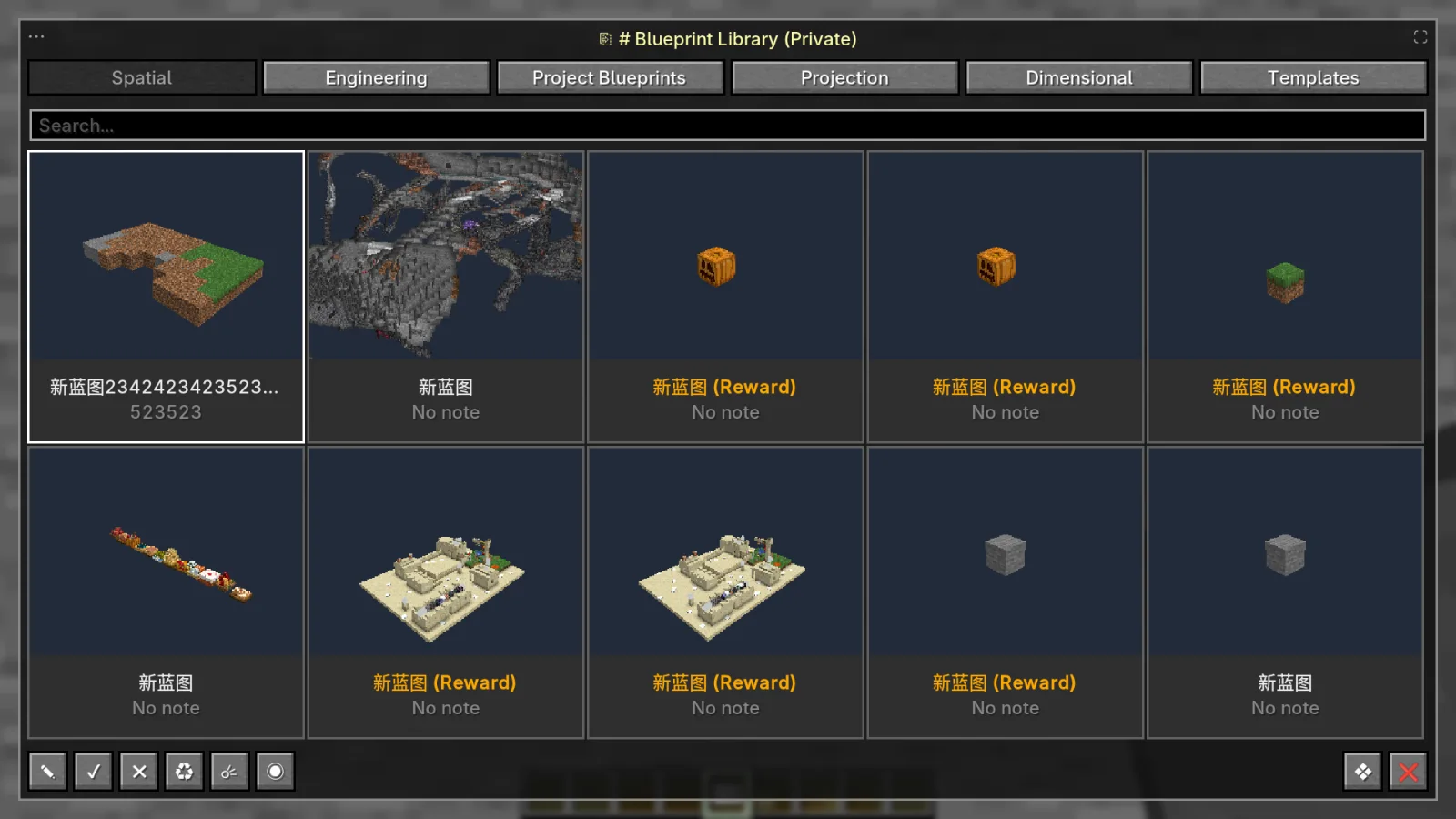
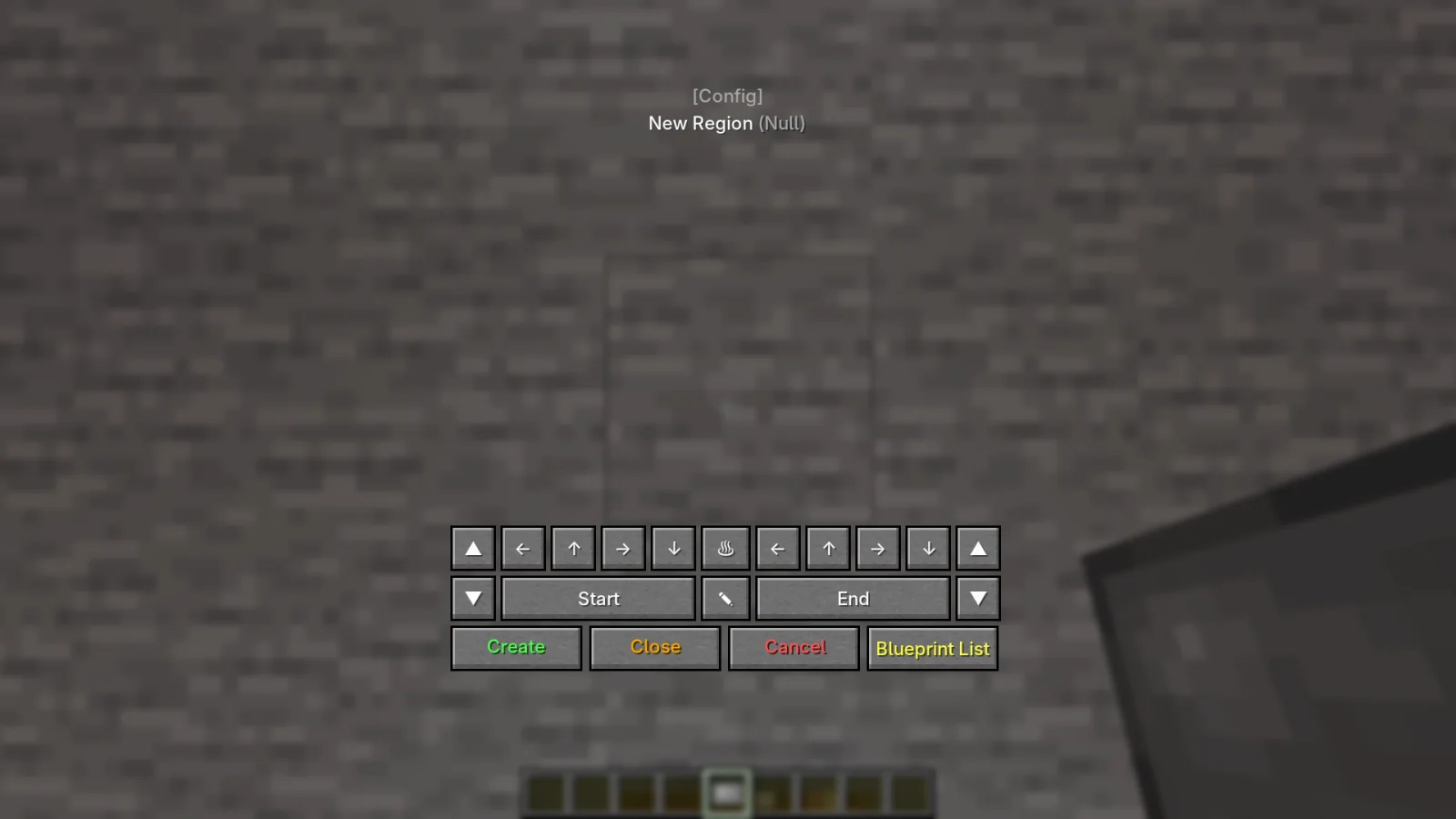
Spatial Blueprint is a structure workflow for Minecraft 1.20.1 (Forge) that keeps the entire process inside the game: select a region, save it, browse it, preview it, and place it again.
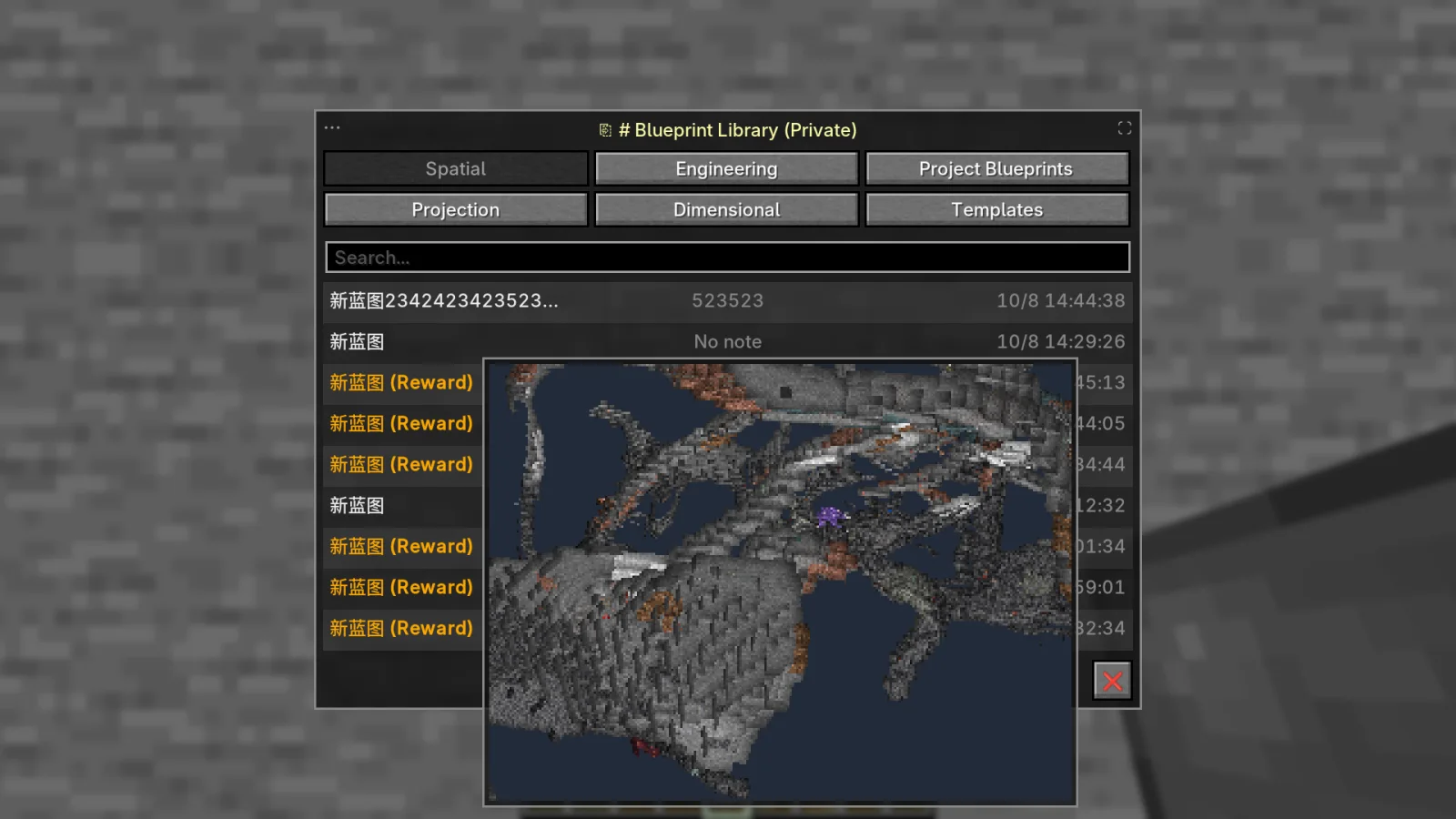
The Blueprint Library has six tabs — Spatial, Engineering, Project Blueprints, Projection, Dimensional, and Templates — so different kinds of builds stay separated. Entries show the blueprint name, note, and capture time; grid cards add a rendered thumbnail. The grid view makes large libraries easy to scan, while the list view keeps a larger preview open beside the entries.
The full-screen preview lets you walk through a saved structure without changing the world, so you can check the result before committing materials.
Blueprints and supported structure files can be imported, but uploads are checked before use. The server validates size and NBT budgets and strips or rejects dangerous data such as command blocks, malicious click events, oversized item data, and malformed block entity contents. This matters on public servers where players share builds.
The core capture, library, preview, and placement features do not require other mods. Available limits and optional behavior depend on the server's configuration.
Автор: XioYim. С картинками — на Modrinth.
Этот мод нужен и на сервере, и у каждого игрока.
Установи Forge для Minecraft 1.20.
Скачай .jar-файл с Modrinth и положи его в папку mods в каталоге .minecraft.
Запусти Minecraft с профилем Forge.
Проще: в Prism Launcher или Modrinth App найдите Spatial_Blueprint в модах своей сборки и нажмите Install. Загрузчик и нужные моды добавятся сами.
| Ресурс | Загрузки | Версии | Обновление | Цена |
|---|---|---|---|---|
| Spatial_Blueprintтот, что ты смотрел | 14 | 1.20 | 6 дн. назад | Бесплатно |
| API Structure GelModdingLegacy | 5.5M | 1.16 – 26.x | 10 сент. 2026 | Бесплатно |
 API Radical Cobblemon Trainershd42 | 8.1M | 1.21 | 29 дн. назад | Бесплатно |
 Traveler's BackpackTiviacz1337 | 21.8M | 1.12 – 26.x | 8 дн. назад | Бесплатно |
Пока нет. Последняя поддерживаемая версия — Minecraft 1.20.
Да. Spatial_Blueprint можно бесплатно скачать на Modrinth.
И там, и там. Spatial_Blueprint нужен и на сервере, и у каждого игрока.
Да. Последнее обновление вышло за последние сутки.
Ближе всего к нему API Structure Gel, API Radical Cobblemon Trainers и Traveler's Backpack. Сравнить все альтернативы
API Structure GelМоды · 1.16 – 26.xAn API for simplifying the developer end of creating generated structures.
API Radical Cobblemon TrainersМоды · 1.21Trainer management and battle API for Cobblemon.
Traveler's BackpackМоды · 1.12 – 26.xUnique and upgradeable backpacks with customisation, Curios API/Trinkets integration and more!
 StructurifyМоды · 1.20 – 26.x
A structure configuration mod that eliminates the need for datapacks. Spread out structures, prevent overlap, enforce flat terrain, customize size and biomes.
 MMD OreSpawnМоды · 26.x
Minecraft library mod that provides customizable spawning of ores and rock strata in Minecraft.
 API TCDCommonsМоды · 1.18 – 26.x
TheCSDev's personal library mod for the Minecraft modding environment.
Войди, чтобы оставить отзыв.