
 Dark Fantasy ShaderШейдеры · 26.x
A dark, cinematic Minecraft shaderpack inspired by Dark Souls and Elden Ring
БесплатноЗагрузок: 8,381


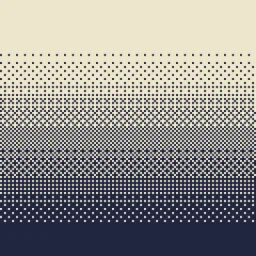
Pixelated, retro, Dark Fantasy, gradient, B&W, RGB and more
Dithering3D — шейдерпак от cedr0u. Поддерживаемые версии: Minecraft 1.8 – 26.x. Скачиваний на Modrinth: 12,334. Последнее обновление: 16.05.2026.
С 07.01.2026 у Dithering3D вышло 3 версий на Modrinth. 3 из них вышли за последний год. Новейшая — 0.5, вышла 15.05.2026. Она сделана для Minecraft 1.0 – 1.13.2. Работает на Iris и Optifine. Размер файла — 56 KB.
| Версия | Выпущен | Minecraft | Тип |
|---|---|---|---|
0.5 | 15.05.2026 | 1.0 – 1.13.2 | Релиз |
0.4 | 11.01.2026 | 1.10 – 1.14 | Бета |
0.3 | 07.01.2026 | 1.10 – 1.14 | Бета |
Transform your Minecraft world with Surface-Stable Fractal Dithering — a groundbreaking rendering technique where dither dots stick to 3D surfaces instead of the screen, creating a unique manga/comic book aesthetic that feels alive.
🎬 Based on the innovative work by Rune Skovbo Johansen — Watch the explainer video
Unlike traditional dithering where patterns "swim" on screen, Dither3D anchors each dot to the actual 3D surface. Walk around blocks, and the dots stay perfectly attached!
As you move closer or farther from surfaces, dots dynamically split or merge to maintain constant screen-space density. It's mesmerizing to watch!
Mode · Description
Grayscale · Classic black & white dithering — clean, minimalist, timeless
RGB · Each color channel gets its own dot layer — vibrant and unique
CMYK Halftone · Authentic newspaper/comic print simulation with rotated dot angles
Feature · Description
🎯 Precision Dithering · SVD-based frequency analysis for mathematically perfect dot placement
🌀 Anti-Stretch Technology · Anisotropic smoothing keeps dots circular even on oblique surfaces
🎥 Camera Stable · Radial compensation prevents dot swimming during camera rotation
⚙️ Highly Configurable · 10+ parameters to fine-tune your perfect look
🚀 Performance Optimized · Efficient 3D texture sampling for smooth gameplay
📱 Universal Compatibility · Works with OptiFine AND Iris on virtually any Minecraft version
Fine-tune every aspect of the dithering effect with our intuitive in-game sliders:
Parameter · Range · Effect
Dot Scale · 2 - 10 · Control overall dot size (exponential)
Size Variability · 0 - 1 · 0 = Bayer pattern, 1 = Halftone style
Dot Contrast · 0 - 2 · Sharpen or soften dot edges
Stretch Smooth · 0 - 2 · Combat stretched dots on angled surfaces
Parameter · Range · Effect
Exposure · 0 - 5 · Brightness multiplier
Offset · -1 to 1 · Brightness offset adjustment
💡 Tip: Press F3 + T to quickly reload shaders after making changes!
Choose from pre-configured profiles for instant results:
Profile · Color Mode · Dot Scale · Best For
🟢 LOW · Grayscale · 4.0 · Performance, retro feel
🟡 MEDIUM · Grayscale · 5.0 · Balanced experience
🟠 HIGH · RGB · 5.0 · Colorful, artistic
🔴 ULTRA · CMYK · 6.0 · Maximum visual impact
📸 Screenshot enthusiasts · Create unique, artistic captures
🎬 Content creators · Stand out with a distinctive visual style
🎮 Retro lovers · Relive the charm of 1-bit graphics
🎨 Artists · Manga, comic book, and newspaper aesthetics
🧪 Tech enthusiasts · Experience cutting-edge rendering techniques
Q: Does this work with other shaders?
Dithering3D is a standalone shader pack. Combining with other shaders may cause conflicts.
Q: Why do some surfaces look different?
The sky and some special effects may appear different as surface-stable dithering reveals flat geometry.
Q: Performance impact?
Moderate. The 3D texture sampling is optimized but more demanding than vanilla rendering. Most GPUs handle it smoothly.
Q: Can I use this in my modpack?
Yes! Under MPL-2.0 license. Credit appreciated.
Dithering3D uses Singular Value Decomposition (SVD) to analyze UV coordinate derivatives in real-time, determining the exact frequency and direction of surface textures. This mathematical approach enables:
✅ Perfectly uniform dot density regardless of distance
✅ Seamless fractal transitions between detail levels
✅ Circular dots even on extremely angled surfaces
✅ Rotation-stable patterns that don't "swim"
Resource · Link
🔗 Original Algorithm · Rune Skovbo Johansen
🎥 Technique Explanation · YouTube Video
💬 Technical Discussion · FAQ Thread
Mozilla Public License 2.0 (MPL-2.0)
🎨 Transform your world. Experience Dithering3D. 🎨
If you enjoy this shader, consider leaving a ⭐ and sharing this shader page !
Автор: cedr0u. С картинками — на Modrinth.
Установите Iris (с Sodium) или OptiFine для своей версии Minecraft: шейдерам нужен один из них.
Скачай .zip-файл с Modrinth. Не распаковывай его.
В Minecraft откройте Настройки, затем Настройки графики, затем Шейдеры и нажмите Открыть папку шейдеров.
Перетащите .zip в эту папку, выберите Dithering3D в списке и нажмите Готово.
Шейдеры сильно нагружают видеокарту. Если игра тормозит, выберите профиль пониже в настройках шейдера.
Да. Dithering3D поддерживает Minecraft 26.x. Все поддерживаемые версии: 26.x, 1.21, 1.20, 1.19, 1.18, 1.17, 1.16, 1.13, 1.12, 1.8.
Да. Dithering3D можно бесплатно скачать на Modrinth.
Да. Последнее обновление вышло за последние сутки.
Dark Fantasy ShaderШейдеры · 26.xA dark, cinematic Minecraft shaderpack inspired by Dark Souls and Elden Ring
Войди, чтобы оставить отзыв.