
 Full Brightness ToggleModlar · 1.16 – 26.x
🔆 Press G to toggle the brightness/gamma in-game to maximum and get fullbright night vision.
Ücretsiz7,436,368 indirme

Gamma / Brightness / Night Vision mod, making it easy to see in the dark. Basically Fullbright for Fabric and NeoForge.
Modrinth üzerinden doğrudan indirme · 14,401,512 indirme


Gamma Utils, Sjouwer tarafından yapılmış bir mod. Gamma / Brightness / Night Vision mod, making it easy to see in the dark. Basically Fullbright for Fabric and NeoForge.
Desteklediği sürümler: Minecraft 1.16 – 26.x. Modrinth üzerinde 14,401,512 kez indirildi. Son güncelleme 14.10.2026 tarihinde çıktı.
Gamma Utils, 13.06.2021 tarihinden beri Modrinth üzerinde 87 sürüm yayınladı. Bunların 26 tanesi son bir yılda çıktı. En yenisi 14.10.2026 tarihinde çıkan 3.2.2+Fabric. Minecraft 26.3 için yapıldı. Fabric üzerinde çalışır. İndirme boyutu 101 KB.
| Sürüm | Yayın tarihi | Minecraft | Tür |
|---|---|---|---|
3.2.2+Fabric | 14.10.2026 | 26.3 | Kararlı |
3.2.2+NeoForge | 14.10.2026 | 26.3 | Kararlı |
3.1.3+Fabric | 14.10.2026 | 26.2 | Kararlı |
3.1.3+NeoForge | 14.10.2026 | 26.2 | Kararlı |
3.0.3+Fabric | 14.10.2026 | 26.1, 26.1.1, 26.1.2 | Kararlı |
[
](modrinth.com/mod/fabric-api/versions)
[
](modrinth.com/mod/cloth-config/versions?l=fabric)
This is a fully configurable and client side gamma utility mod, making it much easier to see in the dark.
It's a really basic mod that allows you to change the gamma value in game way higher than the in game brightness setting allows. Nights will look like day and caves will look like they're fully lit up.
Basically Fullbright but for Fabric and NeoForge.
Press G to toggle between 100% and 1500% gamma
Press H to toggle client side Night Vision on or off
This works better in combination with shaders than gamma
To see everything that can be done and adjusted open the function and configuration spoilers below.
Here are some examples of what's possible though:
Mod overview video from BlackNinja745
Toggle Night Vision
High gamma won't work in combination with shaders,
however, night vision will work with at least some shaders:
[
](cdn.modrinth.com/data/wdLuzzEP/images/e656eb309…)
Smooth Transition
Enable smooth transition (off by default) for a less intense transition when toggling gamma:
Status Effects
Enable fully client side status effects (off by default)
To keep you reminded that you've enabled gamma outside normal values:
All functions and commands
Toggle Gamma
Usage: Keybind (default: G) or /gamma toggle
Toggle between the default gamma percentage and the configured toggled percentage.
Increase Gamma
Usage: Keybind (default: arrow up) or /gamma increase \ (value is optional)
Increase the gamma percentage by the configured step percentage or the given value.
Decrease Gamma
Usage: Keybind (default: arrow down) or /gamma decrease \ (value is optional)
Decrease the gamma percentage by the configured step percentage or the given value.
Set Gamma
Usage: /gamma set \
Set the gamma to a specific percentage.
Min Gamma
Usage: Keybind or /gamma min
Sets the gamma to the configured minimum limit.
Max Gamma
Usage: Keybind or /gamma max
Sets the gamma to the configured maximum limit.
Toggle Night Vision
Usage: Keybind (default: H) or /gamma nightvision
Toggle night vision on or off.
All configuration options
Default Gamma Percentage
Default: 100%
Gamma percentage for when the mod is toggled off.
Toggled Gamma Percentage
Default: 1500%
Gamma percentage for when the mod is toggled on.
Update Toggle Value
Default: false
Enabling this will make the toggle value remember the last non default value you've used.
Smooth Transition
Default: false
Make the transition when toggling gamma smoother.
Transition Speed
Default: 4500
Speed in gamma percentage per second.
Show Status Effect
Default: false
Show a client side status effect when the gamma percentage is outside normal range.
("Low Gamma" below 0% and "High Gamma" above 100%)
Limit Check
Default: true
Should the mod enforce the minimum and maximum gamma limits.
Minimum Gamma Limit
Default: -750%
Minimum gamma percentage the mod will allow if the Limit Check is enabled.
Maximum Gamma Limit
Default: 1500%
Maximum gamma percentage the mod will allow if the Limit Check is enabled.
Gamma Percentage Step
Default: 10%
Gamma percentage change for every increase or decrease.
Show Gamma Message
Default: true
Show a message with the new gamma value.
Reset on Close
Default: false
Reset the gamma value to default when Minecraft closes.
1.19+
Required:
Fabric API
Cloth Config API (Is needed to make the config work)
Optional:
Mod Menu (This mod allows you to edit the configs in game)
1.16 - 1.18
Required:
Fabric API (0.31.0 or later)
Optional:
Mod Menu (This mod allows you to edit the configs in game)
Already included/embedded:
Cloth Config API (Is needed to make the config work)
1.14 - 1.15
Required:
Fabric API (0.14.0 or later)
Optional:
Mod Menu (This mod allows you to edit the configs in game)
Already included/embedded:
Auto Config Updated API (Is needed to make the config work)
Cloth Config API (Required for Auto Config)
Yazan: Sjouwer. Resimli halini Modrinth sayfasında oku.
Bu mod yalnızca senin oyununda çalışır. Sunucuların buna ihtiyacı yok, bu yüzden her sunucuda kullanabilirsin.
Minecraft 1.16 – 26.x için Fabric, Quilt ve NeoForge kur.
İhtiyaç duyduğu modları ekle: Cloth Config API ve Fabric API.
.jar dosyasını Modrinth üzerinden indir ve .minecraft klasöründeki mods klasörüne koy.
Minecraft'ı Fabric profiliyle başlat.
CraftRank Launcher ile bu adımları atlayabilirsin: Modlar'ı aç, Gamma Utils ara ve Kur'a tıkla.
| Kaynak | İndirmeler | Sürümler | Son güncelleme | Fiyat |
|---|---|---|---|---|
| Gamma Utilsbaktığın | 14.4M | 1.16 – 26.x | 27 gün önce | Ücretsiz |
| Full Brightness ToggleSerilum | 7.4M | 1.16 – 26.x | 13 gün önce | Ücretsiz |
 BetterGrassifyUltimatChamp | 18.4M | 1.19 – 26.x | 16 Eyl 2026 | Ücretsiz |
 Better ModList1Foxy2 | 4M | 1.20 – 26.x | 21 gün önce | Ücretsiz |
Evet. Gamma Utils, Minecraft 26.x sürümünü destekliyor. Desteklenen tüm sürümler: 26.x, 1.21, 1.20, 1.19, 1.18, 1.17, 1.16.
Evet. Gamma Utils, Modrinth üzerinden ücretsiz indirilebilir.
İstemci tarafı. Gamma Utils kendi mods klasörüne kurulur ve modsuz sunucular dahil her sunucuda çalışır.
Evet: Cloth Config API, Fabric API, Mod Menu. Bunu Gamma Utils öncesinde kur.
Evet. Son güncelleme son 24 saat içinde çıktı.
En yakın olanlar Full Brightness Toggle, BetterGrassify ve Better ModList. Tüm alternatifleri karşılaştır
Full Brightness ToggleModlar · 1.16 – 26.x🔆 Press G to toggle the brightness/gamma in-game to maximum and get fullbright night vision.
BetterGrassifyModlar · 1.19 – 26.xGamers can finally touch grass!? OptiFine's Fancy and Fast better grass implemented on Fabric and NeoForge!
Better ModListModlar · 1.20 – 26.xenhances neoforge modlist by adding options to hide mods, libraries, adding badges to mods to define what it does and more. as well as making it look better.
 CobblemonModlar · 1.19 – 1.21
A Pokémon mod for Fabric and NeoForge
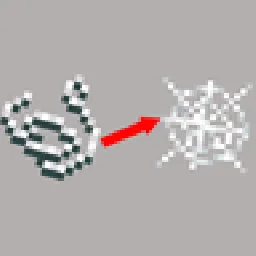 CraftwebsModlar · 26.x
this adds craftable cobwebs. I made this since like no one was making 26.2 fabric craftable webs
 Progressive MiningModlar · 26.x
Progressive Mining is a Minecraft 26.2 mod for Fabric and NeoForge that rewards mining consecutive blocks from the same ore family: each block adds 5% mining…
Yorum yazmak için giriş yap.