
 xali's PotionsDoku paketleri · 1.13 – 1.21
Escape the monotony of Minecraft's default textures with my custom potion texture pack. Witness a visual feast as each potion comes to life with unique and…
Ücretsiz314,081 indirme
Custom-Block — custom blocks for BONE:MSD, one line each
Modrinth üzerinden doğrudan indirme · 4 indirme
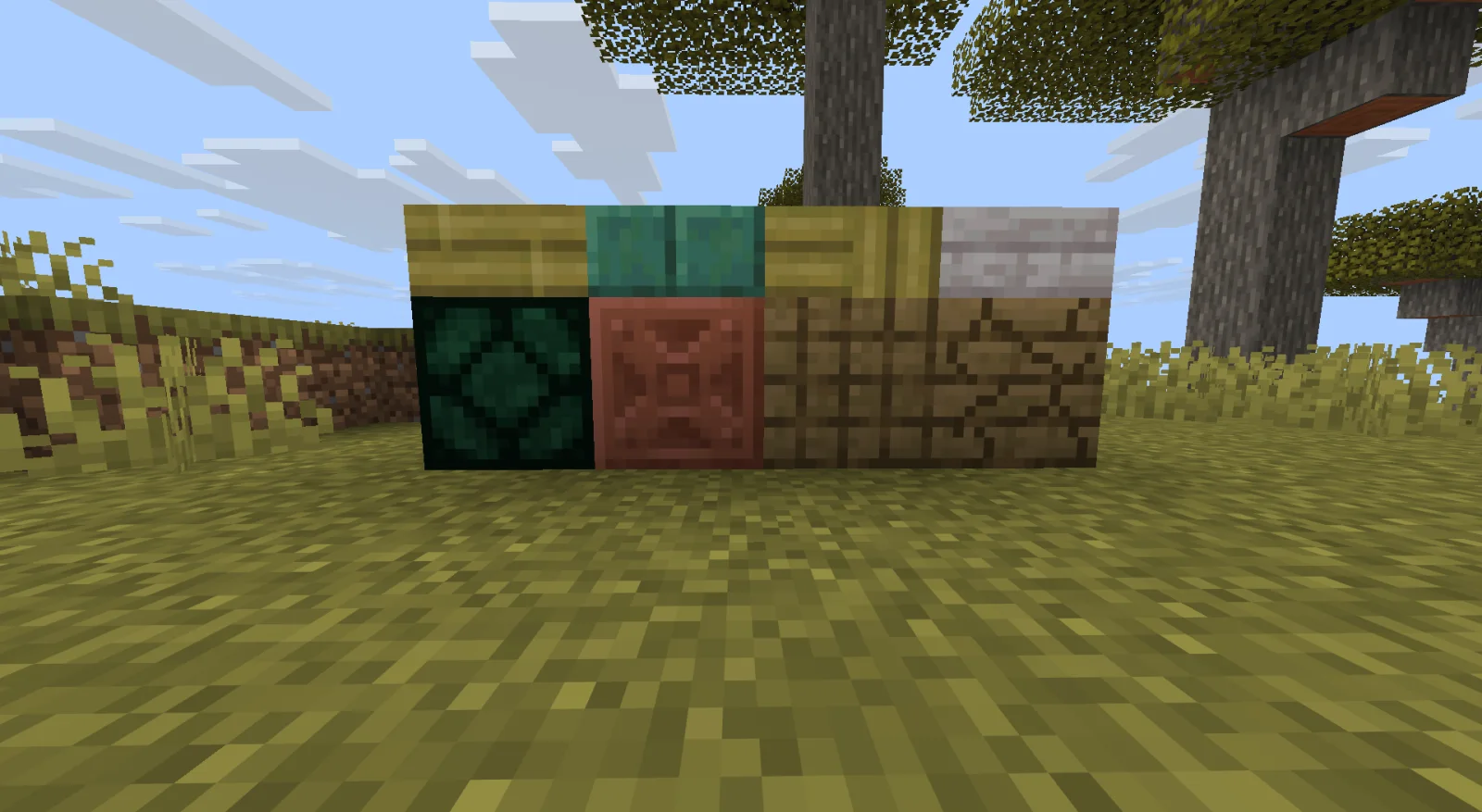
Custom Block, FaNToMaSikkk tarafından yapılmış bir doku paketi. Custom-Block — custom blocks for BONE:MSD, one line each.
Desteklediği sürümler: Minecraft 26.x. Modrinth üzerinde 4 kez indirildi. Son güncelleme 01.11.2026 tarihinde çıktı.
Custom Block, 01.11.2026 tarihinden beri Modrinth üzerinde 3 sürüm yayınladı. Bunların 3 tanesi son bir yılda çıktı. En yenisi 01.11.2026 tarihinde çıkan 1.1.0. Minecraft 26.3 için yapıldı. Data pack ve Minecraft üzerinde çalışır. İndirme boyutu 184 KB.
| Sürüm | Yayın tarihi | Minecraft | Tür |
|---|---|---|---|
1.1.0 | 01.11.2026 | 26.3 | Kararlı |
1.0.2 | 01.11.2026 | 26.3 | Kararlı |
1.0.1 | 01.11.2026 | 26.3 | Kararlı |
Custom Block açık kaynaklıdır. GitHub'daki en yeni sürümü 01.11.2026 tarihinde yayınlanan v1.1.0 — slabs and stairs.
Minecraft 26.3. Same installation as before: put custom_blocks.zip into /datapacks/ and resourcepacks/, then rejoin the world. Blocks already placed stay the same.
One more line in blocks.json with "shape": "slab" or "shape": "stairs":
{ "id": "marble_slab", "name": "Marble Slab", "material": "stone", "shape": "slab", "texture": "marble" }
Limitations: every slab/stairs is an entity checked each tick; rotated stairs rotate their texture (no uvlock); break particles come from the base; pistons turn the block into its plain base. The logic passes the server test (16/16), but the look has not been checked in a game client yet.
Tüm sürüm notlarını GitHub'da oku
Öncekiler: v1.0.2 (01.11.2026), Custom-Block v1.0.1 (Minecraft 26.3) (01.11.2026).
This project was built with the help of Claude Code, Anthropic's AI coding assistant.
That covers the generator, the port of the BONE:MSD engine to Minecraft 26.3, the tests and this documentation.
Describe your blocks as a list in blocks.json, like enum values: full blocks, slabs and
stairs. The generator builds everything else: the block item, loot tables, the creative-menu
entry, models, translations, and the vanilla overrides. The output is a single pack
for Minecraft 26.3 that already includes the BONE:MSD engine.
Custom-Block/
├── blocks.json ← your block "enum" (edit this)
├── textures/ ← 16×16 PNG textures (put them here)
├── slots.lock.json ← which slab each full block occupies (auto-generated, do NOT delete)
├── generator/build.py ← the generator
├── engine-patches/26.3/ ← fixes that port the BONE:MSD engine to Minecraft 26.3
├── tests/ ← build check on a real 26.3 server, no client needed
├── build/ ← output: custom_blocks.zip (recreated on every build)
└── extension/ ← original BONE:MSD engine, author's example and PDF (reference, do not edit)
{ "id": "marble", "name": { "en_us": "Marble", "ru_ru": "Мрамор" }, "material": "stone", "texture": "marble" }
A slab or stairs of the same texture is one more line each, with shape:
{ "id": "marble_slab", "name": "Marble Slab", "material": "stone", "shape": "slab", "texture": "marble" },
{ "id": "marble_stairs", "name": "Marble Stairs", "material": "stone", "shape": "stairs", "texture": "marble" }
python3 generator/build.py --install ""
registered only when a world loads. If you only changed textures or models, F3+T is enough.
To get the blocks: /function custom_blocks:give_all or /function custom_blocks:give/.
In creative they are among the paintings in the Functional Blocks tab.
Requires Python 3.9+ (standard library only). Generator messages are in Russian.
Field · Required · Meaning
id · yes · Block name: a-z, 0-9, _. Renaming it loses blocks already placed in worlds.
name · no · A string (en_us) or { "en_us": "...", "ru_ru": "..." }. Derived from id by default.
title · no · Creative-menu caption. Only A-Z a-z 0-9 and space, because the engine font has nothing else. Defaults to name.en_us.
material · no · wood · stone (default) · copper · wool · concrete. Sets sound, hardness, required tool and flammability.
shape · no · full (default) · slab · stairs. Slabs and stairs are drawn by item_display (see below); for them model can only be cube_all, cube_column or cube_bottom_top.
texture · * · One texture on all sides (model cube_all).
model + textures · * · cube_column (side, end) · cube_bottom_top (side, top, bottom) · cube (up, down, north, south, east, west, optional particle).
model_file · no · Full blocks only. Path to your own JSON model (e.g. from Blockbench), relative to Custom-Block/. Entries from textures are merged into it. The model must still be a full cube (see Limitations).
drop · no · Another loot table to drop instead, e.g. minecraft:blocks/oak_planks. By default the block drops itself.
creative · no · false hides the block from the creative menu.
slab / waterlogged · no · Full blocks only. Pin the block to a specific slab, e.g. "slab": "cherry_slab". Rarely needed.
\* either texture or textures is required. For slabs and stairs, texture goes on every face;
with cube_column the end texture goes on top and bottom; with cube_bottom_top the top, bottom
and side textures go where their names say.
A texture value without : is the file textures/.png. You can put a .png.mcmeta
next to it for animation. A value with : is an existing texture, e.g. minecraft:block/calcite.
Global settings in blocks.json:
data syntax: 26.3 changed loot tables and predicates a lot (modifier, condition, match_block);
the PDF lists bugs for these states;
Slots. Every block occupies the [type=double] state of one vanilla slab. The
BONE:MSD engine turns player-made double slabs into full blocks, so this state is free in the
world. The resource pack draws your model on it, and the data pack replaces its drop. The block
has no entity: it is fast, can be pushed by pistons and does not desync.
Available slots per material: wood 12, stone 44, copper 3, wool 15, concrete 15. With
use_waterlogged_slots there are twice as many. One slab per material is kept out of the pool:
it is the base of custom slabs (see below).
Stable slots. A slot is assigned once and stored in slots.lock.json, so the order of
blocks.json does not matter. When a block is removed, its slot is retired and never given to
a new block; otherwise blocks already placed in worlds would turn into the new one. To reuse
retired slots anyway: python3 generator/build.py --free-retired.
Placing. The block item is a barrier carrying bone_cb data. The engine catches the barrier
being placed, puts a command block in its spot, and on the next tick that command block places the
real block.
Slabs and stairs ("shape", new in 1.1.0). A slab or stairs block cannot be a free block state: there
are no free slab or stairs states of the right shape. So these blocks are a real vanilla base block
with an item_display on top of it:
material · slab base · stairs base
wood · oak_slab · oak_stairs
stone · stone_slab · stone_stairs
copper · waxed_cut_copper_slab · waxed_cut_copper_stairs
wool · white_wool_slab · white_wool_stairs
concrete · white_concrete_slab · white_concrete_stairs
places it as usual, so top/bottom, facing, stair corners and waterlogging all work. An advancement
catches the placement, a ray from the player's eyes finds the block, and an item_display with a
copy of the item is summoned in the block. The base gives the hitbox, sound and hardness.
base texture does not show through. For stairs the display reads the block state every tick and
switches the model (straight/inner/outer) and rotation, so corners follow neighbours like vanilla.
takes one and drops your item instead. No drop (creative, /setblock), nothing extra.
slab into planks.
Engine port. The original engine (extension/bone-msd-26-5) does not load in 26.3:
the world opens in safe mode with Failed to parse bone_msd:block_engine/placed_block. The
generator copies the engine and applies engine-patches/26.3/ on top:
7 blocks into a command block. Ordinary barriers became stray command blocks, and barriers near a
placed custom block became copies of it. Now the advancement fires only for items with bone_cb,
and only the barrier the player is looking at is converted;
turned into a full vanilla block.
Only files the engine actually uses go into the pack: font textures the font does not
reference and the author's demo strings stay out.
One pack, both roles. Data packs and resource packs have different format numbers in 26.3
(121 and 97), but the pack has one pack.mcmeta. So it declares the range
min_format: 97, max_format: 121. The game's own code reports the pack as compatible in both
roles; this was checked.
Blocks you already placed keep working; their slots do not change. The difference: five slabs are now
the base of custom slabs and are no longer given to full blocks: oak_slab, stone_slab,
waxed_cut_copper_slab, white_wool_slab, white_concrete_slab. If your slots.lock.json gives
one of them to a full block, the build stops with an error that names the block. Pin that block to
another slab with "slab"; blocks of it already placed will then look like a plain double slab.
With the default order this can only happen once a material has almost no free slots left.
build/custom_blocks.zip is the only file you need: one zip with data/ and assets/.
Automatic: --install (see Quick start) copies the zip into /datapacks/ and into the
resourcepacks/ folder of the same game instance. It also removes older versions of these packs and
warns if the author's originals are still there. Enable the resource pack once in the game settings.
Manual: copy custom_blocks.zip into /datapacks/ and into resourcepacks/.
Do not install the original bone-msd-26-5 or the author's bone-msd-example-pack together
with this pack. The original engine breaks 26.3 worlds, and the example overrides the same
items/painting.json.
If something does not work, check the instance's logs/latest.log. Lines with Missing data pack,
Failed to load function, Failed to parse or Missing block model point to the cause.
omg_font is a font from the engine's resource pack. Its "characters" are pictures:
(dark fill, purple border);
In creative a block is a painting, and its tooltip is: Painting / variant title / author /
size. The variant title is written in this font. Its background reaches upward, covers the
Painting line and draws a fake tooltip with the block name. The background width is fitted
to the name (painting_title in the generator).
Lines after the title are drawn later, i.e. on top of the fake tooltip:
showed through. The generator now blanks it for every language, which hides the size of
vanilla paintings too.
remove them; turn F3+H off for a clean tooltip.
python3 tests/run_gametest.py
The script takes Java and the 26.3 jar from Prism Launcher and starts Minecraft's built-in
GameTest server with the pack from build/ plus the test pack tests/cbtest. In about 15 seconds
it checks:
custom slabs, its drop when broken (16 checks in total).
The test targets the example blocks split_oak, engraved_copper, split_oak_slab and split_oak_stairs. The resource pack
cannot be checked this way; only the game client renders it.
A non-cube model_file only changes the pic
Yazan: FaNToMaSikkk. Resimli halini Modrinth sayfasında oku.
.zip dosyasını Modrinth üzerinden indir. Zipten çıkarma.
Minecraft'ta Seçenekler'i, sonra Kaynak Paketleri'ni aç ve Paket Klasörünü Aç'a tıkla.
.zip dosyasını o klasöre bırak ve oyuna dön.
Custom Block paketini sağdaki listeye taşı ve Bitti'ye tıkla.
Minecraft 26.x için yapıldı. Diğer sürümlerde Minecraft onu uyumsuz olarak işaretler ama çoğu zaman yine de çalışır.
| Kaynak | İndirmeler | Sürümler | Son güncelleme | Fiyat |
|---|---|---|---|---|
| Custom Blockbaktığın | 4 | 26.x | 12 gün önce | Ücretsiz |
| xali's Potionsxalixilax | 314K | 1.13 – 1.21 | 2 Şub 2026 | Ücretsiz |
 XK Highlight BlockXeKr | 179K | 1.19 – 1.20 | 27 Tem 2023 | Ücretsiz |
 Samuel's Re-ChippedCarJemGenerations | 62K | 1.20 – 1.21 | 28 gün önce | Ücretsiz |
Evet. Custom Block, Minecraft 26.x sürümünü destekliyor. Desteklenen tüm sürümler: 26.x.
Evet. Custom Block, Modrinth üzerinden ücretsiz indirilebilir.
Evet. Son güncelleme son 24 saat içinde çıktı.
En yakın olanlar xali's Potions, XK Highlight Block ve Samuel's Re-Chipped. Tüm alternatifleri karşılaştır
xali's PotionsDoku paketleri · 1.13 – 1.21Escape the monotony of Minecraft's default textures with my custom potion texture pack. Witness a visual feast as each potion comes to life with unique and…
XK Highlight BlockDoku paketleri · 1.19 – 1.20-Added highlighted edges to some blocks, such as budding amethyst, ancient debris, suspicious sand/gravel, powder snow, tripwire, waxed coppers, fence gate.
Samuel's Re-ChippedDoku paketleri · 1.20 – 1.21An up and coming redesign of (most of) the base textures from the Chipped mod, aimed at providing a distinct theme to each block set, each with various unique…
 Better natural blocksDoku paketleri · 1.20 – 26.x
Slightly improves certain natural block models
 Realistic Pack and Realistic tools and items packDoku paketleri · 1.20 – 26.x
RTX BASIC: NEON OVERDRIVE — Transform Minecraft Java 26.2 with 20 custom blocks, 20 items, 5 neon-inspired swords, enhanced ores, vibrant grass, custom sun…
Yorum yazmak için giriş yap.