
 EclipseShaderShader · 1.12 – 26.x
Transform your Minecraft world with EclipseShader, a next-generation shader designed to deliver stunning visuals without sacrificing smooth gameplay
Kostenlos41,889 Downloads
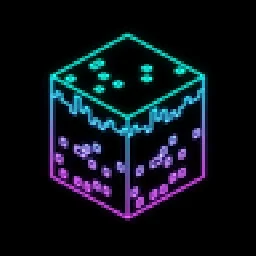
Black world, glowing rainbow outlines. A retro vector-style shader with smooth colour flow, optional neon glow and full control over speed, hues and brightness.
Opens Modrinth · 165 downloads there

Black world, glowing rainbow outlines. A retro vector-style shader with smooth colour flow, optional neon glow and full control over speed, hues and brightness.
Chroma Vector (Shaderpack) stammt von RonnyLearn. Unterstützt wird Minecraft 1.17 – 26.x. Auf Modrinth gibt es 165 Downloads. Das letzte Update erschien am 27.10.2026.
Die neueste ist 1.0, erschienen am 27.10.2026. Sie ist für Minecraft 1.17 – 26.3 gemacht. Sie läuft auf Iris und Optifine. Der Download ist 17 KB groß.
| Version | Veröffentlicht | Minecraft | Typ |
|---|---|---|---|
1.0 | 27.10.2026 | 1.17 – 26.3 | Release |
Turn your world into glowing rainbow wireframe.
Black screen, bright outlines, colours that flow across every block.
Chroma Vector removes textures and lighting and draws only the edges of the world: block faces, mobs, players, items in your hand. Every line is coloured with a smooth animated rainbow, so the whole screen slowly shifts through the spectrum as you play.
It looks like Minecraft running on a retro vector display, or a city made of neon tubes.
🌈 Rainbow outlines
💡 Neon glow
📺 Retro screen
⚙️ Clean lines
Preset · Look
Standard · Soft rainbow, gentle brightness. The default on first launch
Rainbow · Brighter, faster rainbow
Rainbow Neon · Rainbow with full neon glow
Neon · Cyan and violet rings with glow
Fire · Red and orange stripes
Classic · Green lines, scanlines, old monitor style
Pick a preset, then tune anything you like. Every option has a clear name in English and Russian.
Do not unzip the file.
Is it hard to play with?
The world is fully readable: every block and mob has an outline. Caves and dark areas are as clear as daylight, because there is no lighting.
The screen has too many lines.
Raise Colour edge threshold in Line shape, or lower Fade distant lines.
Colours are too bright.
Use the Standard preset or lower Brightness and Saturation in Line colours.
Does it work on Forge / NeoForge?
Yes, through Oculus or Iris for NeoForge.
Geschrieben von RonnyLearn. Mit Bildern auf Modrinth lesen.
Installiere Iris (mit Sodium) oder OptiFine für deine Minecraft-Version: Shader brauchen eins davon.
Lade die .zip-Datei von Modrinth herunter. Entpacke sie nicht.
Öffne in Minecraft Optionen, dann Grafikeinstellungen, dann Shaderpacks und klicke auf Shaderpack-Ordner öffnen.
Lege die .zip-Datei in diesen Ordner, wähle Chroma Vector in der Liste und klicke auf Fertig.
Shader belasten die Grafikkarte. Wird das Spiel langsam, wähle in den Shader-Einstellungen ein niedrigeres Profil.
| Ressource | Downloads | Versionen | Letztes Update | Preis |
|---|---|---|---|---|
| Chroma Vectordie du angesehen hast | 165 | 1.17 – 26.x | vor 13 Tagen | Kostenlos |
| EclipseShaderTaeVersePlayz | 42K | 1.12 – 26.x | 21. Juli 2026 | Kostenlos |
 Fullbright+ ShadersNiix-Dan | 40K | 1.12 – 26.x | 30. Sept. 2026 | Kostenlos |
 SketchBoundGentooGamer | 26K | 1.17 – 26.x | 31. Aug. 2026 | Kostenlos |
Ja. Chroma Vector unterstützt Minecraft 26.x. Alle unterstützten Versionen: 26.x, 1.21, 1.20, 1.19, 1.18, 1.17.
Ja. Chroma Vector kannst du kostenlos bei Modrinth herunterladen.
Ja. Das letzte Update kam innerhalb des letzten Tages.
Am ähnlichsten sind EclipseShader, Fullbright+ Shaders und SketchBound. Alle Alternativen vergleichen
EclipseShaderShader · 1.12 – 26.xTransform your Minecraft world with EclipseShader, a next-generation shader designed to deliver stunning visuals without sacrificing smooth gameplay
Fullbright+ ShadersShader · 1.12 – 26.xA lightweight Minecraft shader that removes darkness by providing full brightness, making caves, nights, and dim areas fully visible while keeping gameplay…
SketchBoundShader · 1.17 – 26.xSketch-style shader with pencil outlines and shading.
 CoffeeShadersShader · 1.20 – 26.x
Coffee Shaders is a mid-quality shader pack designed to enhance your game with smooth, realistic shadows, adjustable settings for personalized control, and a…
 Lomborebi ShadersShader · 1.18 – 26.x
An anime-inspired Minecraft shader pack featuring crisp cel-shaded block outlines, fluffy clouds, and glowing ores. It gives the game a vibrant, cozy…
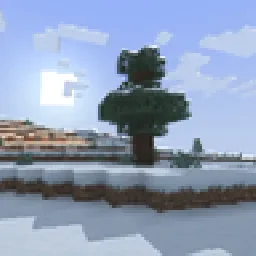 retroviewShader · 1.16 – 26.x
A retro-style shader for Minecraft!
Logg dich ein, um eine Bewertung zu schreiben.