
 EclipseShaderShaders · 1.12 – 26.x
Transform your Minecraft world with EclipseShader, a next-generation shader designed to deliver stunning visuals without sacrificing smooth gameplay
Free41,889 downloads
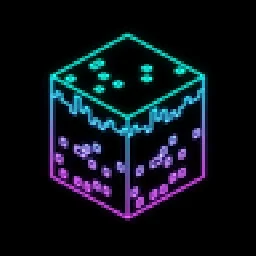
Black world, glowing rainbow outlines. A retro vector-style shader with smooth colour flow, optional neon glow and full control over speed, hues and brightness.
Opens Modrinth · 165 downloads there

Black world, glowing rainbow outlines. A retro vector-style shader with smooth colour flow, optional neon glow and full control over speed, hues and brightness.
Chroma Vector is a shader pack made by RonnyLearn. It supports Minecraft 1.17 – 26.x. It has been downloaded 165 times on Modrinth. The last update came out on Oct 27, 2026.
The newest is 1.0, released on Oct 27, 2026. It is made for Minecraft 1.17 – 26.3. It runs on Iris and Optifine. The download is 17 KB.
| Version | Released | Minecraft | Type |
|---|---|---|---|
1.0 | Oct 27, 2026 | 1.17 – 26.3 | Release |
Turn your world into glowing rainbow wireframe.
Black screen, bright outlines, colours that flow across every block.
Chroma Vector removes textures and lighting and draws only the edges of the world: block faces, mobs, players, items in your hand. Every line is coloured with a smooth animated rainbow, so the whole screen slowly shifts through the spectrum as you play.
It looks like Minecraft running on a retro vector display, or a city made of neon tubes.
🌈 Rainbow outlines
💡 Neon glow
📺 Retro screen
⚙️ Clean lines
Preset · Look
Standard · Soft rainbow, gentle brightness. The default on first launch
Rainbow · Brighter, faster rainbow
Rainbow Neon · Rainbow with full neon glow
Neon · Cyan and violet rings with glow
Fire · Red and orange stripes
Classic · Green lines, scanlines, old monitor style
Pick a preset, then tune anything you like. Every option has a clear name in English and Russian.
Do not unzip the file.
Is it hard to play with?
The world is fully readable: every block and mob has an outline. Caves and dark areas are as clear as daylight, because there is no lighting.
The screen has too many lines.
Raise Colour edge threshold in Line shape, or lower Fade distant lines.
Colours are too bright.
Use the Standard preset or lower Brightness and Saturation in Line colours.
Does it work on Forge / NeoForge?
Yes, through Oculus or Iris for NeoForge.
Written by RonnyLearn. Read it with pictures on Modrinth.
Install Iris (with Sodium) or OptiFine for your Minecraft version: shaders need one of them.
Download the .zip file from Modrinth. Do not unzip it.
In Minecraft, open Options, then Video Settings, then Shader Packs, and click Open Shader Pack Folder.
Drop the .zip file into that folder, pick Chroma Vector in the list and click Done.
Shaders are heavy on the graphics card. If the game gets slow, pick a lower profile in the shader settings.
| Resource | Downloads | Versions | Last update | Price |
|---|---|---|---|---|
| Chroma Vectorthe one you looked at | 165 | 1.17 – 26.x | 13 days ago | Free |
| EclipseShaderTaeVersePlayz | 42K | 1.12 – 26.x | Jul 21, 2026 | Free |
 Fullbright+ ShadersNiix-Dan | 40K | 1.12 – 26.x | Sep 30, 2026 | Free |
 SketchBoundGentooGamer | 26K | 1.17 – 26.x | Aug 31, 2026 | Free |
Yes. Chroma Vector supports Minecraft 26.x. All supported versions: 26.x, 1.21, 1.20, 1.19, 1.18, 1.17.
Yes. Chroma Vector is free to download from Modrinth.
Yes. The last update came out in the past day.
The closest ones are EclipseShader, Fullbright+ Shaders and SketchBound. Compare all alternatives
EclipseShaderShaders · 1.12 – 26.xTransform your Minecraft world with EclipseShader, a next-generation shader designed to deliver stunning visuals without sacrificing smooth gameplay
Fullbright+ ShadersShaders · 1.12 – 26.xA lightweight Minecraft shader that removes darkness by providing full brightness, making caves, nights, and dim areas fully visible while keeping gameplay…
SketchBoundShaders · 1.17 – 26.xSketch-style shader with pencil outlines and shading.
 CoffeeShadersShaders · 1.20 – 26.x
Coffee Shaders is a mid-quality shader pack designed to enhance your game with smooth, realistic shadows, adjustable settings for personalized control, and a…
 Lomborebi ShadersShaders · 1.18 – 26.x
An anime-inspired Minecraft shader pack featuring crisp cel-shaded block outlines, fluffy clouds, and glowing ores. It gives the game a vibrant, cozy…
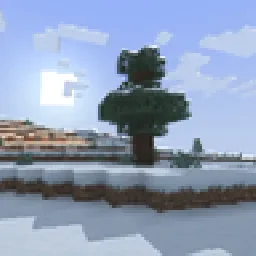 retroviewShaders · 1.16 – 26.x
A retro-style shader for Minecraft!
Log in to leave a review.