
 Chroma VectorShaders · 1.17 – 26.x
Black world, glowing rainbow outlines. A retro vector-style shader with smooth colour flow, optional neon glow and full control over speed, hues and brightness.
Free165 downloads
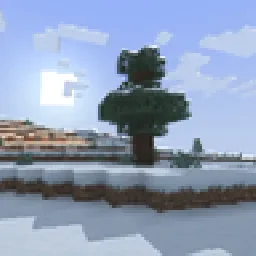
A retro-style shader for Minecraft!
Opens Modrinth · 6,152 downloads there


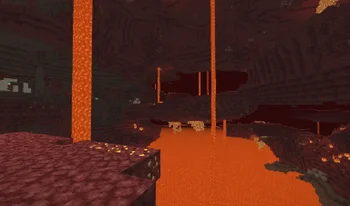
A retro-style shader for Minecraft!
retroview is a shader pack made by Project516. It supports Minecraft 1.16 – 26.x. It has been downloaded 6,152 times on Modrinth. The last update came out on Oct 4, 2026.
retroview has had 9 releases on Modrinth since Mar 30, 2026. 9 of them came out in the past year. The newest is 1.2.0, released on Oct 3, 2026. It is made for Minecraft 1.16.5 – 1.19. It runs on Iris. The download is 29 KB.
| Version | Released | Minecraft | Type |
|---|---|---|---|
1.2.0 | Oct 3, 2026 | 1.16.5 – 1.19 | Release |
1.1.3 | Aug 31, 2026 | 1.16.5 – 1.19 | Release |
1.1.2 | May 30, 2026 | 1.16.5 – 26.1.2 | Release |
1.1.1 | Apr 27, 2026 | 1.16.5 – 26.1.2 | Release |
1.1.0 | Apr 11, 2026 | 1.16.5 – 26.1.2 | Release |
retroview is open source. Its newest release on GitHub is retroview 1.2.0, published on Oct 3, 2026.
Read all release notes on GitHub
Before that: retroview 1.1.3 (Oct 3, 2026), retroview 1.1.2 (May 30, 2026).
A simple, lightweight, retro-style shader pack for Minecraft!
retroview instantly transforms your Minecraft world with a classic retro screen look, giving everything that retro, pixelated, console feel. It’s pure visual nostalgia layered right on top of vanilla (or your favorite resource packs). No new blocks, no new mechanics. Just a charming retro filter that makes every world feel fresh and different.
If you’re craving a fun, nostalgic twist on Minecraft, retroview is perfect for you.
Created as a simple passion project to bring retro vibes back to modern Minecraft.
retroview is available to download on Modrinth and Curseforge.
Made by project516
Written by Project516. Read it with pictures on Modrinth.
Install Iris (with Sodium) or OptiFine for your Minecraft version: shaders need one of them.
Download the .zip file from Modrinth. Do not unzip it.
In Minecraft, open Options, then Video Settings, then Shader Packs, and click Open Shader Pack Folder.
Drop the .zip file into that folder, pick retroview in the list and click Done.
Shaders are heavy on the graphics card. If the game gets slow, pick a lower profile in the shader settings.
| Resource | Downloads | Versions | Last update | Price |
|---|---|---|---|---|
| retroviewthe one you looked at | 6,152 | 1.16 – 26.x | Oct 4, 2026 | Free |
| Chroma VectorRonnyLearn | 165 | 1.17 – 26.x | 13 days ago | Free |
 Photon Shaderssixthsurge | 29.1M | 1.16 – 26.x | 22 days ago | Free |
 Super Duper VanillaEldeston | 8.3M | 1.13 – 1.21 | Jul 8, 2025 | Free |
Yes. retroview supports Minecraft 26.x. All supported versions: 26.x, 1.21, 1.20, 1.19, 1.18, 1.17, 1.16.
Yes. retroview is free to download from Modrinth.
Yes: Sodium, Iris Shaders. Install it before retroview.
Yes. The last update came out in the past day.
The closest ones are Chroma Vector, Photon Shaders and Super Duper Vanilla. Compare all alternatives
Chroma VectorShaders · 1.17 – 26.xBlack world, glowing rainbow outlines. A retro vector-style shader with smooth colour flow, optional neon glow and full control over speed, hues and brightness.
Photon ShadersShaders · 1.16 – 26.xA gameplay-focused shader pack with a semi-realistic style
Super Duper VanillaShaders · 1.13 – 1.21A shader pack created to convey the style of the cancelled Super Duper Graphics Pack and other popular Minecraft titles.
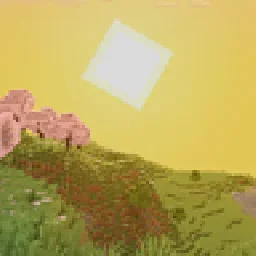 I Like VanillaShaders · 1.12 – 26.x
A shader that improves minecraft's style instead of replacing it
 CTR VCRShaders · 1.12 – 26.x
Retro stylized shader that brings artifacts from CRT and VCR / VHS
 Vanilletix ShadersShaders · 1.13 – 26.x
A shader pack that is created to improve the graphics of your game, leaving it in vanilla style
Log in to leave a review.