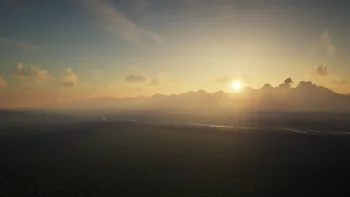
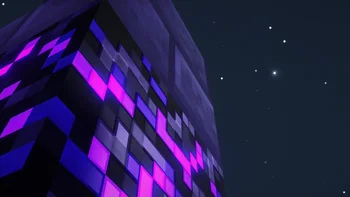
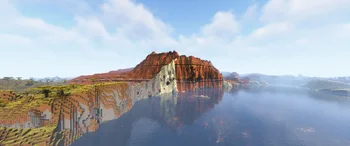
A modern shader pack loader for Minecraft intended to be compatible with existing OptiFine shader packs
Iris Shaders is a resource made by coderbot. It supports Minecraft 1.16 – 26.x. It has been downloaded 196,610,315 times on Modrinth. The last update came out on Sep 30, 2026.
How to install Iris Shaders
This mod runs only on your own game. Servers do not need it, so you can use it on any server.
Install Fabric, Quilt and NeoForge for Minecraft 1.16 – 26.x.
Download the .jar file from Modrinth and put it in the mods folder of your .minecraft directory.
Start Minecraft with the Fabric profile.
With the CraftRank Launcher you can skip these steps: open Mods, search for Iris Shaders and click Install.
Compatibility
- Minecraft versions
- 26.x, 1.21, 1.20, 1.19, 1.18, 1.17, 1.16
- Runs on
- Fabric, Quilt, NeoForge
- Where it runs
- Client only (your game)
- Edition
- Java
- Needs
- Nothing else
- License
- GPL
- Price
- Free
- Upkeep
- Actively updated (Oct 25, 2026)
Iris Shaders compared with similar ones Compare all alternatives
| Resource | Downloads | Rating | Versions | Last update | Price |
|---|---|---|---|---|---|
 Iris Shadersthe one you looked at Iris Shadersthe one you looked at | 196.6M | – | 1.16 – 26.x | 26 days ago | Free |
 OculusAsek3 OculusAsek3 | 38.9M | – | 1.16 – 1.20 | Dec 25, 2024 | Free |
 OptiGUIopekope2 OptiGUIopekope2 | 27.9M | – | 1.18 – 26.x | Sep 18, 2026 | Free |
 LambDynamicLightsLambdAurora LambDynamicLightsLambdAurora | 64.4M | – | 1.16 – 26.x | Sep 15, 2026 | Free |
Questions
Does Iris Shaders work on Minecraft 26.x?
Yes. Iris Shaders supports Minecraft 26.x. All supported versions: 26.x, 1.21, 1.20, 1.19, 1.18, 1.17, 1.16.
Is Iris Shaders free?
Yes. Iris Shaders is free to download from Modrinth.
Is Iris Shaders client-side or server-side?
Client-side. Iris Shaders goes in your own mods folder and works on any server, including servers without mods.
Is Iris Shaders still updated?
Yes. The last update came out in the past day.
What are the best alternatives to Iris Shaders?
The closest ones are Oculus, OptiGUI and LambDynamicLights. Compare all alternatives
Reviews
Log in to leave a review.
Statistics Counted once per person per day
Your download has started.Modrinth opened in a new tab.
Setting up a server? Two things that help:

