
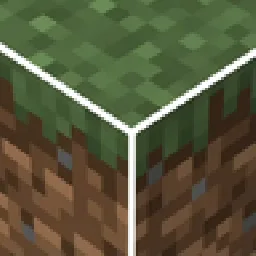
 White Block Selection OutlineRessourcenpakete · 1.19 – 26.x
Makes it so that when you select a block, instead of a black outline, there is a white outline.
Kostenlos216,008 Downloads
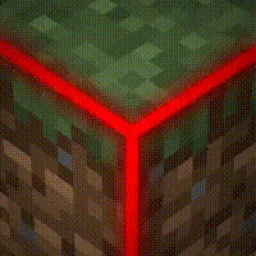
This texture pack uses core shaders to make the block selection outline Rainbow.
Direkter Download von Modrinth · 513,593 Downloads
Rainbow Block Selection Outline (Ressourcenpaket) stammt von MasterofDeath. This texture pack uses core shaders to make the block selection outline Rainbow.
Unterstützt wird Minecraft 1.19 – 26.x. Auf Modrinth gibt es 513,593 Downloads. Das letzte Update erschien am 03.03.2024.
Die neueste ist 1, erschienen am 03.03.2024. Sie ist für Minecraft 1.19 – 26.3 gemacht. Sie läuft auf Minecraft. Der Download ist 187 KB groß.
| Version | Veröffentlicht | Minecraft | Typ |
|---|---|---|---|
1 | 03.03.2024 | 1.19 – 26.3 | Release |
Disclaimer: This texture pack takes advantage of core shaders, and it is not possible to port it to 1.18. Please do not ask me for it. If you want a different block selection outline, then update your game.
This texture pack changes the colour of the outline that appears when you select a block.
Disclaimer 2: The outline is not as thick as it is in the icon. It was made thicker in the outline to be more visible, refer to the gallery to check how thick it actually is.
All Other Colours:
Purple Block Selection Outline
Geschrieben von MasterofDeath. Mit Bildern auf Modrinth lesen.
Lade die .zip-Datei von Modrinth herunter. Entpacke sie nicht.
Öffne in Minecraft Optionen, dann Ressourcenpakete, dann Paketordner öffnen.
Lege die .zip-Datei in diesen Ordner und gehe zurück ins Spiel.
Schiebe Rainbow Block Selection Outline in die rechte Liste und klicke auf Fertig.
Es ist für Minecraft 1.19 – 26.x gemacht. Auf anderen Versionen markiert Minecraft es als inkompatibel, oft funktioniert es aber trotzdem.
| Ressource | Downloads | Versionen | Letztes Update | Preis |
|---|---|---|---|---|
| Rainbow Block Selection Outlinedie du angesehen hast | 514K | 1.19 – 26.x | 3. März 2024 | Kostenlos |
| White Block Selection OutlineMasterofDeath | 216K | 1.19 – 26.x | 3. März 2024 | Kostenlos |
 Better 3D Bedsheycronus | 1.7M | 1.12 – 1.21 | 7. Feb. 2026 | Kostenlos |
 Anti XrayPhoenix616 | 695K | 1.16 – 26.x | 13. Okt. 2026 | Kostenlos |
Ja. Rainbow Block Selection Outline unterstützt Minecraft 26.x. Alle unterstützten Versionen: 26.x, 1.21, 1.20, 1.19.
Ja. Rainbow Block Selection Outline kannst du kostenlos bei Modrinth herunterladen.
Ja. Das letzte Update kam innerhalb des letzten Tages.
Am ähnlichsten sind White Block Selection Outline, Better 3D Beds und Anti Xray. Alle Alternativen vergleichen
White Block Selection OutlineRessourcenpakete · 1.19 – 26.xMakes it so that when you select a block, instead of a black outline, there is a white outline.
Better 3D BedsRessourcenpakete · 1.12 – 1.21Better 3D Beds is a texture pack for Minecraft that significantly enhances the appearance of beds in the game, making them more realistic and detailed with…
Anti XrayRessourcenpakete · 1.16 – 26.xThis is a simple resource pack which tries to prevent xray texture packs in 1.15+ when used as a server resource pack.
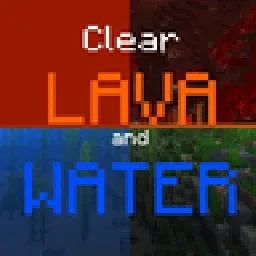 Clear Lava and WaterRessourcenpakete · 1.17 – 26.x
This texture pack deletes lava and water overlay (you will see everything in lava and water clearly). Now works with Sodium!
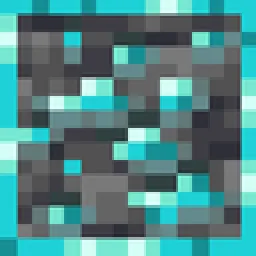 Outlined OresRessourcenpakete · 1.8 – 26.x
A texture pack that adds ore outlines/bordered ores, making them far easier to see! No mods or additional downloads required! Now compatible with Create mod
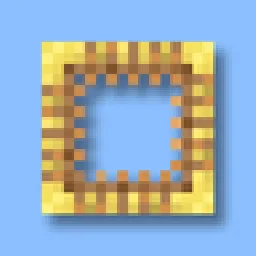 Better Scaffolding VisibilityRessourcenpakete · 1.16 – 26.x
Better Scaffolding removes the middle texture for better visibility. A simple resource pack that makes climbing easier to see where you're going.
Logg dich ein, um eine Bewertung zu schreiben.