
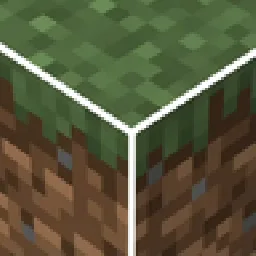
 White Block Selection OutlineResource packs · 1.19 – 26.x
Makes it so that when you select a block, instead of a black outline, there is a white outline.
Free215,716 downloads
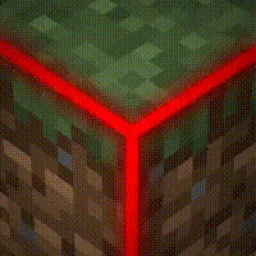
This texture pack uses core shaders to make the block selection outline Rainbow.
Direct download from Modrinth · 512,467 downloads
Rainbow Block Selection Outline is a resource pack made by MasterofDeath. This texture pack uses core shaders to make the block selection outline Rainbow.
It supports Minecraft 1.19 – 26.x. It has been downloaded 512,467 times on Modrinth. The last update came out on Mar 3, 2024.
The newest is 1, released on Mar 3, 2024. It is made for Minecraft 1.19 – 26.3. It runs on Minecraft. The download is 187 KB.
| Version | Released | Minecraft | Type |
|---|---|---|---|
1 | Mar 3, 2024 | 1.19 – 26.3 | Release |
Disclaimer: This texture pack takes advantage of core shaders, and it is not possible to port it to 1.18. Please do not ask me for it. If you want a different block selection outline, then update your game.
This texture pack changes the colour of the outline that appears when you select a block.
Disclaimer 2: The outline is not as thick as it is in the icon. It was made thicker in the outline to be more visible, refer to the gallery to check how thick it actually is.
All Other Colours:
Purple Block Selection Outline
Written by MasterofDeath. Read it with pictures on Modrinth.
Download the .zip file from Modrinth. Do not unzip it.
In Minecraft, open Options, then Resource Packs, then Open Pack Folder.
Drop the .zip file into that folder and go back to the game.
Move Rainbow Block Selection Outline to the right-hand list and click Done.
It is made for Minecraft 1.19 – 26.x. On other versions Minecraft marks it as incompatible, but it often still works.
Full guide: How to install Minecraft resource packs
| Resource | Downloads | Versions | Last update | Price |
|---|---|---|---|---|
| Rainbow Block Selection Outlinethe one you looked at | 512K | 1.19 – 26.x | Mar 3, 2024 | Free |
| White Block Selection OutlineMasterofDeath | 216K | 1.19 – 26.x | Mar 3, 2024 | Free |
 Better 3D Bedsheycronus | 1.7M | 1.12 – 1.21 | Feb 7, 2026 | Free |
 Anti XrayPhoenix616 | 693K | 1.16 – 26.x | 29 days ago | Free |
Yes. Rainbow Block Selection Outline supports Minecraft 26.x. All supported versions: 26.x, 1.21, 1.20, 1.19.
Yes. Rainbow Block Selection Outline is free to download from Modrinth.
Yes. The last update came out in the past day.
The closest ones are White Block Selection Outline, Better 3D Beds and Anti Xray. Compare all alternatives
White Block Selection OutlineResource packs · 1.19 – 26.xMakes it so that when you select a block, instead of a black outline, there is a white outline.
Better 3D BedsResource packs · 1.12 – 1.21Better 3D Beds is a texture pack for Minecraft that significantly enhances the appearance of beds in the game, making them more realistic and detailed with…
Anti XrayResource packs · 1.16 – 26.xThis is a simple resource pack which tries to prevent xray texture packs in 1.15+ when used as a server resource pack.
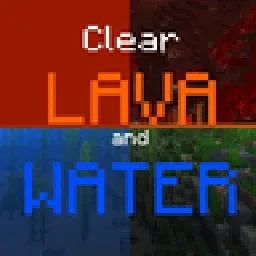 Clear Lava and WaterResource packs · 1.17 – 26.x
This texture pack deletes lava and water overlay (you will see everything in lava and water clearly). Now works with Sodium!
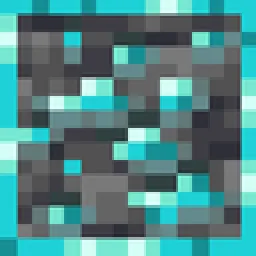 Outlined OresResource packs · 1.8 – 26.x
A texture pack that adds ore outlines/bordered ores, making them far easier to see! No mods or additional downloads required! Now compatible with Create mod
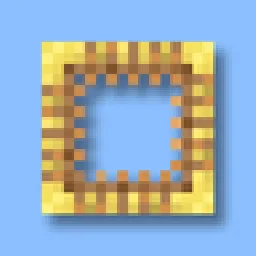 Better Scaffolding VisibilityResource packs · 1.16 – 26.x
Better Scaffolding removes the middle texture for better visibility. A simple resource pack that makes climbing easier to see where you're going.
Log in to leave a review.