
 Vanilish ShadersShader · 1.8 – 1.21
A lightweight shader that adds a realistic, warm atmosphere and soft lighting to Minecraft while maintaining the vanilla style.
Kostenlos68,037 Downloads
"Basically, a Minecraft shader to create a darker, bloodier atmosphere this October 31st for Halloween. Enjoy it, and have a Happy Halloween.
Direkter Download von Modrinth · 18,240 Downloads
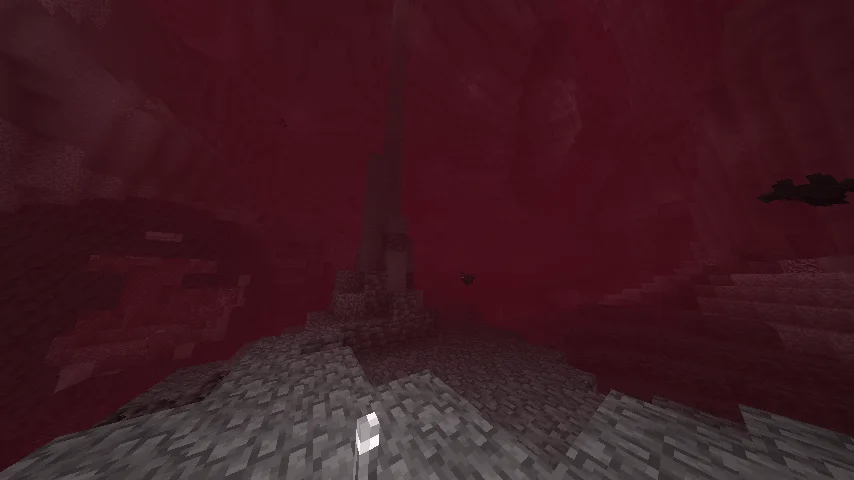
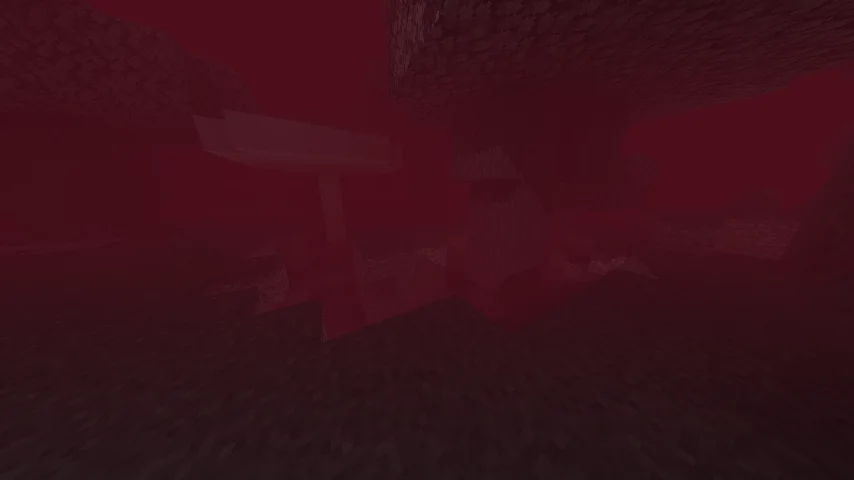
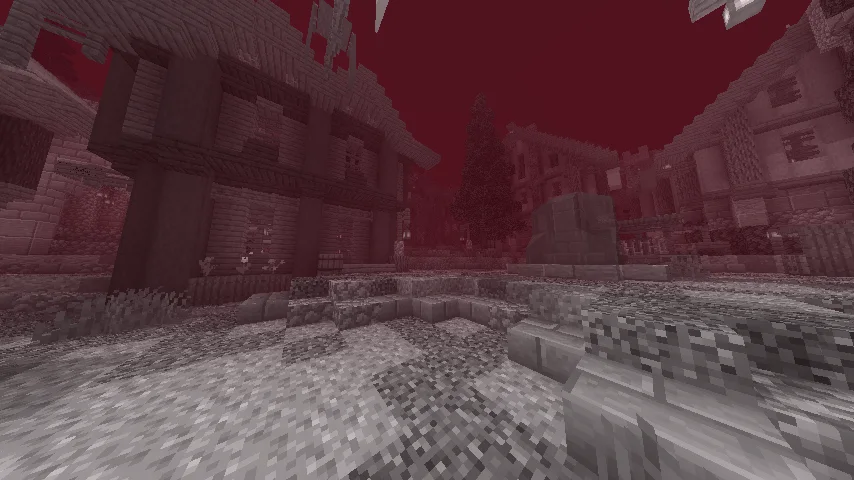
Bloody Shaders (Shaderpack) stammt von trece313. "Basically, a Minecraft shader to create a darker, bloodier atmosphere this October 31st for Halloween. Enjoy it, and have a Happy Halloween.
Unterstützt wird Minecraft 1.16 – 1.21. Auf Modrinth gibt es 18,240 Downloads. Das letzte Update erschien am 14.04.2026.
Bloody Shaders hat seit 30.10.2024 5 Versionen auf Modrinth veröffentlicht. 2 davon erschienen im letzten Jahr. Die neueste ist 1.3, erschienen am 14.04.2026. Sie ist für Minecraft 1.16 – 1.21.1 gemacht. Sie läuft auf Iris und Optifine. Der Download ist 23 KB groß.
| Version | Veröffentlicht | Minecraft | Typ |
|---|---|---|---|
1.3 | 14.04.2026 | 1.16 – 1.21.1 | Release |
PSX1.0 | 11.04.2026 | 1.16 – 1.21.1 | Release |
1.2 | 06.11.2024 | 1.16 – 1.21.1 | Release |
1.1 | 01.11.2024 | 1.16 – 1.20.6 | Release |
1.0 | 30.10.2024 | 1.16 – 1.20.6 | Release |
Bloody Shaders ist Open Source. Die neueste Version auf GitHub ist BloodyShaderPSX, veröffentlicht am 11.04.2026.
🌫️ Update — BloodyShaderPSX (Classic PS1 Version)
New update for BloodyShader, focused on improving the classic PlayStation 1-style atmosphere.
Main Changes
Fog system adjusted for a heavier and more immersive atmosphere
New fog colors assigned for a darker, dirtier visual style
Improved depth and distance feel similar to PS1-era games
Inspired by classic survival horror aesthetics like Silent Hill 1
Visual Style
More dense and oppressive atmosphere
Muted and desaturated color palette
Stronger sense of mystery and constant fog presence
Overall look closer to classic PS1 horror visuals
Black bars have been added for a stronger cinematic PS1 feel
Black bars can be enabled or disabled from the shader options menu
Fog colors can now be changed using the Fog Mode settings
🧠 Notes
This version focuses on atmosphere rather than clarity.
The goal is to recreate a classic retro horror feeling.
Coming soon: an update for BloodyShader 1.3 Standard.
Full Changelog: 13...psx
Davor: BloodyShader1.3 (14.04.2026), BloodyShaders 1.2 Water Update (06.11.2024).
Bloody Shaders is designed to give Minecraft a darker, more apocalyptic atmosphere. By adding a red-tinted fog, this shader brings a gloomy, somber touch to the game, perfect for those who want an eerie and unsettling experience.
Realistic Water: Replaces vanilla water with a highly optimized, realistic water effect, adding a more immersive experience.
Pixelated Shadows: New pixelated shadows for a more atmospheric and unsettling vibe.
Red Fog Effect: The shader adds a red fog that creates a haunting, end-of-the-world vibe across landscapes, making the game feel eerie and melancholic.
Future Features:
Stay tuned for upcoming updates, which will include:
Additional lighting and shadow improvements.
New fog colors and effects to further enhance the atmosphere.
Note:
Feedback and suggestions are very welcome! Let me know what you’d like to see improved or added in future updates.
Geschrieben von trece313. Mit Bildern auf Modrinth lesen.
Installiere Iris (mit Sodium) oder OptiFine für deine Minecraft-Version: Shader brauchen eins davon.
Lade die .zip-Datei von Modrinth herunter. Entpacke sie nicht.
Öffne in Minecraft Optionen, dann Grafikeinstellungen, dann Shaderpacks und klicke auf Shaderpack-Ordner öffnen.
Lege die .zip-Datei in diesen Ordner, wähle Bloody Shaders in der Liste und klicke auf Fertig.
Shader belasten die Grafikkarte. Wird das Spiel langsam, wähle in den Shader-Einstellungen ein niedrigeres Profil.
| Ressource | Downloads | Versionen | Letztes Update | Preis |
|---|---|---|---|---|
| Bloody Shadersdie du angesehen hast | 18K | 1.16 – 1.21 | 14. Apr. 2026 | Kostenlos |
| Vanilish ShadersTypon | 68K | 1.8 – 1.21 | 16. Feb. 2026 | Kostenlos |
 Photon Shaderssixthsurge | 29.2M | 1.16 – 26.x | vor 24 Tagen | Kostenlos |
 Nostalgia ShaderRRe36 | 4.6M | 1.16 – 1.21 | 28. Feb. 2025 | Kostenlos |
Noch nicht. Die neueste unterstützte Version ist Minecraft 1.21.
Ja. Bloody Shaders kannst du kostenlos bei Modrinth herunterladen.
Ja. Das letzte Update kam innerhalb des letzten Tages.
Am ähnlichsten sind Vanilish Shaders, Photon Shaders und Nostalgia Shader. Alle Alternativen vergleichen
Vanilish ShadersShader · 1.8 – 1.21A lightweight shader that adds a realistic, warm atmosphere and soft lighting to Minecraft while maintaining the vanilla style.
Photon ShadersShader · 1.16 – 26.xA gameplay-focused shader pack with a semi-realistic style
Nostalgia ShaderShader · 1.16 – 1.21Capturing the essence of old shaderpacks to create a stylized and modern Minecraft-look.
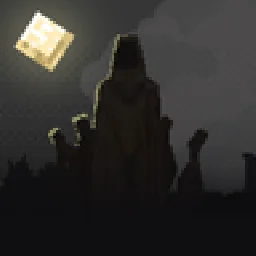 Hysteria ShadersShader · 1.8 – 1.21
Atmospheric, highly customizable horror shaderpack, successor of Insanity Shader.
 Noble ShadersShader · 1.16 – 26.x
Using clever lighting techniques and powerful customization to create clean, immersive, and enjoyable visuals.
 Bloop ShadersShader · 1.16 – 26.x
A shader aimed at maximum speed while maintaining good visuals. Scalable from low to high end computers.
Logg dich ein, um eine Bewertung zu schreiben.