
 Vanilish ShadersShaders · 1.8 – 1.21
A lightweight shader that adds a realistic, warm atmosphere and soft lighting to Minecraft while maintaining the vanilla style.
Gratuit68,666 téléchargements
"Basically, a Minecraft shader to create a darker, bloodier atmosphere this October 31st for Halloween. Enjoy it, and have a Happy Halloween.
Téléchargement direct depuis Modrinth · 18,261 téléchargements
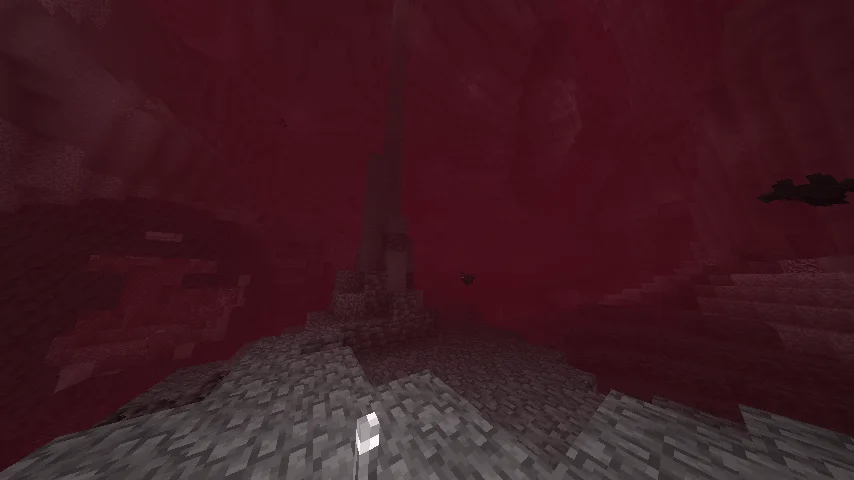
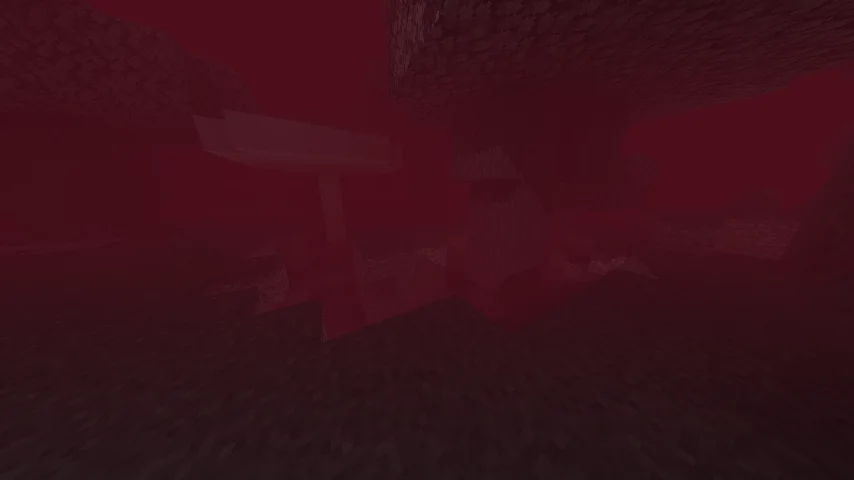
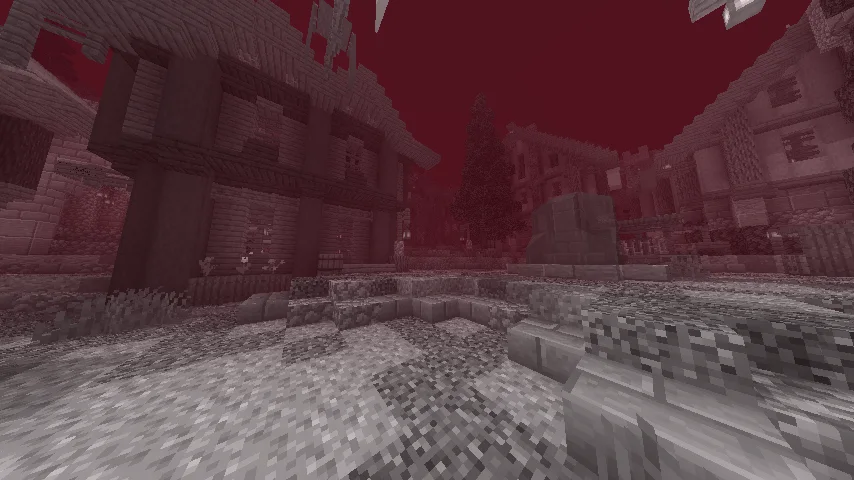
Bloody Shaders (pack de shaders) est une création de trece313. "Basically, a Minecraft shader to create a darker, bloodier atmosphere this October 31st for Halloween. Enjoy it, and have a Happy Halloween.
Versions prises en charge : Minecraft 1.16 – 1.21. On compte 18,261 téléchargements sur Modrinth. La dernière mise à jour date du 14/04/2026.
Bloody Shaders a publié 5 versions sur Modrinth depuis le 30/10/2024. 2 sont sorties au cours de l'année passée. La plus récente est 1.3, sortie le 14/04/2026. Elle est faite pour Minecraft 1.16 – 1.21.1. Elle fonctionne sur Iris et Optifine. Le téléchargement fait 23 KB.
| Version | Publié | Minecraft | Type |
|---|---|---|---|
1.3 | 14/04/2026 | 1.16 – 1.21.1 | Stable |
PSX1.0 | 11/04/2026 | 1.16 – 1.21.1 | Stable |
1.2 | 06/11/2024 | 1.16 – 1.21.1 | Stable |
1.1 | 01/11/2024 | 1.16 – 1.20.6 | Stable |
1.0 | 30/10/2024 | 1.16 – 1.20.6 | Stable |
Bloody Shaders est open source. Sa dernière version sur GitHub est BloodyShaderPSX, publiée le 11/04/2026.
🌫️ Update — BloodyShaderPSX (Classic PS1 Version)
New update for BloodyShader, focused on improving the classic PlayStation 1-style atmosphere.
Main Changes
Fog system adjusted for a heavier and more immersive atmosphere
New fog colors assigned for a darker, dirtier visual style
Improved depth and distance feel similar to PS1-era games
Inspired by classic survival horror aesthetics like Silent Hill 1
Visual Style
More dense and oppressive atmosphere
Muted and desaturated color palette
Stronger sense of mystery and constant fog presence
Overall look closer to classic PS1 horror visuals
Black bars have been added for a stronger cinematic PS1 feel
Black bars can be enabled or disabled from the shader options menu
Fog colors can now be changed using the Fog Mode settings
🧠 Notes
This version focuses on atmosphere rather than clarity.
The goal is to recreate a classic retro horror feeling.
Coming soon: an update for BloodyShader 1.3 Standard.
Full Changelog: 13...psx
Avant : BloodyShader1.3 (14/04/2026), BloodyShaders 1.2 Water Update (06/11/2024).
Bloody Shaders is designed to give Minecraft a darker, more apocalyptic atmosphere. By adding a red-tinted fog, this shader brings a gloomy, somber touch to the game, perfect for those who want an eerie and unsettling experience.
Realistic Water: Replaces vanilla water with a highly optimized, realistic water effect, adding a more immersive experience.
Pixelated Shadows: New pixelated shadows for a more atmospheric and unsettling vibe.
Red Fog Effect: The shader adds a red fog that creates a haunting, end-of-the-world vibe across landscapes, making the game feel eerie and melancholic.
Future Features:
Stay tuned for upcoming updates, which will include:
Additional lighting and shadow improvements.
New fog colors and effects to further enhance the atmosphere.
Note:
Feedback and suggestions are very welcome! Let me know what you’d like to see improved or added in future updates.
Écrite par trece313. À lire avec les images sur Modrinth.
Installe Iris (avec Sodium) ou OptiFine pour ta version de Minecraft : les shaders ont besoin de l'un des deux.
Télécharge le fichier .zip depuis Modrinth. Ne le décompresse pas.
Dans Minecraft, ouvre Options, puis Paramètres vidéo, puis Shaders, et clique sur Ouvrir le dossier des shaders.
Dépose le fichier .zip dans ce dossier, choisis Bloody Shaders dans la liste et clique sur Terminé.
Les shaders sollicitent beaucoup la carte graphique. Si le jeu ralentit, choisis un profil plus bas dans leurs réglages.
| Ressource | Téléchargements | Versions | Mise à jour | Prix |
|---|---|---|---|---|
| Bloody Shaderscelle que tu regardais | 18K | 1.16 – 1.21 | 14 avr. 2026 | Gratuit |
| Vanilish ShadersTypon | 69K | 1.8 – 1.21 | 16 févr. 2026 | Gratuit |
 Photon Shaderssixthsurge | 29.3M | 1.16 – 26.x | il y a 25 jours | Gratuit |
 Nostalgia ShaderRRe36 | 4.6M | 1.16 – 1.21 | 28 févr. 2025 | Gratuit |
Pas encore. La version la plus récente prise en charge est Minecraft 1.21.
Oui. Bloody Shaders se télécharge gratuitement sur Modrinth.
Oui. La dernière mise à jour date des dernières 24 heures.
Les plus proches sont Vanilish Shaders, Photon Shaders et Nostalgia Shader. Comparer toutes les alternatives
Vanilish ShadersShaders · 1.8 – 1.21A lightweight shader that adds a realistic, warm atmosphere and soft lighting to Minecraft while maintaining the vanilla style.
Photon ShadersShaders · 1.16 – 26.xA gameplay-focused shader pack with a semi-realistic style
Nostalgia ShaderShaders · 1.16 – 1.21Capturing the essence of old shaderpacks to create a stylized and modern Minecraft-look.
 Hysteria ShadersShaders · 1.8 – 1.21
Atmospheric, highly customizable horror shaderpack, successor of Insanity Shader.
 Noble ShadersShaders · 1.16 – 26.x
Using clever lighting techniques and powerful customization to create clean, immersive, and enjoyable visuals.
 Bloop ShadersShaders · 1.16 – 26.x
A shader aimed at maximum speed while maintaining good visuals. Scalable from low to high end computers.
Connecte-toi pour laisser un avis.