
 LambDynamicLightsMods · 1.16 – 26.x
Adds dynamic lights to Minecraft as the most feature-complete and optimized dynamic lighting mod.
Kostenlos63,534,026 Downloads
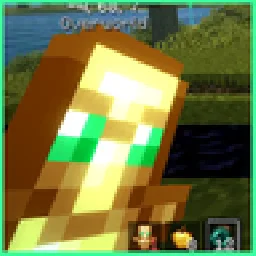
Custom crosshairs with live preview, fancy tooltips, dynamic lights, item physics, damage numbers, health tags, particles and more.

Custom crosshairs with live preview, fancy tooltips, dynamic lights, item physics, damage numbers, health tags, particles and more.
Eclipse Visuals (Ressource) stammt von nobub. Unterstützt wird Minecraft 26.x. Auf Modrinth gibt es 59 Downloads. Das letzte Update erschien am 09.11.2026.
Eclipse Visuals hat seit 07.11.2026 3 Versionen auf Modrinth veröffentlicht. 3 davon erschienen im letzten Jahr. Die neueste ist 1.0.2, erschienen am 08.11.2026. Sie ist für Minecraft 26.2 gemacht. Sie läuft auf Fabric. Der Download ist 127 KB groß.
| Version | Veröffentlicht | Minecraft | Typ |
|---|---|---|---|
1.0.2 | 08.11.2026 | 26.2 | Release |
1.0.1 | 08.11.2026 | 26.2 | Release |
1.0.0 | 07.11.2026 | 26.2 | Release |
💬 Join the Eclipse Discord for help, updates and to share your setups.
Make the game look better, Eclipse style. Every feature has its own page in the Eclipse menu, many with a live preview.
Feature · What it does
Damage numbers · Numbers pop out of mobs when you hit them
Health on name tags · Hearts next to player and mob names
Hit color · Pick the color mobs flash when hit
Low fire + shield · Fire and your shield cover less of the screen
Feature · What it does
Fancy tooltips · Eclipse tooltips with rarity colored borders
Inventory particles · Item bits fly out when you click items
Ambient particles · Fireflies at night, cold breath, campfire embers, cave dust, sparkling ores
Dynamic lights · Torches in your hand (or on the ground, or burning mobs) light up the area
Item physics · Dropped items lie flat on the ground
Player animations · Eating, drinking and ladder climbing
Show Me Your Skin · Hide armor pieces so skins show (shows again when fighting)
Block outline · Colored, thicker outline on the block you look at
Smooth hotbar · The selected slot slides instead of jumping
Clear water + lava · See much further under water and in lava
No rain / snow · Always clear weather on your screen
Player trail · Particles behind you as you move
Nicer portals · Nether portals of any shape (singleplayer)
Part of the **Eclipse Client** modpack.
💬 Questions or ideas? Join the Eclipse Discord
Geschrieben von nobub. Mit Bildern auf Modrinth lesen.
Diese Mod läuft nur in deinem eigenen Spiel. Server brauchen sie nicht, du kannst sie also auf jedem Server nutzen.
Installiere Fabric für Minecraft 26.x.
Füge die benötigten Mods hinzu: Fabric API.
Lade die .jar-Datei von Modrinth herunter und lege sie in den mods-Ordner deines .minecraft-Verzeichnisses.
Starte Minecraft mit dem Fabric-Profil.
Mit dem CraftRank Launcher sparst du dir diese Schritte: Öffne Mods, suche nach Eclipse Visuals und klicke auf Installieren.
| Ressource | Downloads | Versionen | Letztes Update | Preis |
|---|---|---|---|---|
| Eclipse Visualsdie du angesehen hast | 59 | 26.x | vor 1 Tag | Kostenlos |
| LambDynamicLightsLambdAurora | 63.5M | 1.16 – 26.x | 15. Sept. 2026 | Kostenlos |
 Sodium Dynamic LightsTxni | 20.1M | 1.20 – 1.21 | 11. Apr. 2025 | Kostenlos |
 Toni's Immersive LanternsTxni | 4.7M | 1.20 – 1.21 | 4. Jan. 2025 | Kostenlos |
Ja. Eclipse Visuals unterstützt Minecraft 26.x. Alle unterstützten Versionen: 26.x.
Ja. Eclipse Visuals kannst du kostenlos bei Modrinth herunterladen.
Clientseitig. Eclipse Visuals kommt in deinen eigenen mods-Ordner und funktioniert auf jedem Server, auch auf Servern ohne Mods.
Ja: Fabric API. Installiere es vor Eclipse Visuals.
Ja. Das letzte Update kam innerhalb des letzten Tages.
Am ähnlichsten sind LambDynamicLights, Sodium Dynamic Lights und Toni's Immersive Lanterns. Alle Alternativen vergleichen
LambDynamicLightsMods · 1.16 – 26.xAdds dynamic lights to Minecraft as the most feature-complete and optimized dynamic lighting mod.
Sodium Dynamic LightsMods · 1.20 – 1.21Multiloader port of LambDynLights that adds Sodium options integration
Toni's Immersive LanternsMods · 1.20 – 1.21Adds dynamic lighting and Accessories support to lanterns, with physics!
 Inventory ParticlesMods · 1.20 – 26.x
Beautiful particles for your inventory items! Make your inventory more alive and dynamic! ✨ Now with modded items support! ✨
 CityWorksMods · 1.21
CityWorks adds a ton of additions for your city. Such as scalable street lights, customizable highway signs, live traffic cameras, and detailed modern city…
 Custom Hand ModelMods · 26.x
A mod to fully customize your first-person hands, item positions, and combat animations. Refreshed version of DulkirMod.
Logg dich ein, um eine Bewertung zu schreiben.