
 Immersive PaintingsMods · 1.16 – 26.x
Drag and drop, pixelate and hang up beautiful art. On servers too.
Kostenlos5,463,370 Downloads
This mod lets you craft a blank canvas and a palette, with which you can paint your own pictures and hang them on a wall like the vanilla paintings.
Direkter Download von Modrinth · 4,100,044 Downloads
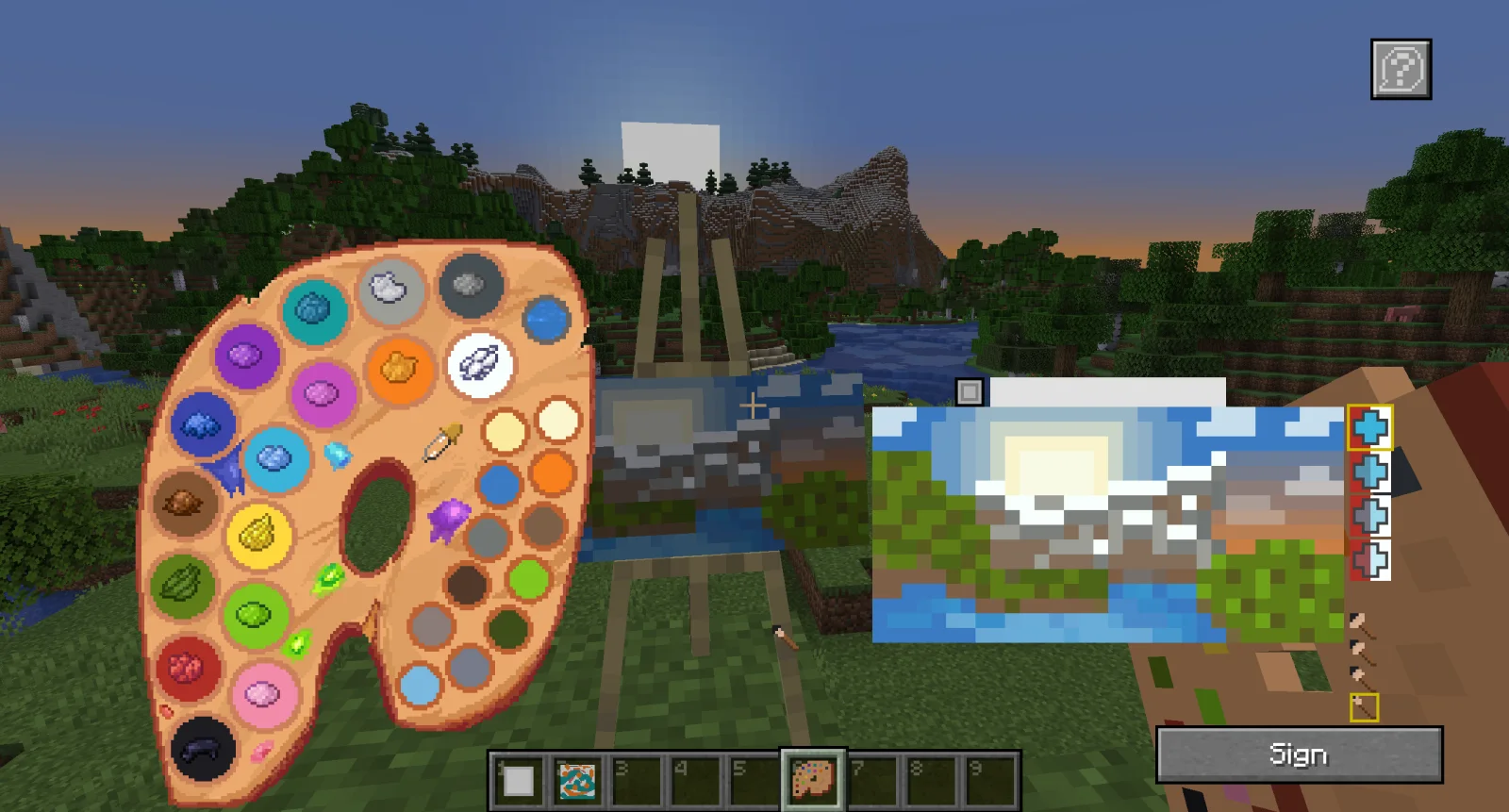
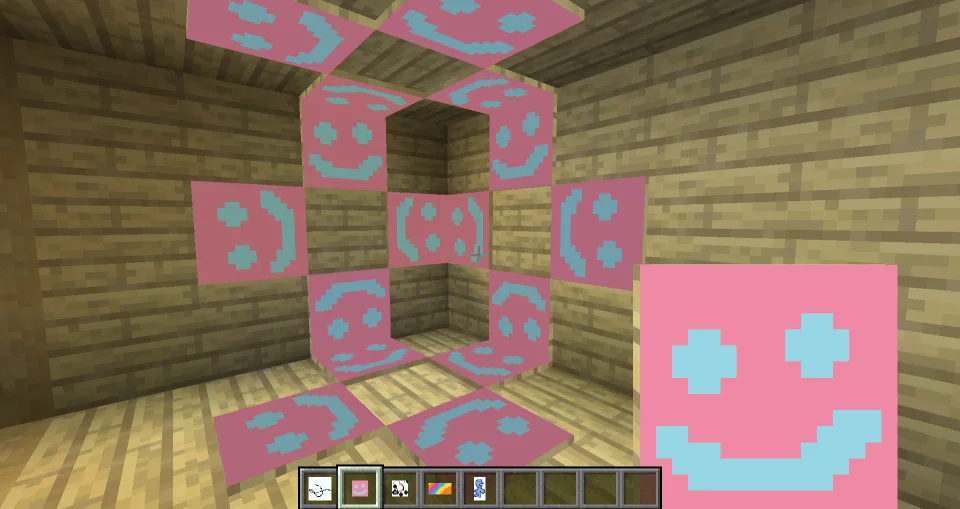
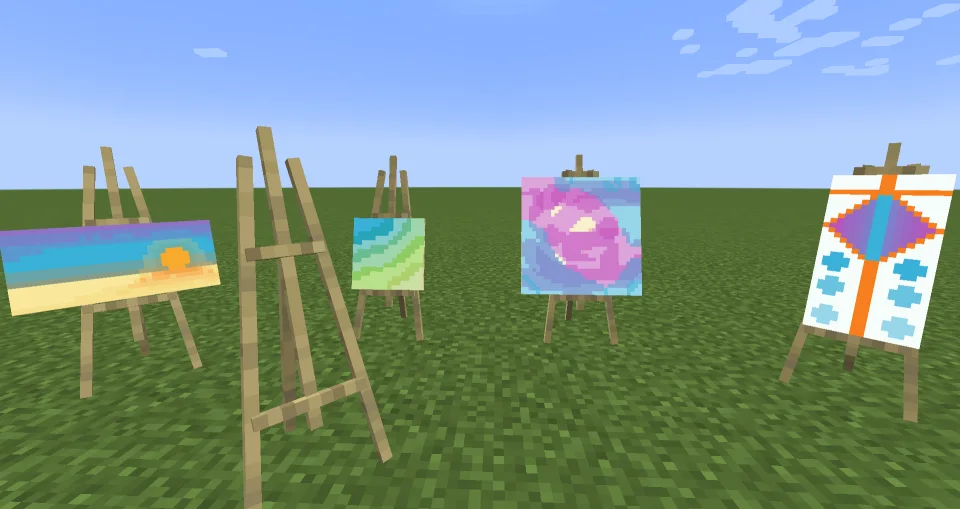
Joy of Painting (Mod) stammt von xerca. This mod lets you craft a blank canvas and a palette, with which you can paint your own pictures and hang them on a wall like the vanilla paintings.
Unterstützt wird Minecraft 1.12 – 26.x. Auf Modrinth gibt es 4,100,044 Downloads. Das letzte Update erschien am 27.07.2026.
Joy of Painting hat seit 05.02.2023 60 Versionen auf Modrinth veröffentlicht. 23 davon erschienen im letzten Jahr. Die neueste ist 1.20.1-2.0.0, erschienen am 27.07.2026. Sie ist für Minecraft 1.20.1 gemacht. Sie läuft auf Forge. Der Download ist 422 KB groß.
| Version | Veröffentlicht | Minecraft | Typ |
|---|---|---|---|
1.20.1-2.0.0 | 27.07.2026 | 1.20.1 | Release |
1.20.1-2.0.0 | 27.07.2026 | 1.20.1 | Release |
1.21.1-2.0.1 | 27.07.2026 | 1.21.1 | Release |
26.1.2-1.0.0 | 27.07.2026 | 26.1.2 | Release |
26.2-1.0.0 | 20.07.2026 | 26.2 | Release |
This mod lets you craft a blank canvas and a palette, with which you can paint your own pictures and hang them on a wall like the vanilla paintings. Let your creativity roam free or paint memes and experience the joy of painting.
If you are interested in making music as well, check Music Maker Mod, or check my other mods:
Note about Forge/Neoforge after 1.21:
Starting with Minecraft 1.21, every major version will have Fabric support, and only certain versions will have Neoforge support. For other versions, you can try the Fabric file using Neoforge with Sinytra connector and Forgified fabric api. The other Forge won't be supported.
Import/Export guide:
Canvas types:
Glass canvases (1.21.1-2.0.0 and newer versions):
To craft a palette before 1.21.1-2.0.0, you need at least one kind of dye:
Starting with 1.21.1-2.0.0, you need a brush:
You can fill an existing palette with other dyes later:
You can copy signed paintings:
There is a Discord server, where you can share your creations with the world!
The newer versions (1.18.2 and above) seem to work fine with most shaders, but there is no guarantee that it will work with every shader. Unfortunately, there is not much I can do in case it doesn't work.
Geschrieben von xerca. Mit Bildern auf Modrinth lesen.
Diese Mod wird auf dem Server und bei jedem Spieler gebraucht.
Installiere Fabric, Forge und NeoForge für Minecraft 1.12 – 26.x.
Lade die .jar-Datei von Modrinth herunter und lege sie in den mods-Ordner deines .minecraft-Verzeichnisses.
Starte Minecraft mit dem Fabric-Profil.
Einfacher: Suche in Prism Launcher oder der Modrinth App in den Mods deiner Instanz nach Joy of Painting und klicke auf Install. Loader und benötigte Mods werden für dich hinzugefügt.
| Ressource | Downloads | Versionen | Letztes Update | Preis |
|---|---|---|---|---|
| Joy of Paintingdie du angesehen hast | 4.1M | 1.12 – 26.x | 27. Juli 2026 | Kostenlos |
| Immersive PaintingsLuke100000 | 5.5M | 1.16 – 26.x | vor 22 Tagen | Kostenlos |
 Macaw's Fences and Wallssketchmacaw | 11.6M | 1.16 – 26.x | 29. Sept. 2026 | Kostenlos |
 Diagonal WallsFuzs | 4.4M | 1.20 – 26.x | 23. Sept. 2026 | Kostenlos |
Ja. Joy of Painting unterstützt Minecraft 26.x. Alle unterstützten Versionen: 26.x, 1.21, 1.20, 1.19, 1.18, 1.17, 1.16, 1.12.
Ja. Joy of Painting kannst du kostenlos bei Modrinth herunterladen.
Beides. Der Server und jeder Spieler brauchen Joy of Painting.
Ja. Das letzte Update kam innerhalb des letzten Tages.
Am ähnlichsten sind Immersive Paintings, Macaw's Fences and Walls und Diagonal Walls. Alle Alternativen vergleichen
Immersive PaintingsMods · 1.16 – 26.xDrag and drop, pixelate and hang up beautiful art. On servers too.
Macaw's Fences and WallsMods · 1.16 – 26.xAdds new vanilla styled fences, walls and gates!
Diagonal WallsMods · 1.20 – 26.xThe missing diagonal blocks are here! After all these years. Finally, you have them all.
 Macaw's PaintingsMods · 1.12 – 26.x
Adds custom drawn paintings to fit in your world!
 EnhancedVisualsMods · 1.18 – 26.x
Feel the pain!
 Fast PaintingsMods · 1.19 – 26.x
Fixes painting rendering, increasing their performance and allowing them to have custom models
Logg dich ein, um eine Bewertung zu schreiben.