
 Immersive PaintingsModlar · 1.16 – 26.x
Drag and drop, pixelate and hang up beautiful art. On servers too.
Ücretsiz5,463,370 indirme
This mod lets you craft a blank canvas and a palette, with which you can paint your own pictures and hang them on a wall like the vanilla paintings.
Modrinth üzerinden doğrudan indirme · 4,100,044 indirme
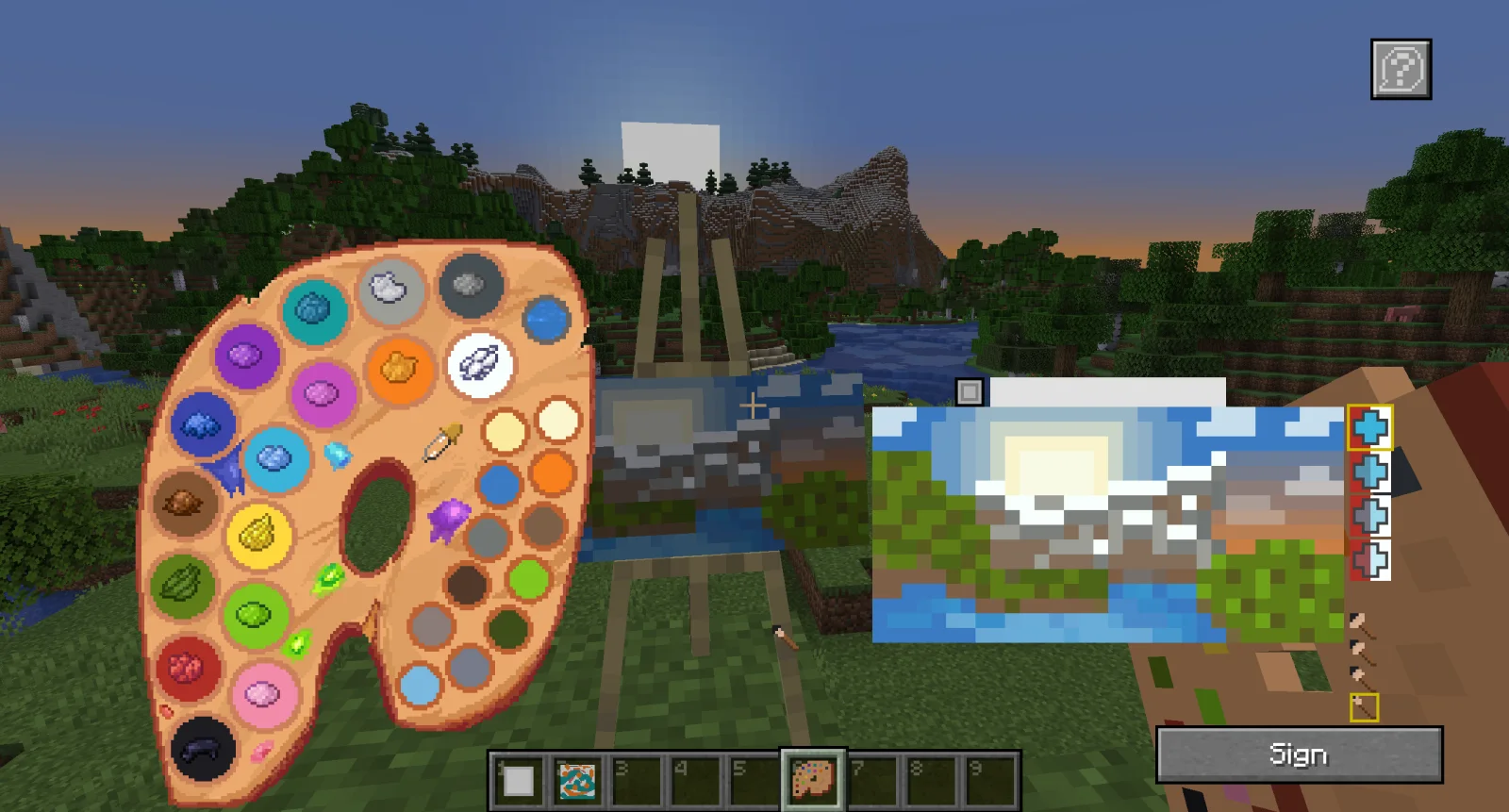
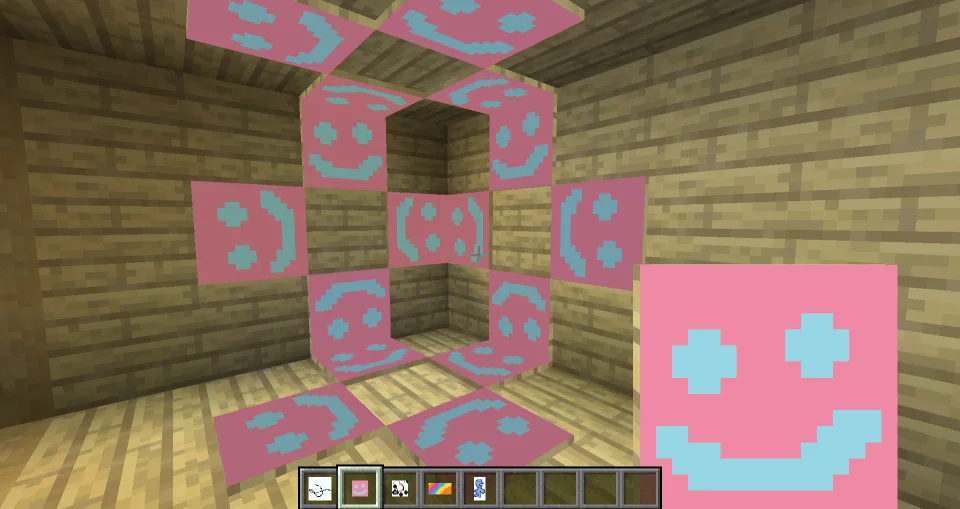
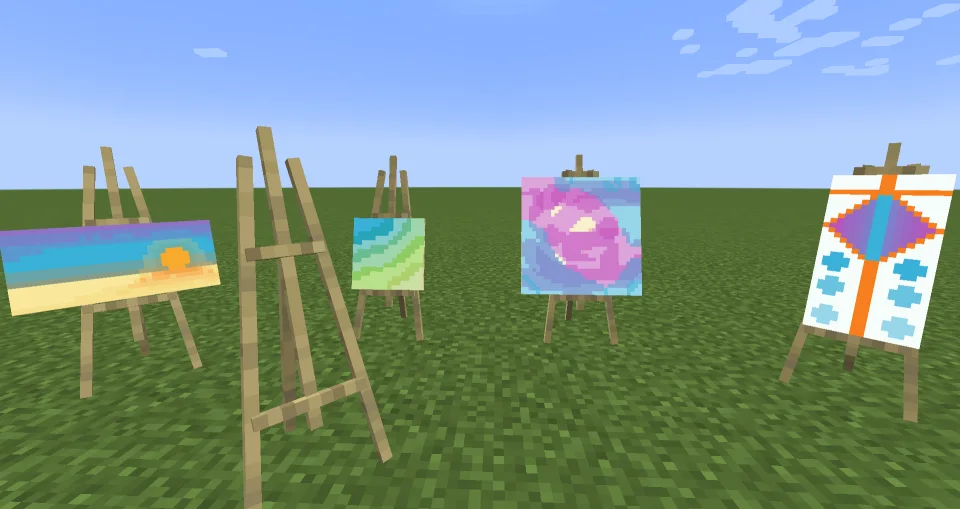
Joy of Painting, xerca tarafından yapılmış bir mod. This mod lets you craft a blank canvas and a palette, with which you can paint your own pictures and hang them on a wall like the vanilla paintings.
Desteklediği sürümler: Minecraft 1.12 – 26.x. Modrinth üzerinde 4,100,044 kez indirildi. Son güncelleme 27.07.2026 tarihinde çıktı.
Joy of Painting, 05.02.2023 tarihinden beri Modrinth üzerinde 60 sürüm yayınladı. Bunların 23 tanesi son bir yılda çıktı. En yenisi 27.07.2026 tarihinde çıkan 1.20.1-2.0.0. Minecraft 1.20.1 için yapıldı. Forge üzerinde çalışır. İndirme boyutu 422 KB.
| Sürüm | Yayın tarihi | Minecraft | Tür |
|---|---|---|---|
1.20.1-2.0.0 | 27.07.2026 | 1.20.1 | Kararlı |
1.20.1-2.0.0 | 27.07.2026 | 1.20.1 | Kararlı |
1.21.1-2.0.1 | 27.07.2026 | 1.21.1 | Kararlı |
26.1.2-1.0.0 | 27.07.2026 | 26.1.2 | Kararlı |
26.2-1.0.0 | 20.07.2026 | 26.2 | Kararlı |
This mod lets you craft a blank canvas and a palette, with which you can paint your own pictures and hang them on a wall like the vanilla paintings. Let your creativity roam free or paint memes and experience the joy of painting.
If you are interested in making music as well, check Music Maker Mod, or check my other mods:
Note about Forge/Neoforge after 1.21:
Starting with Minecraft 1.21, every major version will have Fabric support, and only certain versions will have Neoforge support. For other versions, you can try the Fabric file using Neoforge with Sinytra connector and Forgified fabric api. The other Forge won't be supported.
Import/Export guide:
Canvas types:
Glass canvases (1.21.1-2.0.0 and newer versions):
To craft a palette before 1.21.1-2.0.0, you need at least one kind of dye:
Starting with 1.21.1-2.0.0, you need a brush:
You can fill an existing palette with other dyes later:
You can copy signed paintings:
There is a Discord server, where you can share your creations with the world!
The newer versions (1.18.2 and above) seem to work fine with most shaders, but there is no guarantee that it will work with every shader. Unfortunately, there is not much I can do in case it doesn't work.
Yazan: xerca. Resimli halini Modrinth sayfasında oku.
Bu mod hem sunucuda hem de giren her oyuncuda gerekli.
Minecraft 1.12 – 26.x için Fabric, Forge ve NeoForge kur.
.jar dosyasını Modrinth üzerinden indir ve .minecraft klasöründeki mods klasörüne koy.
Minecraft'ı Fabric profiliyle başlat.
Daha kolayı: Prism Launcher veya Modrinth App'te instance'ının modlarında Joy of Painting ara ve Install'a tıkla. Mod yükleyiciyi ve gereken modları senin için ekler.
| Kaynak | İndirmeler | Sürümler | Son güncelleme | Fiyat |
|---|---|---|---|---|
| Joy of Paintingbaktığın | 4.1M | 1.12 – 26.x | 27 Tem 2026 | Ücretsiz |
| Immersive PaintingsLuke100000 | 5.5M | 1.16 – 26.x | 22 gün önce | Ücretsiz |
 Macaw's Fences and Wallssketchmacaw | 11.6M | 1.16 – 26.x | 29 Eyl 2026 | Ücretsiz |
 Diagonal WallsFuzs | 4.4M | 1.20 – 26.x | 23 Eyl 2026 | Ücretsiz |
Evet. Joy of Painting, Minecraft 26.x sürümünü destekliyor. Desteklenen tüm sürümler: 26.x, 1.21, 1.20, 1.19, 1.18, 1.17, 1.16, 1.12.
Evet. Joy of Painting, Modrinth üzerinden ücretsiz indirilebilir.
İkisi de. Hem sunucuda hem de giren her oyuncuda Joy of Painting kurulu olmalı.
Evet. Son güncelleme son 24 saat içinde çıktı.
En yakın olanlar Immersive Paintings, Macaw's Fences and Walls ve Diagonal Walls. Tüm alternatifleri karşılaştır
Immersive PaintingsModlar · 1.16 – 26.xDrag and drop, pixelate and hang up beautiful art. On servers too.
Macaw's Fences and WallsModlar · 1.16 – 26.xAdds new vanilla styled fences, walls and gates!
Diagonal WallsModlar · 1.20 – 26.xThe missing diagonal blocks are here! After all these years. Finally, you have them all.
 Macaw's PaintingsModlar · 1.12 – 26.x
Adds custom drawn paintings to fit in your world!
 EnhancedVisualsModlar · 1.18 – 26.x
Feel the pain!
 Fast PaintingsModlar · 1.19 – 26.x
Fixes painting rendering, increasing their performance and allowing them to have custom models
Yorum yazmak için giriş yap.