
 Sundial LiteShader · 1.8 – 26.x
The balance of quality, performance and compatibility
Kostenlos97,714 Downloads
An edited version of Sundial Lite with various color adjustments.
Direkter Download von Modrinth · 6,605 Downloads
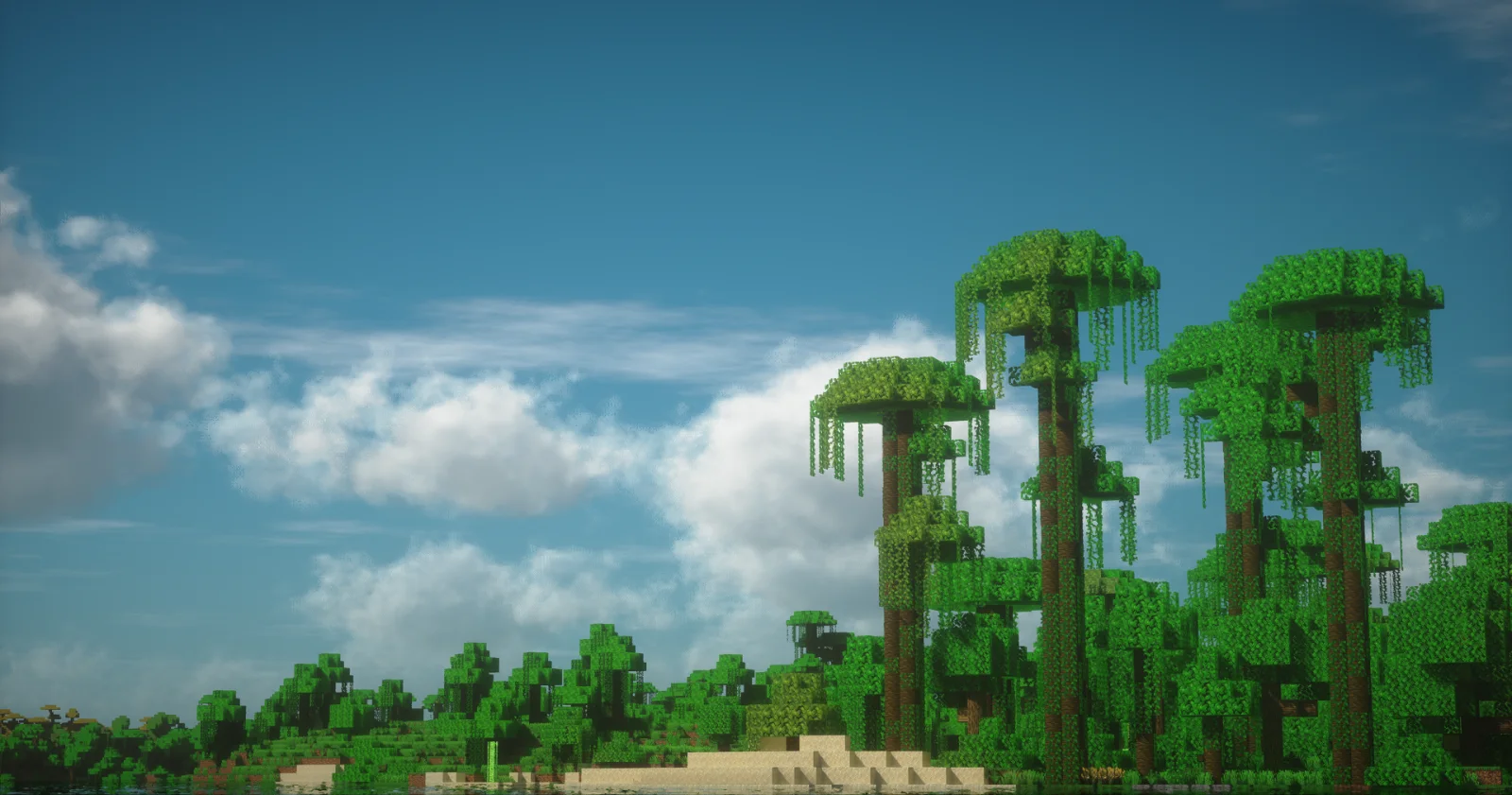
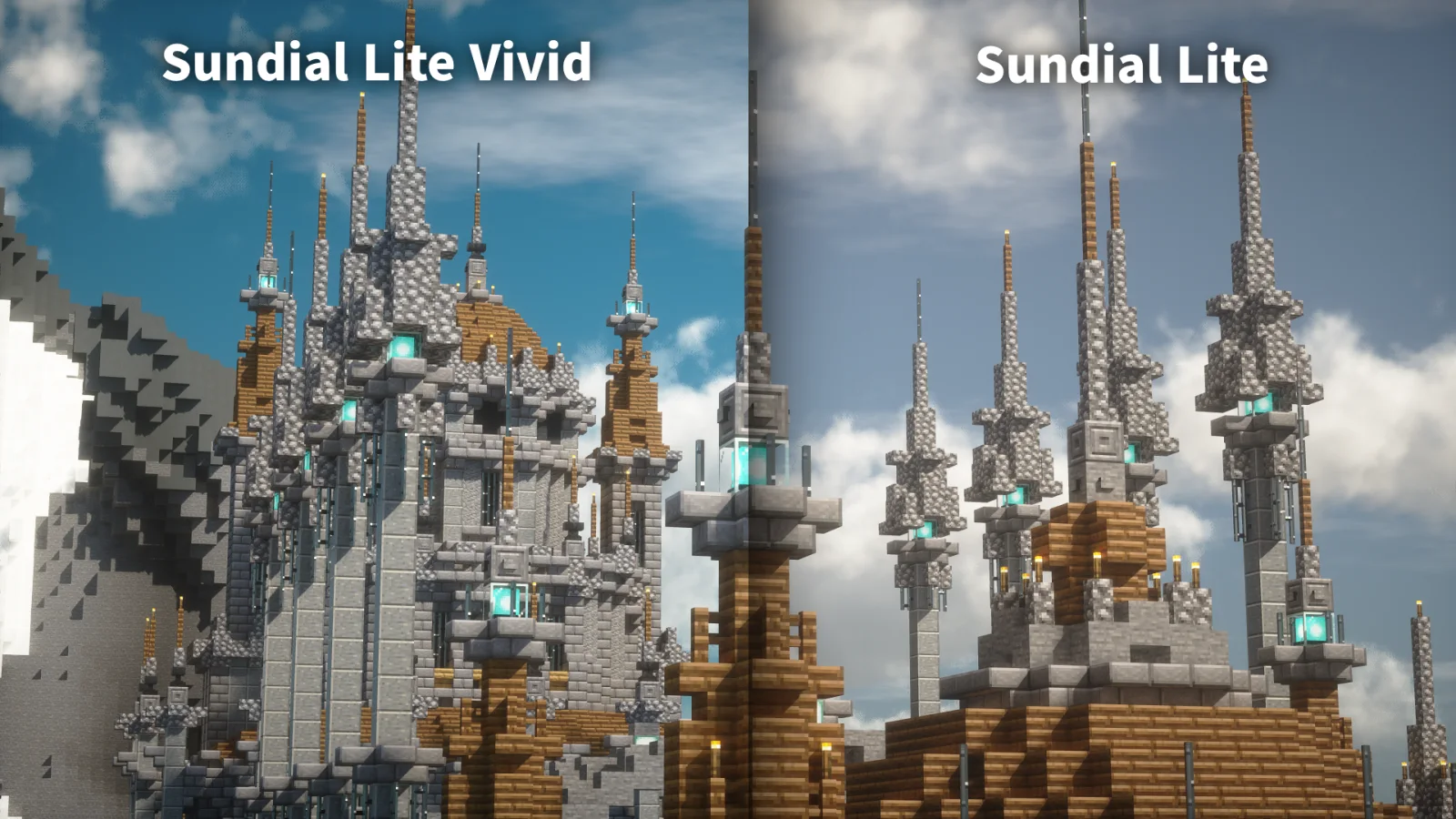
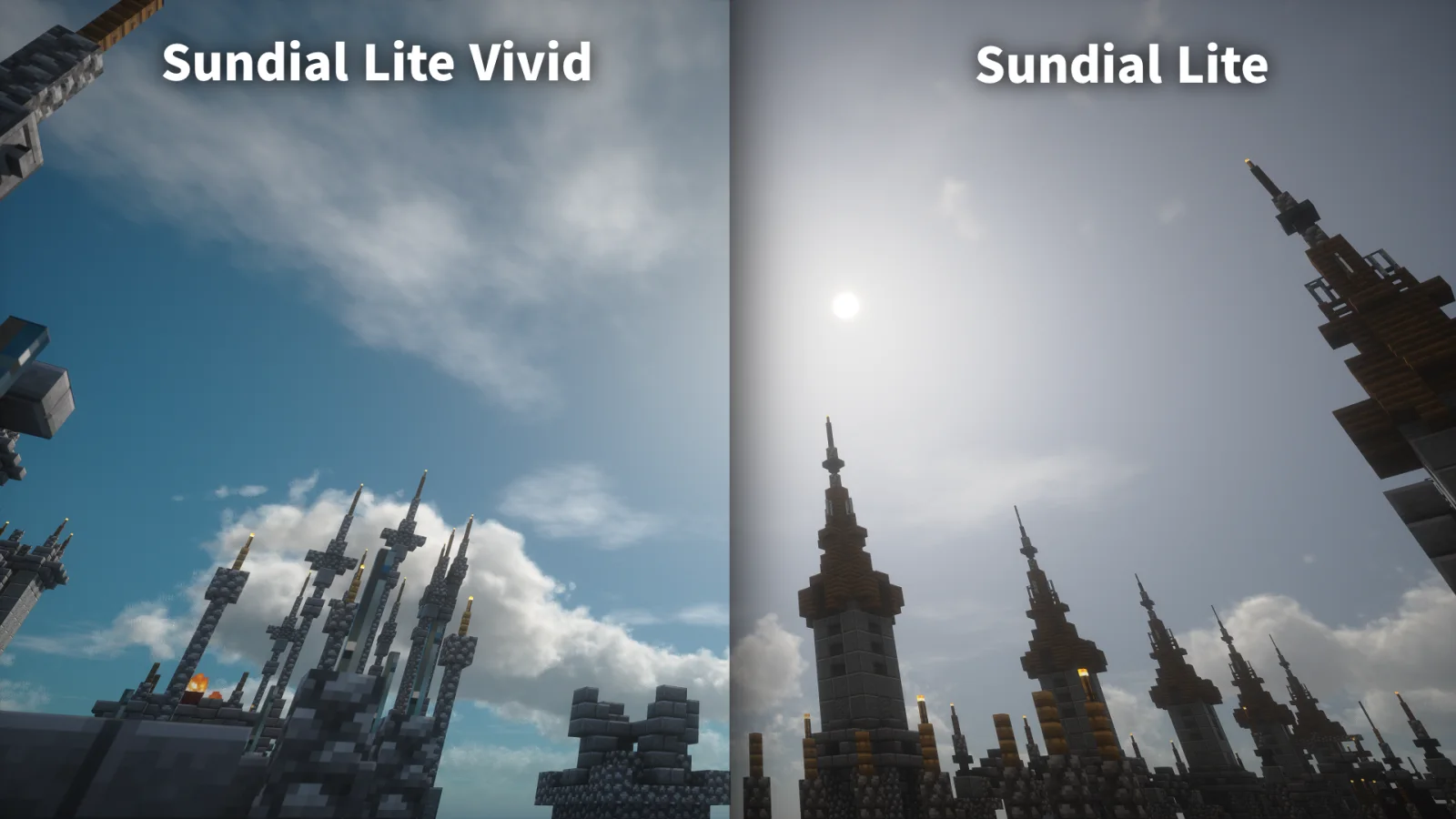
Sundial Lite Vivid (Shaderpack) stammt von DominoKorean. An edited version of Sundial Lite with various color adjustments.
Unterstützt wird Minecraft 1.8 – 26.x. Auf Modrinth gibt es 6,605 Downloads. Das letzte Update erschien am 05.08.2026.
Die neueste ist 1.0, erschienen am 05.08.2026. Sie ist für Minecraft 1.10 – 1.20.3 gemacht. Sie läuft auf Iris und Optifine. Der Download ist 1.4 MB groß.
| Version | Veröffentlicht | Minecraft | Typ |
|---|---|---|---|
1.0 | 05.08.2026 | 1.10 – 1.20.3 | Release |
Sundial Lite Vivid ist Open Source. Die neueste Version auf GitHub ist 1.0, veröffentlicht am 05.08.2026.
No content.
Sundial Lite Vivid is a modified version of Sundial Lite, created with the help of AI. It applies several color adjustments to give the shader a brighter and more vivid appearance.
### Frequently asked questions
- Isn't this just AI slop made by stealing an existing shader?
Most of the implementation was done by AI. This version contains only relatively small additions and is distributed under the terms permitted by the original project's GPL license.
However, rather than leaving most color- and sharpness-related values for AI to decide, I asked it to create tools that allowed me to adjust those values myself and tuned them manually.
- What should I do if I find a bug?
Most bugs are inherited from Sundial Lite. Please check whether the same issue also occurs in the original Sundial Lite shader before reporting it there.
The original Sundial Lite project is licensed under the [GNU General Public License v3.0](./LICENSE). Sundial Lite Vivid is a derivative of that project and, except for the caustics code identified below, is distributed under the same GPL-3.0 license.
The water caustics code in [shaders/libs/WaterCaustics.glsl](./shaders/libs/WaterCaustics.glsl) is licensed separately under the Creative Commons Attribution-NonCommercial-ShareAlike 3.0 Unported License (CC BY-NC-SA 3.0).
The code was adapted from Shadertoy ssfBDf and modified for top-down Minecraft XZ mapping, fixed visual settings, and integration with Sundial Lite's shadow and per-pixel lighting passes.
Geschrieben von DominoKorean. Mit Bildern auf Modrinth lesen.
Installiere Iris (mit Sodium) oder OptiFine für deine Minecraft-Version: Shader brauchen eins davon.
Lade die .zip-Datei von Modrinth herunter. Entpacke sie nicht.
Öffne in Minecraft Optionen, dann Grafikeinstellungen, dann Shaderpacks und klicke auf Shaderpack-Ordner öffnen.
Lege die .zip-Datei in diesen Ordner, wähle Sundial Lite Vivid in der Liste und klicke auf Fertig.
Shader belasten die Grafikkarte. Wird das Spiel langsam, wähle in den Shader-Einstellungen ein niedrigeres Profil.
| Ressource | Downloads | Versionen | Letztes Update | Preis |
|---|---|---|---|---|
| Sundial Lite Vividdie du angesehen hast | 6,605 | 1.8 – 26.x | 5. Aug. 2026 | Kostenlos |
| Sundial LiteGeForceLegend | 98K | 1.8 – 26.x | 26. Sept. 2026 | Kostenlos |
 Unbound Visual +CornXX | 15K | 1.21 – 26.x | vor 9 Tagen | Kostenlos |
 Eclipse Lite CinematicGamesofDev | 8,332 | 1.20 – 26.x | 2. Juni 2026 | Kostenlos |
Ja. Sundial Lite Vivid unterstützt Minecraft 26.x. Alle unterstützten Versionen: 26.x, 1.21, 1.20, 1.19, 1.18, 1.17, 1.16, 1.13, 1.12, 1.8.
Ja. Sundial Lite Vivid kannst du kostenlos bei Modrinth herunterladen.
Ja. Das letzte Update kam innerhalb des letzten Tages.
Am ähnlichsten sind Sundial Lite, Unbound Visual + und Eclipse Lite Cinematic. Alle Alternativen vergleichen
Sundial LiteShader · 1.8 – 26.xThe balance of quality, performance and compatibility
Unbound Visual +Shader · 1.21 – 26.xUnbound Visual+ is a modified version of Complementary Unbound, featuring various added effects and visual enhancements.
Eclipse Lite CinematicShader · 1.20 – 26.xCinematic version of a low-end shader for Minecraft "EclipseLite"
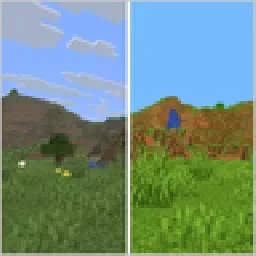 VividnessShader · 1.16 – 26.x
Enhance Minecraft with vivid, vibrant colors - a simple color grading shader.
 AstralCore v2Shader · 1.21
AstralCore v2 is an edited version of AstralCore, featuring the white default-style clouds from Complementary for a refreshed visual look.
 VerdantLight LiteShader · 1.18 – 26.x
VerdantLight Lite is a Lightweight version of VerdantLight, provides more basic views.
Logg dich ein, um eine Bewertung zu schreiben.