
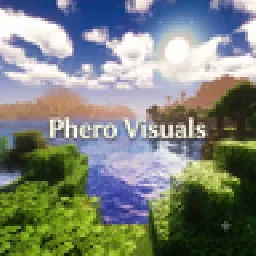
 Phero VisualsShader · 1.16 – 26.x
Phero Visuals Minecraft shader pack featuring vibrant lighting, realistic water, dynamic skies, soft shadows, cinematic atmosphere, and optimized performance…
Kostenlos8,749 Downloads
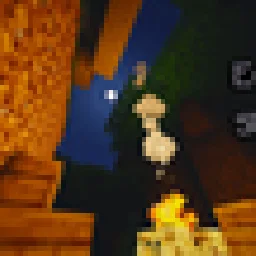
A modern, high-performance shaderpack for Iris featuring cinematic lighting, physically-based water, dynamic shadows, and immersive volumetric fog.
Opens Modrinth · 20 downloads there

A modern, high-performance shaderpack for Iris featuring cinematic lighting, physically-based water, dynamic shadows, and immersive volumetric fog.
Eclipse Shader (Shaderpack) stammt von _VaDiR_. Unterstützt wird Minecraft 1.16. Auf Modrinth gibt es 20 Downloads. Das letzte Update erschien am 29.10.2026.
Eclipse Shader hat seit 28.10.2026 2 Versionen auf Modrinth veröffentlicht. 2 davon erschienen im letzten Jahr. Die neueste ist 2.4, erschienen am 29.10.2026. Sie ist für Minecraft 1.16.5 gemacht. Sie läuft auf Iris. Der Download ist 153 KB groß.
| Version | Veröffentlicht | Minecraft | Typ |
|---|---|---|---|
2.4 | 29.10.2026 | 1.16.5 | Release |
2.0 | 28.10.2026 | 1.16.5 | Release |
Eclipse Shader is a comprehensive visual enhancement shaderpack built specifically for Iris Shaders in Minecraft. It fundamentally transforms the visual presentation of the game, bringing cinematic lighting, physically inspired atmospheric density, and realistic water behavior without compromising smooth gameplay performance.
Geschrieben von _VaDiR_. Mit Bildern auf Modrinth lesen.
Installiere Iris (mit Sodium) oder OptiFine für deine Minecraft-Version: Shader brauchen eins davon.
Lade die .zip-Datei von Modrinth herunter. Entpacke sie nicht.
Öffne in Minecraft Optionen, dann Grafikeinstellungen, dann Shaderpacks und klicke auf Shaderpack-Ordner öffnen.
Lege die .zip-Datei in diesen Ordner, wähle Eclipse Shader in der Liste und klicke auf Fertig.
Shader belasten die Grafikkarte. Wird das Spiel langsam, wähle in den Shader-Einstellungen ein niedrigeres Profil.
| Ressource | Downloads | Versionen | Letztes Update | Preis |
|---|---|---|---|---|
| Eclipse Shaderdie du angesehen hast | 20 | 1.16 | vor 12 Tagen | Kostenlos |
| Phero VisualsDark_PixelForge | 8,749 | 1.16 – 26.x | vor 3 Tagen | Kostenlos |
 MaxRealstic ShaderTaeVersePlayz | 15K | 1.16 – 26.x | 31. Juli 2026 | Kostenlos |
 RAY TRACING POTATOoct2one | 4,675 | 1.16 – 26.x | vor 25 Tagen | Kostenlos |
Noch nicht. Die neueste unterstützte Version ist Minecraft 1.16.
Ja. Eclipse Shader kannst du kostenlos bei Modrinth herunterladen.
Ja. Das letzte Update kam innerhalb des letzten Tages.
Am ähnlichsten sind Phero Visuals, MaxRealstic Shader und RAY TRACING POTATO. Alle Alternativen vergleichen
Phero VisualsShader · 1.16 – 26.xPhero Visuals Minecraft shader pack featuring vibrant lighting, realistic water, dynamic skies, soft shadows, cinematic atmosphere, and optimized performance…
MaxRealstic ShaderShader · 1.16 – 26.xUltra-realistic Minecraft shader with animated foliage, dynamic water, realistic lighting, cinematic skies, and optimized performance.
RAY TRACING POTATOShader · 1.16 – 26.xA performance-focused Minecraft shader with improved lighting, atmospheric fog, bloom, water visuals and shadows, designed with lower-end hardware in mind.
 LuminaShaderShader · 26.x
A soft “vanilla-plus” shader for Iris: cinematic lighting, depth-based water with foam and reflections, custom clouds, SSAO and quality profiles for low-end…
 Insanity ShaderShader · 1.8 – 1.21
A stylized, horror themed Iris shaderpack with high customizability and performance.
 FS shadersShader · 26.x
Cinematic shaders for Iris & OptiFine (1.21): physically-based scattering skies, soft sun/moon shadows, volumetric light, reflective water, waving foliage…
Logg dich ein, um eine Bewertung zu schreiben.