
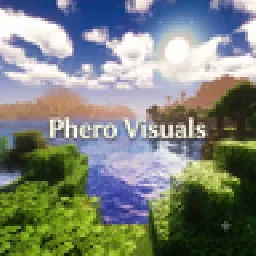
 Phero VisualsShaders · 1.16 – 26.x
Phero Visuals Minecraft shader pack featuring vibrant lighting, realistic water, dynamic skies, soft shadows, cinematic atmosphere, and optimized performance…
Gratis8,749 descargas
A modern, high-performance shaderpack for Iris featuring cinematic lighting, physically-based water, dynamic shadows, and immersive volumetric fog.
Opens Modrinth · 20 downloads there

A modern, high-performance shaderpack for Iris featuring cinematic lighting, physically-based water, dynamic shadows, and immersive volumetric fog.
Eclipse Shader (pack de shaders) es obra de _VaDiR_. Es compatible con Minecraft 1.16. Se ha descargado 20 veces en Modrinth. La última actualización salió el 29/10/2026.
Eclipse Shader ha publicado 2 versiones en Modrinth desde el 28/10/2026. 2 salieron en el último año. La más reciente es 2.4, publicada el 29/10/2026. Está hecha para Minecraft 1.16.5. Funciona en Iris. La descarga ocupa 153 KB.
| Versión | Publicado | Minecraft | Tipo |
|---|---|---|---|
2.4 | 29/10/2026 | 1.16.5 | Estable |
2.0 | 28/10/2026 | 1.16.5 | Estable |
Eclipse Shader is a comprehensive visual enhancement shaderpack built specifically for Iris Shaders in Minecraft. It fundamentally transforms the visual presentation of the game, bringing cinematic lighting, physically inspired atmospheric density, and realistic water behavior without compromising smooth gameplay performance.
Escrita por _VaDiR_. Léela con imágenes en Modrinth.
Instala Iris (con Sodium) u OptiFine para tu versión de Minecraft: los shaders necesitan uno de ellos.
Descarga el archivo .zip desde Modrinth. No lo descomprimas.
En Minecraft, abre Opciones, luego Gráficos, luego Shader Packs y pulsa Abrir carpeta de shaders.
Suelta el archivo .zip en esa carpeta, elige Eclipse Shader en la lista y pulsa Listo.
Los shaders exigen mucho a la tarjeta gráfica. Si el juego va lento, elige un perfil más bajo en sus ajustes.
| Recurso | Descargas | Versiones | Última actualización | Precio |
|---|---|---|---|---|
| Eclipse Shaderel que estabas viendo | 20 | 1.16 | hace 12 días | Gratis |
| Phero VisualsDark_PixelForge | 8,749 | 1.16 – 26.x | hace 3 días | Gratis |
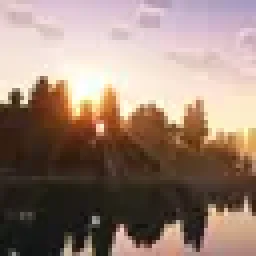 MaxRealstic ShaderTaeVersePlayz | 15K | 1.16 – 26.x | 31 jul 2026 | Gratis |
 RAY TRACING POTATOoct2one | 4,675 | 1.16 – 26.x | hace 25 días | Gratis |
Todavía no. La versión más reciente que admite es Minecraft 1.16.
Sí. Eclipse Shader se puede descargar gratis desde Modrinth.
Sí. La última actualización salió en el último día.
Los más parecidos son Phero Visuals, MaxRealstic Shader y RAY TRACING POTATO. Comparar todas las alternativas
Phero VisualsShaders · 1.16 – 26.xPhero Visuals Minecraft shader pack featuring vibrant lighting, realistic water, dynamic skies, soft shadows, cinematic atmosphere, and optimized performance…
MaxRealstic ShaderShaders · 1.16 – 26.xUltra-realistic Minecraft shader with animated foliage, dynamic water, realistic lighting, cinematic skies, and optimized performance.
RAY TRACING POTATOShaders · 1.16 – 26.xA performance-focused Minecraft shader with improved lighting, atmospheric fog, bloom, water visuals and shadows, designed with lower-end hardware in mind.
 LuminaShaderShaders · 26.x
A soft “vanilla-plus” shader for Iris: cinematic lighting, depth-based water with foam and reflections, custom clouds, SSAO and quality profiles for low-end…
 Insanity ShaderShaders · 1.8 – 1.21
A stylized, horror themed Iris shaderpack with high customizability and performance.
 FS shadersShaders · 26.x
Cinematic shaders for Iris & OptiFine (1.21): physically-based scattering skies, soft sun/moon shadows, volumetric light, reflective water, waving foliage…
Inicia sesión para dejar una reseña.