
 Mekanism Community Edition: UltimateMods · 1.12
This is the Ultimate module for mekanism, adding the new machines and new mek:ce stuff. The goal of this module is to port the newer features of mekanism V10…
Kostenlos11 Downloads
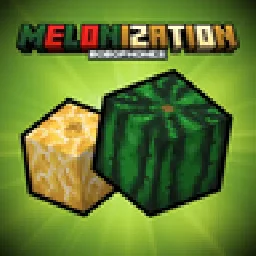
Enhancing watermelons and adding new watermelon-related stuff

Enhancing watermelons and adding new watermelon-related stuff
Melonization (Ressource) stammt von KoteykaTheCat. Unterstützt wird Minecraft 1.21. Auf Modrinth gibt es 3 Downloads. Das letzte Update erschien am 23.10.2026.
Die neueste ist 1.0-1.21.1, erschienen am 23.10.2026. Sie ist für Minecraft 1.21.1 gemacht. Sie läuft auf NeoForge. Der Download ist 187 KB groß.
| Version | Veröffentlicht | Minecraft | Typ |
|---|---|---|---|
1.0-1.21.1 | 23.10.2026 | 1.21.1 | Release |
The mod adds a border between melons and watermelons: updates the textures of watermelons, making them look more like watermelon and adds melons.
After eating slices of watermelon and melon, the rinds remain, which can be eaten or packed in a crate. Watermelon and melon pulp can be used to make building blocks, allowing you to create decorative elements. Also you can make watermelon and melon popsicles.
If you prefer vanilla watermelon textures, you can turn off the mod's built-in resourcepack.
If you don't like rind mechanic, you can disable it in the server config.
Geschrieben von KoteykaTheCat. Mit Bildern auf Modrinth lesen.
Diese Mod wird auf dem Server und bei jedem Spieler gebraucht.
Installiere NeoForge für Minecraft 1.21.
Lade die .jar-Datei von Modrinth herunter und lege sie in den mods-Ordner deines .minecraft-Verzeichnisses.
Starte Minecraft mit dem NeoForge-Profil.
Mit dem CraftRank Launcher sparst du dir diese Schritte: Öffne Mods, suche nach Melonization und klicke auf Installieren.
| Ressource | Downloads | Versionen | Letztes Update | Preis |
|---|---|---|---|---|
| Melonizationdie du angesehen hast | 3 | 1.21 | vor 17 Tagen | Kostenlos |
| Mekanism Community Edition: Ultimatemaggi373 | 11 | 1.12 | 26. Sept. 2026 | Kostenlos |
 HyChatterTomeko | 9 | 26.x | 16. Sept. 2026 | Kostenlos |
 HyLobbyTomeko | 7 | 26.x | 17. Sept. 2026 | Kostenlos |
Noch nicht. Die neueste unterstützte Version ist Minecraft 1.21.
Ja. Melonization kannst du kostenlos bei Modrinth herunterladen.
Beides. Der Server und jeder Spieler brauchen Melonization.
Ja. Das letzte Update kam innerhalb des letzten Tages.
Am ähnlichsten sind Mekanism Community Edition: Ultimate, HyChatter und HyLobby. Alle Alternativen vergleichen
Mekanism Community Edition: UltimateMods · 1.12This is the Ultimate module for mekanism, adding the new machines and new mek:ce stuff. The goal of this module is to port the newer features of mekanism V10…
HyChatterMods · 26.xMinecraft mod for Hypixel adding chat related features like autogg, chat coordinates waypoints and more!
HyLobbyMods · 26.xMinecraft mod for Hypixel adding lobby related features like middle click gui items and sound silencer
Logg dich ein, um eine Bewertung zu schreiben.