
 Mekanism Community Edition: UltimateMods · 1.12
This is the Ultimate module for mekanism, adding the new machines and new mek:ce stuff. The goal of this module is to port the newer features of mekanism V10…
Free11 downloads
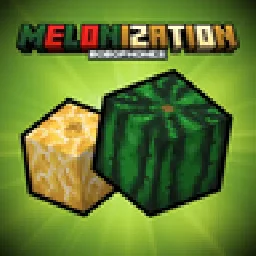
Enhancing watermelons and adding new watermelon-related stuff

Enhancing watermelons and adding new watermelon-related stuff
Melonization is a resource made by KoteykaTheCat. It supports Minecraft 1.21. It has been downloaded 3 times on Modrinth. The last update came out on Oct 23, 2026.
The newest is 1.0-1.21.1, released on Oct 23, 2026. It is made for Minecraft 1.21.1. It runs on NeoForge. The download is 187 KB.
| Version | Released | Minecraft | Type |
|---|---|---|---|
1.0-1.21.1 | Oct 23, 2026 | 1.21.1 | Release |
The mod adds a border between melons and watermelons: updates the textures of watermelons, making them look more like watermelon and adds melons.
After eating slices of watermelon and melon, the rinds remain, which can be eaten or packed in a crate. Watermelon and melon pulp can be used to make building blocks, allowing you to create decorative elements. Also you can make watermelon and melon popsicles.
If you prefer vanilla watermelon textures, you can turn off the mod's built-in resourcepack.
If you don't like rind mechanic, you can disable it in the server config.
Written by KoteykaTheCat. Read it with pictures on Modrinth.
This mod is needed on both the server and every player who joins.
Install NeoForge for Minecraft 1.21.
Download the .jar file from Modrinth and put it in the mods folder of your .minecraft directory.
Start Minecraft with the NeoForge profile.
With the CraftRank Launcher you can skip these steps: open Mods, search for Melonization and click Install.
| Resource | Downloads | Versions | Last update | Price |
|---|---|---|---|---|
| Melonizationthe one you looked at | 3 | 1.21 | 17 days ago | Free |
| Mekanism Community Edition: Ultimatemaggi373 | 11 | 1.12 | Sep 26, 2026 | Free |
 HyChatterTomeko | 9 | 26.x | Sep 16, 2026 | Free |
 HyLobbyTomeko | 7 | 26.x | Sep 17, 2026 | Free |
Not yet. The newest version it supports is Minecraft 1.21.
Yes. Melonization is free to download from Modrinth.
Both. The server and every player need Melonization installed.
Yes. The last update came out in the past day.
The closest ones are Mekanism Community Edition: Ultimate, HyChatter and HyLobby. Compare all alternatives
Mekanism Community Edition: UltimateMods · 1.12This is the Ultimate module for mekanism, adding the new machines and new mek:ce stuff. The goal of this module is to port the newer features of mekanism V10…
HyChatterMods · 26.xMinecraft mod for Hypixel adding chat related features like autogg, chat coordinates waypoints and more!
HyLobbyMods · 26.xMinecraft mod for Hypixel adding lobby related features like middle click gui items and sound silencer
Log in to leave a review.