
 Puff RadioRessourcenpakete · 1.19 – 1.21
A Resource pack that changes the minecraft sounds to Pokemon in-game music from various Pokemon Games!
Kostenlos5,820,024 Downloads

A resource pack to remove all textures from the game. Good luck beating Minecraft with no textures!
Direkter Download von Modrinth · 0 Downloads
Everything Missing (Ressourcenpaket) stammt von Neox.MC. A resource pack to remove all textures from the game. Good luck beating Minecraft with no textures!
Unterstützt wird Minecraft 26.x. Das letzte Update erschien am 11.11.2026.
Die neueste ist 1.0, erschienen am 11.11.2026. Sie ist für Minecraft 26.1 – 26.3 gemacht. Sie läuft auf Minecraft. Der Download ist 3.2 MB groß.
| Version | Veröffentlicht | Minecraft | Typ |
|---|---|---|---|
1.0 | 11.11.2026 | 26.1 – 26.3 | Release |
Ever wondered what Minecraft would look like if every texture went missing?
Well, now you can find out.
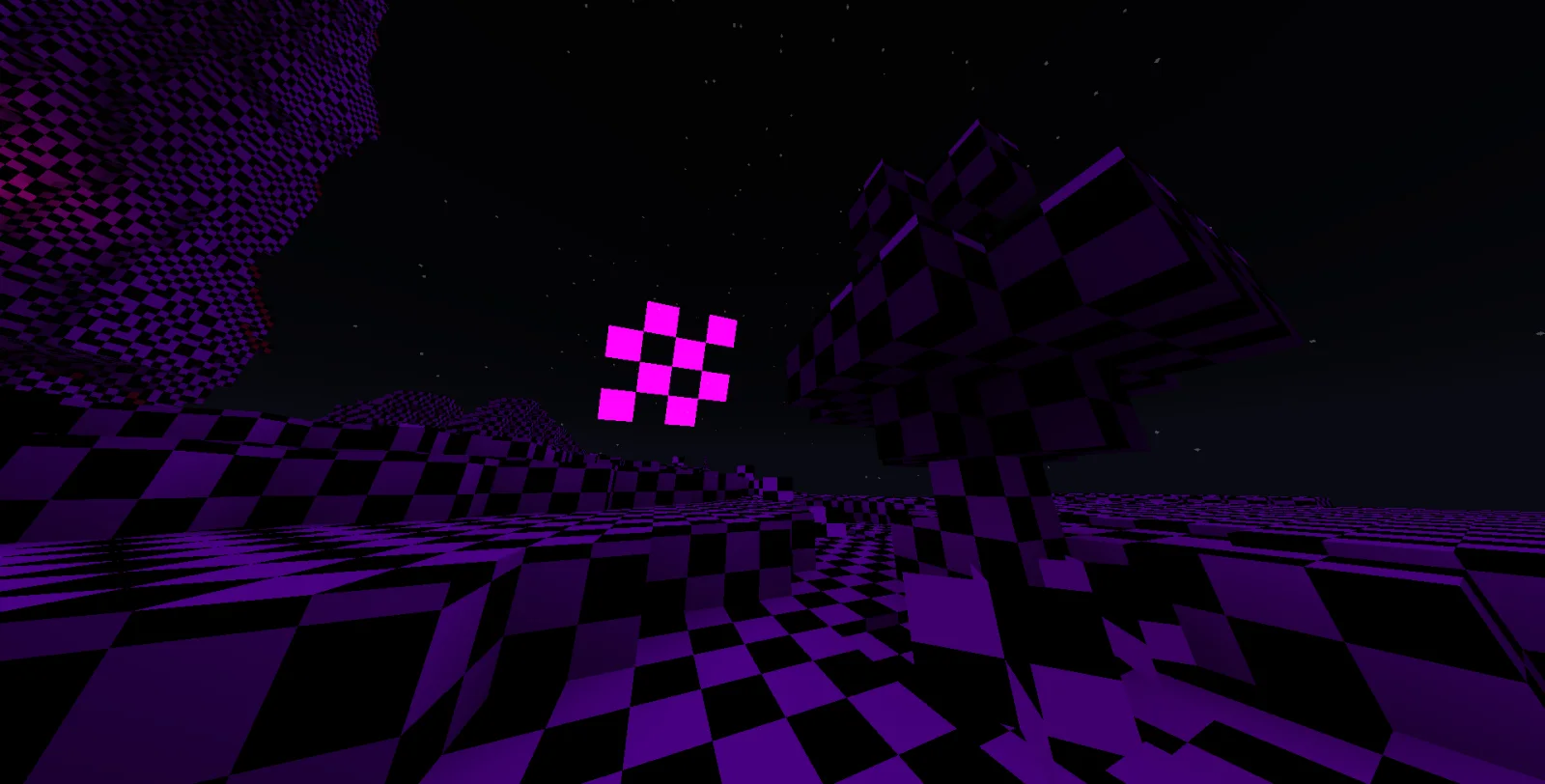
This resource pack replaces almost every visual texture in Minecraft with the iconic purple-and-black missing-texture checkerboard pattern.
These are intentionally left untouched to keep the game playable and menus readable.
Your textures aren't missing. They're just all the same now.
Geschrieben von Neox.MC. Mit Bildern auf Modrinth lesen.
Lade die .zip-Datei von Modrinth herunter. Entpacke sie nicht.
Öffne in Minecraft Optionen, dann Ressourcenpakete, dann Paketordner öffnen.
Lege die .zip-Datei in diesen Ordner und gehe zurück ins Spiel.
Schiebe Everything Missing in die rechte Liste und klicke auf Fertig.
Es ist für Minecraft 26.x gemacht. Auf anderen Versionen markiert Minecraft es als inkompatibel, oft funktioniert es aber trotzdem.
| Ressource | Downloads | Versionen | Letztes Update | Preis |
|---|---|---|---|---|
| Everything Missingdie du angesehen hast | 0 | 26.x | vor 12 Stunden | Kostenlos |
| Puff RadioSwordPack69 | 5.8M | 1.19 – 1.21 | 22. Juni 2026 | Kostenlos |
 Hypixel Plusic22487 | 2.1M | 1.8 – 26.x | 28. Mai 2026 | Kostenlos |
 Created Simple Storage NetworkMakzzin | 1.7M | 1.18 – 1.21 | 8. Juli 2023 | Kostenlos |
Ja. Everything Missing unterstützt Minecraft 26.x. Alle unterstützten Versionen: 26.x.
Ja. Everything Missing kannst du kostenlos bei Modrinth herunterladen.
Ja. Das letzte Update kam innerhalb des letzten Tages.
Am ähnlichsten sind Puff Radio, Hypixel Plus und Created Simple Storage Network. Alle Alternativen vergleichen
Puff RadioRessourcenpakete · 1.19 – 1.21A Resource pack that changes the minecraft sounds to Pokemon in-game music from various Pokemon Games!
Hypixel PlusRessourcenpakete · 1.8 – 26.xA Resource Pack built for the Hypixel server that textures all of SkyBlock, Bedwars, and so much more!
Created Simple Storage NetworkRessourcenpakete · 1.18 – 1.21Created Storage Network is an Resource Pack that updates the textures of this incredible mod made by Lothrazar with the textures of another incredible mod by…
 Golden Days BaseRessourcenpakete · 1.16 – 26.x
Golden Days is a Minecraft resource pack meant to bring back old textures, lighting, names, and sounds from older versions of Minecraft, like Beta. Requires…
 C418 Songs OnlyRessourcenpakete · 1.16 – 26.x
A resource pack that removes all non-c418 background tracks from the game.
 Vanilla EvolvedRessourcenpakete · 1.16 – 1.21
A vanilla minecraft resource pack with an enhanced artistic vision through the use of custom models and textures.
Logg dich ein, um eine Bewertung zu schreiben.