
 Status Effect TimerMods · 1.16 – 26.x
Overlay a timer on the Vanilla status effect HUD icons
Kostenlos4,292,762 Downloads
Adds a customisable bossbar timer that also lets you set actions for it run once the timer is complete.
Direkter Download von Modrinth · 7 Downloads
Bossbar Timer (Mod) stammt von Joashh. Adds a customisable bossbar timer that also lets you set actions for it run once the timer is complete.
Unterstützt wird Minecraft 1.20. Auf Modrinth gibt es 7 Downloads. Das letzte Update erschien am 21.09.2026.
Die neueste ist 1.1.0, erschienen am 20.09.2026. Sie ist für Minecraft 1.20.1 gemacht. Sie läuft auf Forge. Der Download ist 12 KB groß.
| Version | Veröffentlicht | Minecraft | Typ |
|---|---|---|---|
1.1.0 | 20.09.2026 | 1.20.1 | Release |
This mod adds a customisable bossbar timer.
You can also set actions for it to run when the timer is over.
Commands:
Geschrieben von Joashh. Mit Bildern auf Modrinth lesen.
Diese Mod wird auf dem Server und bei jedem Spieler gebraucht.
Installiere Forge für Minecraft 1.20.
Lade die .jar-Datei von Modrinth herunter und lege sie in den mods-Ordner deines .minecraft-Verzeichnisses.
Starte Minecraft mit dem Forge-Profil.
Einfacher: Suche in Prism Launcher oder der Modrinth App in den Mods deiner Instanz nach Bossbar Timer und klicke auf Install. Loader und benötigte Mods werden für dich hinzugefügt.
| Ressource | Downloads | Versionen | Letztes Update | Preis |
|---|---|---|---|---|
| Bossbar Timerdie du angesehen hast | 7 | 1.20 | 21. Sept. 2026 | Kostenlos |
| Status Effect Timermagicus | 4.3M | 1.16 – 26.x | 17. Sept. 2026 | Kostenlos |
 EclipseVisualsqwider | 239 | 1.21 | vor 2 Tagen | Kostenlos |
 Eclipse HUDnobub | 186 | 26.x | vor 5 Tagen | Kostenlos |
Noch nicht. Die neueste unterstützte Version ist Minecraft 1.20.
Ja. Bossbar Timer kannst du kostenlos bei Modrinth herunterladen.
Beides. Der Server und jeder Spieler brauchen Bossbar Timer.
Ja. Das letzte Update kam innerhalb des letzten Tages.
Am ähnlichsten sind Status Effect Timer, EclipseVisuals und Eclipse HUD. Alle Alternativen vergleichen
Status Effect TimerMods · 1.16 – 26.xOverlay a timer on the Vanilla status effect HUD icons
EclipseVisualsMods · 1.21Themeable HUD suite and visual effects for Minecraft. Customizable target display, music player with a scrolling marquee, potion timers, keybind list, and a…
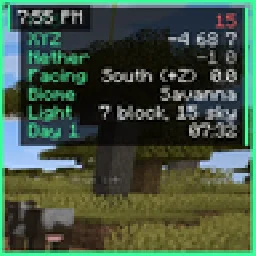
Eclipse HUDMods · 26.xMovable HUD: FPS and coords, compass, looking-at box, saturation bar, armor durability, potion timers, keystrokes, clock and more.
 TNT TimerMods · 1.21
Adds timers that apear above TNT to show time-to-detonation!
 Better Effect HUDMods · 26.x
Better Effect Hud is a highly customizable Minecraft mod, that adds many features, like Timer and Potency widgets, a duration bar, a warning vignette and more!
Logg dich ein, um eine Bewertung zu schreiben.